

Latest Version
9.77
July 16, 2026
Videomeet Private Limited
Communication
Android
1
Free
com.datainfosys.videomeet
Report a Problem
More About VideoMeet - Video Conference
Maximize Your Virtual Meetings with VideoMeet: Essential Features for Hosts and Admins
In today's digital age, effective communication is paramount, especially in virtual settings. VideoMeet offers a robust platform for hosting meetings, webinars, and conferences, ensuring that every session runs smoothly and efficiently. This article explores the essential features available to hosts and admins, enabling them to create a seamless experience for all participants.
Customizable Meeting Room Names for Continuous Use
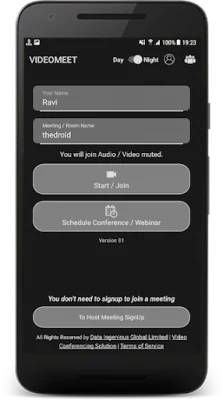
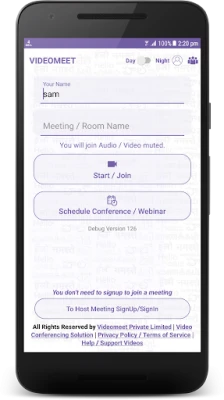
One of the standout features of VideoMeet is the ability to create dedicated meeting room names. Whether you’re organizing a board meeting, a family gathering, or a casual catch-up with friends, you can personalize your meeting room name for ongoing use. This customization not only enhances brand identity but also makes it easier for participants to recognize and join the correct meeting.
Enhanced Security with Waiting Rooms
Security is a top priority for any virtual meeting. VideoMeet allows hosts to enable a waiting room feature, which includes audio and text messages. This functionality ensures that the host can monitor who enters the meeting, allowing only authorized individuals to join, even if they possess the meeting password. This added layer of security is crucial for sensitive discussions and confidential meetings.
Control Participant Audio and Video Access
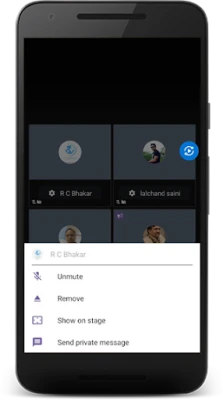
As a host, maintaining control over the meeting environment is essential. VideoMeet provides the option to disable the microphones of all participants, granting audio and video access solely to designated panelists. This feature minimizes background noise and distractions, allowing for a more focused and productive meeting atmosphere. Additionally, hosts can easily unmute participants when their input is needed, facilitating smooth interactions.
Access Comprehensive Host Features
For a detailed overview of all the features available to hosts, VideoMeet provides a downloadable document. You can access this resource at VideoMeet Host Features. This document outlines the various tools and functionalities that enhance the hosting experience, ensuring you make the most of your virtual meetings.
Webinars and Panelist Mode: Engage Your Audience
VideoMeet is not just limited to standard meetings; it also supports webinars and panelist modes. This versatility allows hosts to engage larger audiences effectively, making it an ideal choice for educational sessions, corporate presentations, and public discussions. The screen sharing feature further enhances engagement, enabling hosts to present visual content seamlessly.
Schedule Conferences and Webinars with Ease
With VideoMeet, scheduling conferences and webinars is a breeze. Hosts can create personalized room names for each event, making it easy for participants to remember and access their meetings. This feature is particularly beneficial for organizations that conduct regular sessions, as it streamlines the scheduling process and enhances participant experience.
Versatile Use Cases for VideoMeet
VideoMeet is designed to cater to a wide range of users, including:
- Governments
- Teachers and Educators
- Business Leaders
- Schools and Educational Institutions
- Healthcare Providers
- Mentors and Coaches
- Startups and Entrepreneurs
- Groups of Friends and Family Members
- Organizations of all sizes
This versatility makes VideoMeet an invaluable tool for anyone looking to enhance their virtual communication capabilities.
Reliable Connectivity for All Users
VideoMeet is designed to function seamlessly across various internet connections, including mobile data (4G/3G) and Wi-Fi. This flexibility ensures that users can participate in meetings from virtually anywhere, making it an ideal solution for remote work, online education, and virtual gatherings.
Discover More About VideoMeet
To explore all the features and benefits that VideoMeet has to offer, visit www.videomeet.in. Whether you’re hosting a small team meeting or a large-scale webinar, VideoMeet provides the tools you need to ensure a successful and engaging virtual experience.
In conclusion, VideoMeet stands out as a comprehensive solution for virtual meetings, offering a range of features that enhance security, control, and engagement. By leveraging these tools, hosts can create a professional and efficient meeting environment that meets the needs of all participants.
Rate the App
User Reviews















Popular Apps










Editor's Choice









