

Latest Version
2.4.0.19955
June 26, 2026
Verizon Consumer Group
Tools
Android
0
Free
com.verizon.homeapp
Report a Problem
More About Verizon Home
Unlock the Full Potential of Your Home Network with Verizon Home
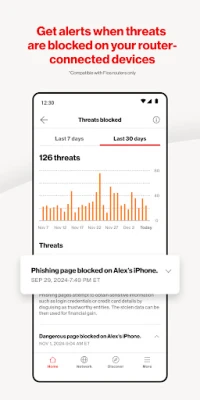
In today's digital age, managing your home network efficiently is crucial for a seamless online experience. With Verizon Home, you gain comprehensive control over your network, ensuring optimal performance and security. This article delves into the key features of Verizon Home, highlighting how it can transform your internet experience.
Comprehensive Network Management
Verizon Home offers a suite of tools designed to enhance your network management capabilities. Here’s what you can expect:
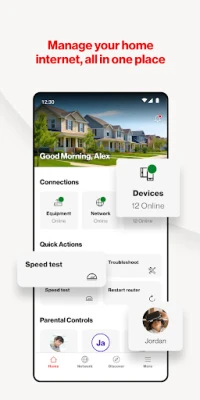
- View Equipment Details: Instantly access detailed information about your Verizon routers and extenders, ensuring you know exactly what devices are in your network.
- Connected Devices: Monitor all devices connected to your network, providing insights into usage and performance.
- Network Control: Effortlessly enable or disable individual networks, including primary, guest, and IoT networks, to maintain security and manage bandwidth.
- SSID & Password Management: Easily view and modify your network name (SSID), password, and encryption type to enhance security.
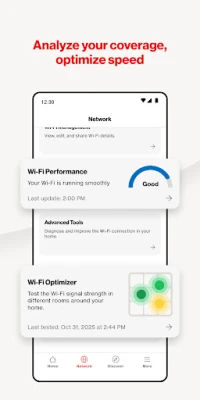
- Advanced Settings: Access advanced features such as enabling/disabling SON and 6 GHz settings for compatible routers, optimizing your network for speed and efficiency.
- Wi-Fi Sharing: Quickly share your Wi-Fi credentials with guests, making it convenient for visitors to connect.
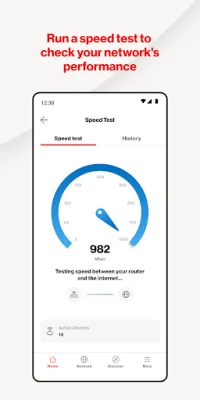
- Speed Test: Run speed tests to assess your internet performance and view your speed test history for ongoing monitoring.
- Router Management: Restart your router, adjust LED brightness, utilize WPS for easy device setup, and manage settings with options to save, restore, or factory reset.
Effective Troubleshooting Solutions
Network issues can be frustrating, but Verizon Home simplifies the troubleshooting process. With guided troubleshooting flows, you can diagnose and resolve network problems step-by-step, ensuring minimal downtime and a smoother online experience.
Robust Parental Controls
Keeping your family safe online is a priority, and Verizon Home provides powerful parental control features:
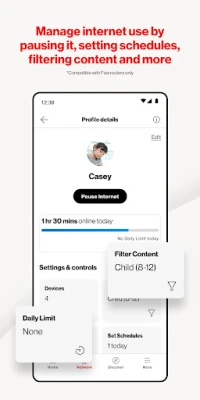
- Device Grouping: Organize devices into groups for easier management, allowing you to apply settings to multiple devices simultaneously.
- Pause & Schedule: Take control of internet access by pausing it or scheduling access times for specific devices, ensuring a balanced online experience for your family.
Stay Informed with Discover Features
Verizon Home keeps you updated with the latest features and functionalities:
- New Features: Stay informed about new updates and enhancements to maximize your network's capabilities.
- Video Tips: Access helpful video tips that guide you through optimizing your network and utilizing all available features.
Streamlined Account Management
Managing your account is straightforward with Verizon Home:
- Profile Settings: Easily update your user ID, password, and contact information to keep your account secure and up-to-date.
Support & Feedback for Continuous Improvement
Verizon Home prioritizes customer support and feedback:
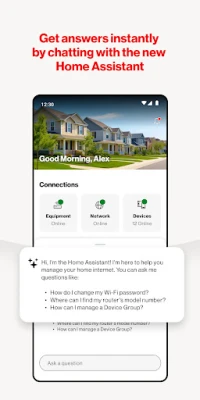
- Contact Verizon: Reach out for assistance via chatbot or phone, ensuring you receive the help you need promptly.
- Report Issues: Submit any issues you encounter and receive dedicated support to resolve them quickly.
- Feedback: Provide valuable feedback to help improve the app and enhance user experience.
Take Control of Your Home Network Today!
Verizon Home is designed to empower you with complete control over your home network. With its user-friendly interface and robust features, managing, troubleshooting, and optimizing your internet experience has never been easier. Download Verizon Home today and take the first step towards a smarter, more efficient home network.
Download Verizon Home Today!
Rate the App
User Reviews















Popular Apps










Editor's Choice









