

Latest Version
1.13
November 18, 2024
House Unpacking Life Simulator
Games
iOS
181.4 MB
0
Free
Report a Problem
More About Unpack 3D
Mastering the Art of Object Arrangement: A Guide to Perfect Placement
Arranging objects in a room can be both a fun and challenging task. Whether you're decorating a space or solving a puzzle, understanding how to effectively position items is key to achieving your desired aesthetic. This guide will walk you through the steps to successfully arrange glowing objects, ensuring you create a harmonious and visually appealing environment.
Step 1: Gather Your Glowing Objects
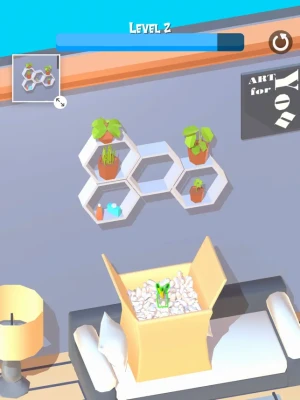
Begin by collecting all the glowing objects from the designated box. These items are your tools for transformation, and each one plays a crucial role in achieving the final look. Take a moment to examine each object, noting its shape, color, and size, as these factors will influence your arrangement strategy.
Step 2: Visualize the Goal Image
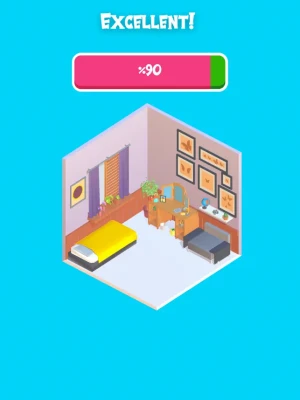
Before you start placing the objects, take a close look at the goal image. This reference will guide your arrangement process. Pay attention to the positioning of each item in the image, as well as the overall balance and symmetry. Visualizing the end result will help you make informed decisions as you begin to place the objects in the room.
Step 3: Begin Arranging the Items
Now it’s time to start arranging the glowing objects in the room. Tap and drag each item from the box into the desired location. As you place each object, consider how it interacts with the other items and the overall space. Aim to replicate the layout shown in the goal image, adjusting as necessary to fit your unique environment.
Step 4: Adjusting for Perfection
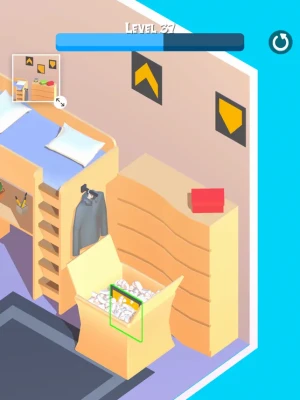
As you arrange the objects, keep an eye out for any that glow red. This indicates that the item is not in its correct position. When you see a red glow, it’s a signal to relocate that object. Carefully assess its surroundings and find a more suitable spot that aligns with the goal image. Remember, the key to a successful arrangement is ensuring that every item complements the others.
Step 5: Final Touches and Review
Once you have placed all the objects, take a step back and review your arrangement. Compare it to the goal image, making any final adjustments to enhance the overall look. This is your opportunity to fine-tune the placement, ensuring that everything is in harmony. Don’t hesitate to experiment with different configurations until you achieve the perfect arrangement.
Conclusion: Achieving the Perfect Arrangement
Arranging glowing objects can be a rewarding experience that enhances your space. By following these steps—gathering your items, visualizing the goal, arranging thoughtfully, adjusting as needed, and reviewing your work—you can create a stunning display that captures the essence of your vision. Embrace the process, and enjoy the satisfaction of seeing your ideas come to life!
Rate the App
User Reviews














Popular Apps










Editor's Choice









