Latest Version
1.7.0
February 24, 2026
Dynamic Remote
Entertainment
Android
1
Free
ldyt.tvremote.free.universal.control
Report a Problem
More About Universal TV Remote For All TV
Unlock the Power of Your TV with Universal Remote Control
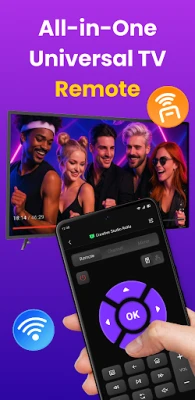
In today's digital age, managing multiple devices can be a hassle. A universal TV remote control simplifies your entertainment experience by allowing you to control various smart TVs and streaming devices from a single app. Here’s why you should consider using a universal remote control for your television.
1. Effortless Automatic Search and Connection
One of the standout features of a universal remote control is its ability to automatically search for and connect to a wide range of smart TVs. This means you can quickly identify your device without the need for complicated setup processes. Just a few taps, and you’re ready to go! 🔍📡
2. Seamless Volume Adjustment
Adjusting the volume has never been easier. With a universal remote, you can effortlessly control the sound levels of your TV, ensuring that you enjoy your favorite shows and movies at the perfect volume. 🔊
3. Screen Mirroring Made Simple
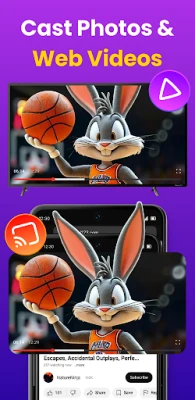
Want to share photos or videos from your phone? The screen mirroring feature allows you to display your mobile device's screen on your TV. This is perfect for showcasing memories during family gatherings or sharing presentations during meetings. 📱➡️🖥️
4. Convenient Phone Casting
With the phone casting feature, you can easily stream content from your smartphone directly to your TV. Whether it’s a movie, a video game, or a live event, enjoy a larger-than-life experience right from your couch. 📲🎬
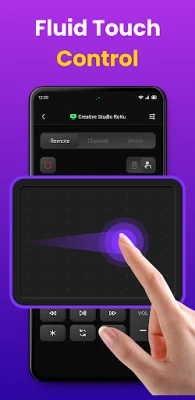
5. Enhanced Keyboard Input and Touch Feedback
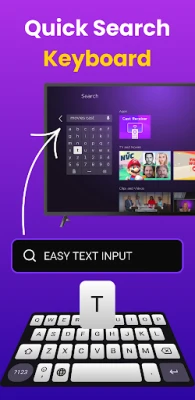
Typing on a remote can be tedious, but with a universal remote control, you can enjoy convenient keyboard input and touch feedback features. This makes searching for content or entering passwords a breeze. ⌨️🖐️
6. Compatibility with Various TV Brands
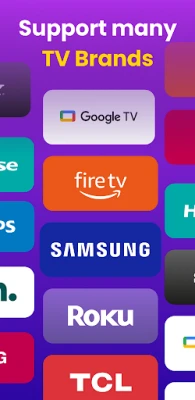
One of the greatest advantages of a universal remote is its ability to control multiple brands of TVs. Whether you own a Samsung, LG, or Sony, you can turn your TV on and off with ease. 🖥️🔄
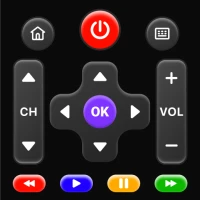
7. Playback Control at Your Fingertips
Take charge of your viewing experience with playback control features. Pause, play, or rewind your favorite shows without fumbling through multiple remotes. ⏯️⏸️
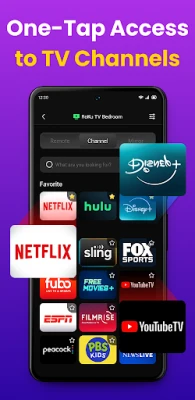
8. Quick Access to Favorite Channels
Never miss your favorite shows again! A universal remote allows you to quickly access and bookmark your preferred channels, making it easy to switch between them. ⭐📺
Quick Start Guide to Using Your Universal Remote
- Download and install the “Universal TV Remote Control” app on your smartphone. 📥📲
- Ensure your phone and TV or streaming device are connected to the same WiFi network. 🌐
- Open the app and tap “Connect” to pair it with your smart TV. 📶🤝
- Congratulations! You’re now ready to enjoy the convenience of your universal remote. 🎉🕹️
Supported TV Brands and Streaming Devices
The universal remote control app supports a wide range of TV brands and streaming devices, including:
- Roku System TVs: TCL, Hisense, Sharp, Philips, JVC, and more. 📺
- Popular TV Brands: Roku TV, Fire TV, LG TV, etc. 📺
- Streaming Devices: Roku Express, Roku Streaming Stick, Fire Stick, Fire TV Cube, and more. 🎥📡
Troubleshooting Tips
If you encounter any issues while using the universal remote, consider the following troubleshooting steps:
- Ensure both your smart TV and phone are connected to the same WiFi network. 🌐📶
- Check for updates and install the latest version of the app. 🔄📲
- If problems persist, try reinstalling the app. 🔄🔧
If you continue to experience difficulties, please provide detailed information about the issue, including text, images, or video, and send it to our customer service at cs@ldyt.online. We are here to help! 📧🛠️
Disclaimer
Please note that the TV Remote Universal Control app is not an official application for any of the mentioned brands, and we have no affiliation with these companies. 🚫
Contact Us
For more information, please visit our Terms of Use and Privacy Policy. For inquiries, reach out to us at cs@ldyt.online.
Stay updated with the latest features and improvements by visiting our website at https://ldyt.online. 🌐
Rate the App
User Reviews





Popular Apps










Editor's Choice









