
Latest Version
1.8.2
December 25, 2025
Mind Cube Apps
Tools
Android
0
Free
com.afl.universalremote
Report a Problem
More About Universal TV Remote App
Transform Your Android Device into the Ultimate Smart TV Remote Control
Elevate your home entertainment experience by turning your Android device into a powerful remote control for your Smart TV with the Universal TV Remote app. This innovative application allows you to navigate channels, adjust settings, and search for content seamlessly, all from the convenience of your smartphone.
Key Features of the Universal TV Remote App
The Universal TV Remote app is packed with features designed to enhance your viewing experience. Here’s what you can expect:
Automatic Detection
With automatic detection, the app instantly identifies and connects to any TV on the same Wi-Fi network. This means you can start controlling your television without any complicated setup.
Broad Compatibility
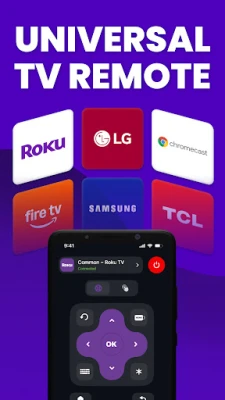
This app is compatible with all major TV brands, ensuring that you can use it regardless of your television model. Whether you own a Samsung, LG, Sony, or any other popular brand, the Universal TV Remote app has you covered.
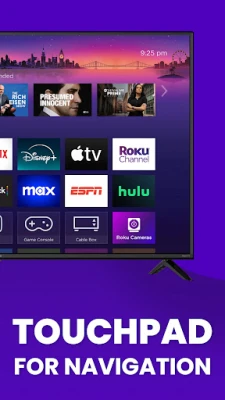
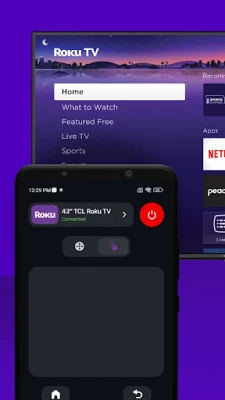
Touchpad Navigation
Experience effortless browsing with the touchpad navigation feature. Simply swipe through content using a responsive touchpad, making it easier than ever to find your favorite shows and movies.
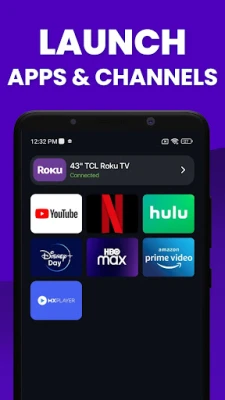
Channel Launch
Open channels directly from the app for quick access. The channel launch feature allows you to jump straight into your favorite programming without fumbling through menus.
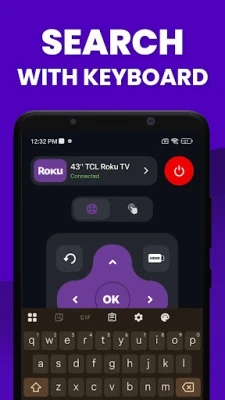
Keyboard Input
Searching for content is a breeze with the built-in keyboard input. Type text quickly and efficiently, making your search experience seamless and enjoyable.
Voice Search
Utilize voice search to find content instantly. Just speak your command, and the app will do the rest, allowing for hands-free operation.
Comprehensive Control
Take full command of your television with the comprehensive control feature. This app serves as a master remote for any television, giving you the power to manage all functions from one place.
Power Button
Easily turn your TV on or off with the power button feature. No more searching for the physical remote; control your TV with just a tap.
Volume Control
Adjust the volume to your preferred level using the volume control feature. Whether you want to crank up the sound for an action movie or lower it for a late-night show, you have complete control.
Mute Button
Need to silence the TV quickly? The mute button allows you to instantly mute the sound, perfect for when the phone rings or someone knocks at the door.
Digit Buttons
Enter channel numbers directly with the digit buttons. This feature makes it easy to switch to your desired channel without scrolling through the guide.
Up/Down Channel Switching
Effortlessly switch between channels using the up/down channel switching feature. This allows for quick navigation through your favorite programs.
Menu Button
Access settings and options with a single tap using the menu button. This feature simplifies navigation, making it easy to customize your viewing experience.
Directional Navigation
Move up, down, left, or right to browse through menus and content with the directional navigation feature. This intuitive control makes finding what you want a hassle-free experience.
Supported TV Brands
The Universal TV Remote app supports a wide range of TV brands, ensuring compatibility with your device. Here are some of the brands you can control:
- Roku
- Samsung
- LG
- Sony
- TCL
- Vizio
- Hisense
- Fire TV
- Chromecast
- Panasonic
- Philips
- Android Box TV
- Xiaomi
- EcoStar
- Toshiba
- Smart TV remote for IR Blaster televisions
- And many more!
Conclusion: Simplify Your Smart TV Experience
Whether it’s movie night, gaming, or simply browsing content, the Universal TV Remote app simplifies controlling your Smart TV from anywhere in your home. Download the app today and take control of your Smart television experience with ease!
Rate the App
User Reviews















Popular Apps










Editor's Choice









