

Latest Version
July 14, 2026
UniCredit S.p.A.
Tools
Android
1
Free
eu.unicredit.ial
Report a Problem
More About UniCredit Authenticator
Enhancing Online Banking Security with UniCredit Authenticator
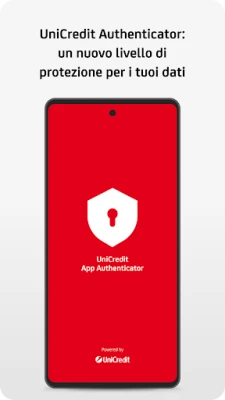
In today's digital age, ensuring the security of online banking services is paramount. UniCredit Authenticator is a mobile application developed by UniCredit that significantly enhances the security of its clients' online banking experiences. This innovative app employs a multi-factor authentication (MFA) method, providing an additional layer of protection for transactions and access to the services offered by UniCredit.
What is UniCredit Authenticator?
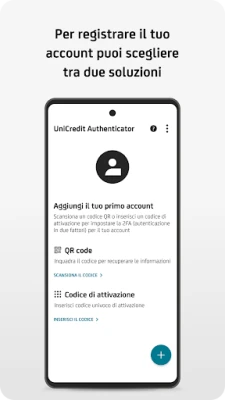
UniCredit Authenticator is a cutting-edge mobile application designed to safeguard your online banking activities. By integrating advanced security features, it helps users protect their sensitive information from unauthorized access. The app is user-friendly and can be easily downloaded on various mobile devices, making it accessible for all UniCredit customers.
Why Multi-Factor Authentication Matters
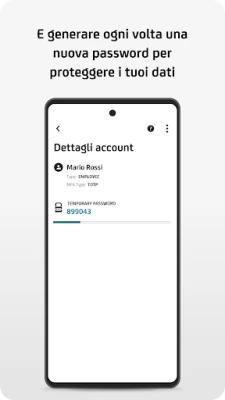
Multi-factor authentication is a crucial security measure that requires users to provide two or more verification factors to gain access to their accounts. This method significantly reduces the risk of unauthorized access, as it combines something the user knows (like a password) with something the user has (like a mobile device). With UniCredit Authenticator, clients can rest assured that their banking information is secure.
Key Features of UniCredit Authenticator
- Enhanced Security: The app provides an additional layer of security, making it difficult for cybercriminals to access accounts.
- User-Friendly Interface: Designed with the user in mind, the app is easy to navigate, ensuring a seamless experience.
- Real-Time Notifications: Users receive instant alerts for any suspicious activity, allowing for quick action if needed.
- Compatibility: The app is compatible with various devices, ensuring that all users can benefit from its features.
How to Get Started with UniCredit Authenticator
Getting started with UniCredit Authenticator is a straightforward process. Follow these simple steps to enhance your online banking security:
- Download the App: Visit your device's app store and search for "UniCredit Authenticator." Download and install the application.
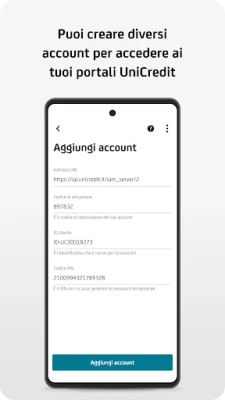
- Create an Account: Open the app and follow the prompts to create your account. You will need to provide some personal information for verification.
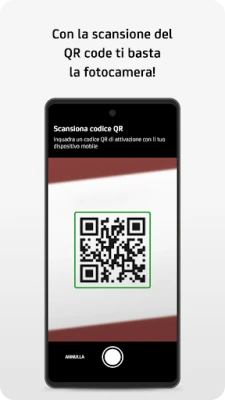
- Link Your Bank Account: Once your account is set up, link it to your UniCredit banking account by following the in-app instructions.
- Enable MFA: Activate the multi-factor authentication feature to start enjoying enhanced security for your online transactions.
Benefits of Using UniCredit Authenticator
Utilizing UniCredit Authenticator offers numerous benefits that enhance your overall banking experience:
- Peace of Mind: Knowing that your banking information is secure allows you to focus on managing your finances without worry.
- Reduced Risk of Fraud: The additional security measures significantly lower the chances of falling victim to online fraud.
- Convenience: The app streamlines the authentication process, making it quick and easy to access your accounts securely.
Conclusion
In an era where online security is more critical than ever, UniCredit Authenticator stands out as a vital tool for safeguarding your banking activities. By implementing multi-factor authentication, UniCredit provides its customers with a robust solution to protect their sensitive information. Download the app today and take the first step towards a more secure online banking experience.
Rate the App
User Reviews















Popular Apps










Editor's Choice









