

Latest Version
3.6.4
April 07, 2026
United Bank Limited
Finance
Android
0
Free
com.ubldigital.qatar
Report a Problem
More About UBL Digital Qatar
Ultimate Guide to UBL Funds Transfer and Payment Features
In today's fast-paced digital world, managing your finances efficiently is crucial. UBL (United Bank Limited) offers a comprehensive suite of funds transfer and payment features designed to simplify your banking experience. This article delves into the various functionalities available, ensuring you can make the most of your UBL account.
Seamless Funds Transfer Options
UBL provides a variety of funds transfer options to cater to your banking needs. Whether you want to send money to another UBL account or manage your own funds, UBL has you covered.
Transfer Funds to Other UBL Accounts
Transferring funds to another UBL account is a straightforward process. With just a few clicks, you can send money to friends, family, or business associates. This feature ensures that your transactions are quick, secure, and hassle-free.
Transfer Funds Within Your Own Account
Managing your finances has never been easier. UBL allows you to transfer funds between your own accounts seamlessly. Whether you need to move money from your savings to your checking account or vice versa, this feature provides instant access to your funds.
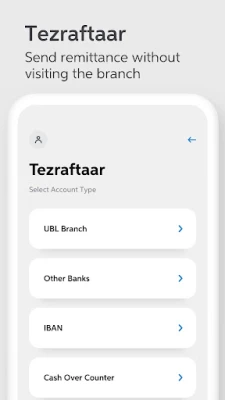
Interbank Funds Transfer
Need to send money to an account at a different bank? UBL's interbank funds transfer feature enables you to send money across various banks effortlessly. This service is designed to facilitate quick and secure transactions, ensuring your funds reach their destination without delay.
Locate Nearby ATMs and Branches
Finding a UBL ATM or branch is simple and convenient. With UBL's user-friendly interface, you can easily locate the nearest ATMs and branches, ensuring you have access to your funds whenever you need them.
Basic Features of UBL Banking App
The UBL banking app is packed with essential features that enhance your banking experience. Here are some of the key functionalities:
Secure Login with Biometric Verification
Your security is a top priority. UBL offers secure login options through biometric verification, such as fingerprint or facial recognition. This feature ensures that only you can access your account, providing peace of mind.
Manage Multiple Accounts
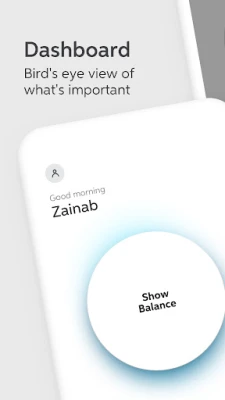
For those with multiple UBL accounts, managing them is a breeze. The app allows you to view and manage all your accounts in one place, making it easy to keep track of your finances.
e-Transaction History
Stay informed about your financial activities with the e-transaction history feature. This functionality provides a detailed overview of your transactions, allowing you to monitor your spending and manage your budget effectively.
Graphical Account Statement
Experience your account statement like never before. UBL offers graphical illustrations of your account activity, making it easier to understand your financial trends and patterns at a glance.
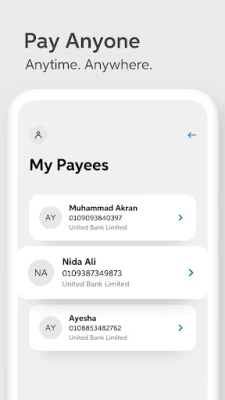
Beneficiary Management
Managing beneficiaries is crucial for efficient funds transfer. UBL's beneficiary management feature allows you to add, edit, or remove beneficiaries with ease, streamlining your payment processes.
Customer Feedback and Support
Your feedback is invaluable to us. UBL encourages users to leave messages regarding their experiences with the app. A dedicated customer care representative will reach out to address your concerns and suggestions, ensuring continuous improvement of the service.
Settings for Personalization
UBL understands that every user has unique preferences. The app allows you to customize your settings to enhance your banking experience.
Change Daily Transaction Limits
Control your spending by adjusting your daily transaction limits. This feature empowers you to set boundaries that align with your financial goals, providing an added layer of security.
Enable or Disable Touch ID
For added convenience, you can enable or disable Touch ID for quick access to your account. This feature allows you to choose how you want to log in, ensuring a personalized banking experience.
Conclusion
UBL's funds transfer and payment features are designed to provide a seamless banking experience. From secure transactions to user-friendly management tools, UBL empowers you to take control of your finances. Explore these features today and enjoy the convenience of modern banking at your fingertips.
Rate the App
User Reviews















Popular Apps










Editor's Choice









