Latest Version
April 17, 2026
CaramelPud Mobile Ltd.
Entertainment
Android
0
Free
jtbd.firetv.fireremote.firestick.tvremote.cast.screenmirroring
Report a Problem
More About TV Remote for Fire&Stick
Transform Your Streaming Experience with the Ultimate TV Remote for Fire & Stick
Are you tired of juggling multiple remotes or struggling to navigate your Fire TV and Fire Stick? The TV Remote for Fire & Stick app is here to revolutionize your streaming experience. With just one tap, this innovative app enhances the functionality of your Fire TV, Fire Stick, and other Fire OS streaming devices, making them smarter and more user-friendly.
Key Features of the TV Remote for Fire & Stick
This app is packed with features designed to simplify your viewing experience:
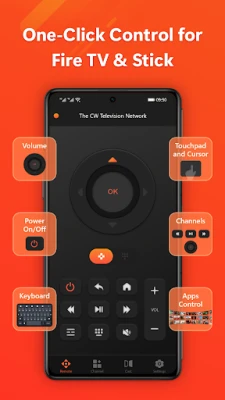
- Instant Power On/Off: Turn your device on or off with a single tap, eliminating the need for multiple remotes.
- Adjust Volume Easily: Control the volume effortlessly, ensuring you never miss a moment of your favorite shows.
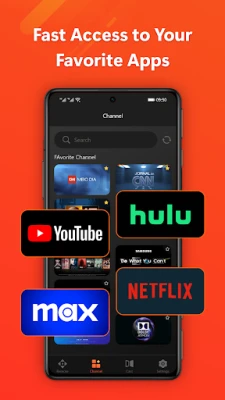
- Quick Channel Switch: Navigate between channels swiftly, so you can find what you want to watch without delay.
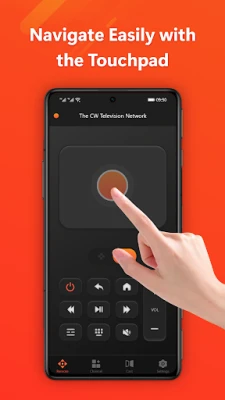
- Smart Touch Navigation: Enjoy intuitive touch controls that make browsing through menus a breeze.
- Fast Keyboard Input: Type quickly and accurately with a virtual keyboard, perfect for searching content.
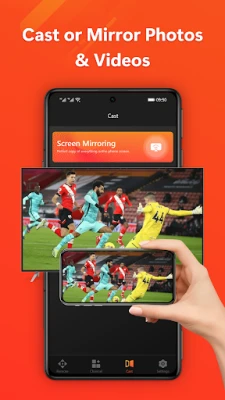
- Mirror Phone Screen: Display your phone's screen on your TV, making it easy to share photos and videos.
- Cast Photos & Videos: Seamlessly cast your favorite media from your phone to your TV.
- Control Video Playback: Pause, play, and rewind your shows with ease, putting you in control of your viewing experience.
Getting Started with the TV Remote for Fire & Stick
Setting up the TV Remote for Fire & Stick is quick and straightforward. Follow these simple steps to get started:
- Download and install the app on your smartphone.
- Ensure that your phone and Fire TV or other Fire devices are connected to the same Wi-Fi network.
- Open the app, tap "Connect," and enter the 4-digit PIN code displayed on your Fire device.
- Confirm the pairing, and once connected, your device is ready for use.
Compatible Devices
The TV Remote for Fire & Stick is compatible with a wide range of devices, including:
- Fire TV
- Fire Stick
- Fire TV Box
- Fire TV Cube
- Fire TV Stick 4K / Lite
- Other Fire OS streaming devices
Frequently Asked Questions (FAQ)
1. Does this app work without a Wi-Fi connection?
No, the app requires both your phone and TV to be connected to the same Wi-Fi network for it to function properly.
2. What should I do if I cannot connect to my Fire device?
If you encounter connection issues, try reinstalling the app and restarting your Fire device. Most problems can be resolved with these simple steps.
3. How can I restore functionality if I experience connection issues?
Follow the setup steps outlined above to quickly restore functionality. The process is straightforward and does not require complicated configurations.
Disclaimer
Please note that CaramelPud Mobile Ltd is not affiliated with Amazon.com Inc. The TV Remote for Fire & Stick is not an official product of Amazon.com Inc. or its affiliates.
Contact Us for Support
If you have any questions or need assistance, feel free to reach out to us at: service@jtbd.ltd
For more information, visit our website: https://www.jtbd.ltd/
Upgrade your streaming experience today with the TV Remote for Fire & Stick and enjoy seamless control over your entertainment!
Rate the App
User Reviews






Popular Apps










Editor's Choice









