
Latest Version
1.1.0
December 27, 2025
Dynamic Remote
Tools
Android
0
Free
ldyt.firetv.fireremote.firestick.mirroring.cast
Report a Problem
More About TV Remote for Fire&Smart TV
Transform Your Android Device into the Ultimate Fire TV Remote
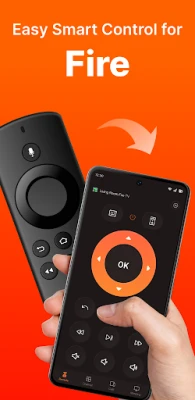
Are you tired of misplacing your TV remote or dealing with its limitations? Say goodbye to those frustrations with the TV Remote for Fire & Smart TV. This innovative app allows you to turn your Android phone or tablet into a fully functional remote control for your Fire TV, Fire Stick, Fire TV Cube, or Fire TV Box. With a range of features designed for convenience and ease of use, you can control your entertainment experience like never before.
Comprehensive Remote Control Features
The TV Remote for Fire & Smart TV app offers a plethora of features that enhance your viewing experience:
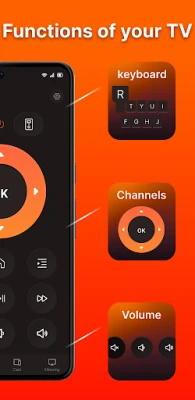
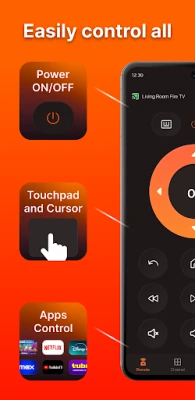
- Full Remote Control: Effortlessly power your device on or off, adjust the volume, change channels, and navigate through menus with ease.
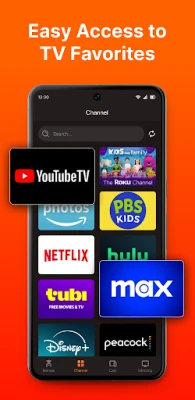
- Quick Access: Launch your favorite apps and channels with just one tap, making it easier than ever to find what you want to watch.
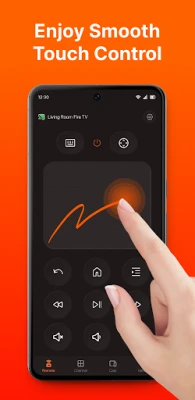
- Smooth Touchpad Navigation: Enjoy seamless swiping, scrolling, and gesture controls for a more intuitive experience.
- Video & Photo Casting: Stream videos and photos directly from your phone to your Fire TV, bringing your media to life on the big screen.
- Screen Mirroring: Mirror your phone or tablet screen to your Fire TV in real-time, perfect for sharing content with friends and family.
- Virtual Keyboard: Quickly type for searches, logins, and more, eliminating the hassle of using a traditional remote.
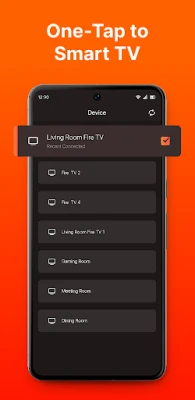
- Auto Detection & Fast Connection: The app smartly detects your Fire TV devices and pairs with just one tap, ensuring a hassle-free setup.
Quick Start Guide for New Users
Getting started with the TV Remote for Fire & Smart TV is simple. Follow these easy steps:
- Ensure your Android phone or tablet is connected to the same Wi-Fi network as your Fire TV, Fire Stick, or other streaming device.
- Open the app and tap "Connect." The app will automatically search for your Fire TV or Fire Stick.
- Enter the PIN displayed on your TV into your Android device to complete the pairing process.
Enhance Your Experience with Tips
For the best screen mirroring or casting experience, consider downloading our companion app, Screen Mirroring Receiver for Fire TV & Stick, on your TV. This will optimize your streaming and mirroring capabilities, ensuring smooth playback and high-quality visuals.
Troubleshooting Common Issues
If you encounter any issues while using the app, here are some troubleshooting tips:
- Ensure that your Android device and Fire TV are connected to the same Wi-Fi network. This is crucial for the app to function properly.
- If you cannot connect to your Fire TV, try reinstalling the app and restarting your TV. This often resolves most connectivity issues.
Disclaimer
Please note that Dynamic Remote is not affiliated with Amazon.com, Inc. The TV Remote for Fire & Smart TV is not an official product of Amazon.com, Inc. or its affiliates.
Contact Us for Support
If you have any questions or need assistance, feel free to reach out to us at cs@ldyt.online. For more information, visit our website at https://ldyt.online.
To review our user agreement, please visit User Agreement. For details on how we handle your information, check our Privacy Policy.
Embrace the future of home entertainment with the TV Remote for Fire & Smart TV app, and enjoy a seamless viewing experience right from your Android device!
Rate the App
User Reviews















Popular Apps










Editor's Choice









