


Latest Version
2.48
December 04, 2025
2kit consulting
Entertainment
Android
1
Free
de.twokit.castbrowsernexusplayer
Report a Problem
More About TV Cast for Android TV
Stream Seamlessly: The Ultimate Guide to Video & TV Cast for Android Devices
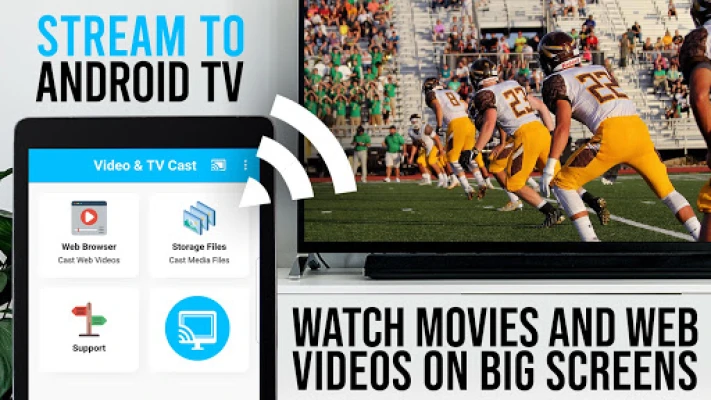
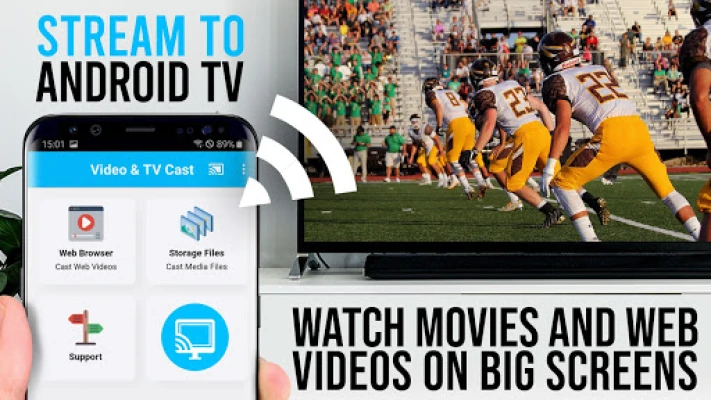
In today's digital age, streaming content on your television has never been easier. With the Video & TV Cast app, you can effortlessly browse the web and stream your favorite online videos directly to your Android TV, Chromecast, or any Google Assistant-powered streaming device. This guide will walk you through the app's features, important notes, and a quick start guide to enhance your streaming experience.
What is Video & TV Cast?
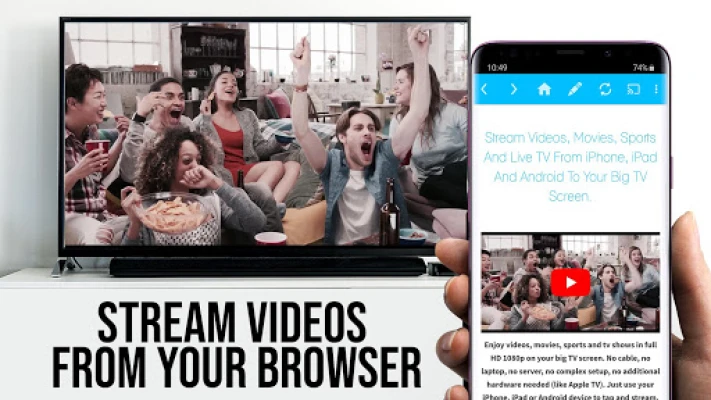
Video & TV Cast is a powerful application designed to allow users to stream a variety of online content, including movies, TV shows, sports, and music, directly to their cast-enabled devices. By simply navigating to your preferred website, you can send embedded videos to your TV or gaming console with just a single tap. The app displays discovered videos below the browser, making it easy to select and cast your desired content.
Key Features of Video & TV Cast
- Easy Navigation: Browse your favorite websites and find videos to cast effortlessly.
- Single Tap Casting: Send videos to your TV or device with just one tap.
- Wide Compatibility: Works with various cast-enabled devices, including Android TV and Chromecast.
Important Notes for Users
Before diving into the app, it's essential to understand some limitations and guidelines:
- Unsupported Videos: The app does not support Flash videos, Google Play movies, Netflix, Amazon, HBO, or any other DRM-protected content. Additionally, it cannot cast livestreams or live TV shows.
- Testing the App: Users are encouraged to test websites and videos using the free edition. Upgrading will not resolve casting issues if the content is unsupported.
- Partial Device Mirroring: The app does not mirror your entire Android device; it only casts the video portion of a website to your Nexus Player.
- Direct Video Playback: For formats like mp4 or m3u8, users can paste the full video URL directly into the browser's address bar.
- Connection Issues: If you experience connectivity problems, try restarting your Android device, Nexus Player, and Wi-Fi router.
- Feedback and Support: If you encounter issues with specific videos, check the FAQ or report the problem via the app. Avoid leaving negative reviews without providing details, as this hinders support efforts.
- Minimal Permissions: For user safety, Video & TV Cast requires minimal permissions and does not access personal data or location information.
- Refund Policy: Refunds are available within 24 hours of purchase, provided you submit your Google Purchase ID.
Quick Start Guide to Using Video & TV Cast
Follow these simple steps to start streaming your favorite content:
- Wait a few seconds for the red icon in the menu bar to change to a filled white icon. If your Nexus Player is not detected, restart the app.
- Search for your desired video (e.g., on YouTube) or enter the video URL directly in the browser's address bar by tapping the pen icon in the menu bar.
- Wait for the video link (mp4, m3u8, etc.) to appear below the browser. If you see "No video link found to cast," play the video locally in the browser and switch to fullscreen mode before waiting again.
- Once the link is detected, tap "Tap here to cast" below the browser to start casting. To stop casting, simply tap the cast icon in the menu bar.
- Enjoy your web video, online movie, livestream, or live TV show, and consider sharing the app on social media platforms like Twitter or Facebook!
A Message from the Developers
Your feedback is invaluable! If you have suggestions or encounter any issues with Video & TV Cast, please reach out to the support team at info@video-tv-cast.com. They are committed to providing assistance as quickly as possible.
If you enjoy using the app, consider supporting the developers by leaving a 5-star rating on Google Play or purchasing one of the available add-ons. Your support is greatly appreciated!
Disclaimer
This app is not affiliated with Google, Sony, Philips, Sharp, or any other products and trademarks mentioned. Always ensure you are using the app responsibly and in accordance with copyright laws.
With Video & TV Cast, streaming your favorite content has never been more accessible. Enjoy the convenience of casting videos directly to your TV and elevate your viewing experience today!
Rate the App
User Reviews















Popular Apps










Editor's Choice









