

Latest Version
8.16.0
November 05, 2025
TSB Bank plc.
Finance
Android
0
Free
uk.co.tsb.businessmobilebank
Report a Problem
More About TSB Business Mobile
Maximize Your TSB Business Banking Experience with Our App
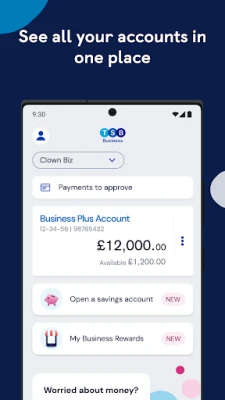
In today's fast-paced business environment, managing your finances efficiently is crucial. The TSB Business Banking app is designed to streamline your banking experience, allowing you to perform essential tasks with ease. Below, we’ll explore how to set up and utilize the app effectively, ensuring you get the most out of your banking experience.
Essential Steps for Setting Up the TSB Business Banking App
To fully leverage the capabilities of the TSB Business Banking app, you must complete a few initial steps. Here’s what you need to know:
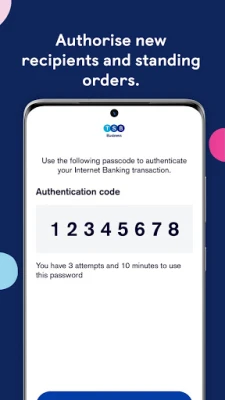
- New UK Recipients: You will need to use the app to add new recipients for payments within the UK.
- New Standing Orders: Setting up new standing orders requires the app for seamless management.
- International Payments: For adding new international payment recipients, the app is essential.
Enhanced Security Features for Your Peace of Mind
Security is a top priority when it comes to banking. The TSB Business Banking app offers advanced security features, including:
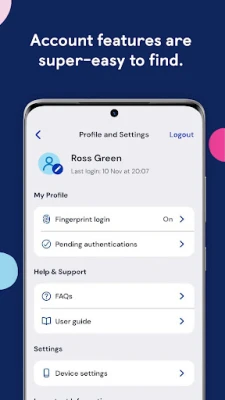
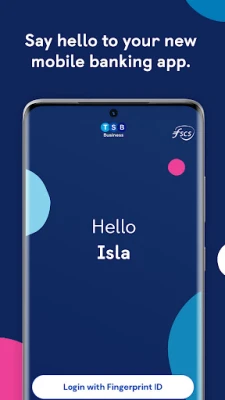
- Fingerprint Login: If your device supports it, you can log in using your fingerprint for quick access.
- Face ID Login: Enjoy the convenience of logging in with Face ID, ensuring a secure and swift entry to your banking information.
For comprehensive details and answers to frequently asked questions, visit TSB Business App.
Getting Started with Your TSB Business Banking App
Before diving into the app, ensure you meet the following prerequisites:
- You must be a registered TSB Business Banking customer.
- Ensure you are registered for Internet Banking.
- Your device should be running Android 9.0 or above.
First-Time Login Instructions
Logging into the app for the first time is straightforward. Follow these steps:
- Enter your User ID and password.
- Provide three characters from your memorable information.
- Select one of your registered phone numbers to receive a callback or SMS with a code to activate the app.
Need Assistance? We’re Here to Help!
If you encounter any challenges while using the app for the first time, we have created a detailed guide to assist you. For further support, visit TSB Business App.
Your Feedback Matters
We value your input! If you have suggestions on how we can enhance our app, please share your thoughts by filling out our feedback form at TSB Feedback. Your insights help us improve your banking experience.
Important Information to Keep in Mind
This app is exclusively for TSB Business Banking customers. Please note that terms and conditions apply, which you can review at TSB Legal Information.
TSB Bank plc is registered at Henry Duncan House, 120 George Street, Edinburgh EH2 4LH, under registration number SC95237 in Scotland. We are authorized by the Prudential Regulation Authority and regulated by the Financial Conduct Authority and the Prudential Regulation Authority under registration number 191240.
Additionally, TSB Bank plc is covered by the Financial Services Compensation Scheme and the Financial Ombudsman Service, ensuring your financial security and peace of mind.
Conclusion
Utilizing the TSB Business Banking app can significantly enhance your banking experience, providing you with the tools necessary to manage your finances effectively. By following the setup instructions and taking advantage of the app's security features, you can ensure a smooth and secure banking journey. Don’t hesitate to reach out for support or provide feedback to help us serve you better.
Rate the App
User Reviews















Popular Apps










Editor's Choice









