
Latest Version
1.2
June 09, 2026
Sabec
Games
Android
0
Free
com.sabec.trivialive
Report a Problem
More About Trivia-Live
Maximize Your Trivia Experience: Connecting Trivia-Live on PS4
Are you ready to elevate your gaming experience? With the Trivia-Live app, you can engage in thrilling trivia challenges right from your PS4. However, to ensure seamless functionality, it’s essential to follow a few simple steps. This guide will walk you through the process of connecting your devices and optimizing your gameplay.
Understanding Trivia-Live and PS4 Compatibility
Trivia-Live is designed to enhance your gaming sessions by allowing you to participate in interactive trivia games. To get started, you need to ensure that your PS4 is running the Trivia-Live application. This app is specifically tailored for the PlayStation platform, providing a unique gaming experience that combines fun and knowledge.
Essential Requirements for Connection
Before diving into the trivia action, make sure you meet the following requirements:
- Active PS4 Console: Ensure your PS4 is powered on and connected to the internet.
- Trivia-Live App: Download and install the Trivia-Live app on your device.
- Same WiFi Network: Both your PS4 and the device running the Trivia-Live app must be connected to the same WiFi network.
Step-by-Step Guide to Connect Trivia-Live on PS4
Follow these steps to connect your devices and start enjoying Trivia-Live:
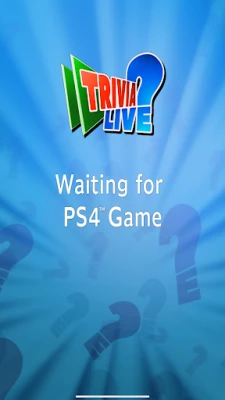
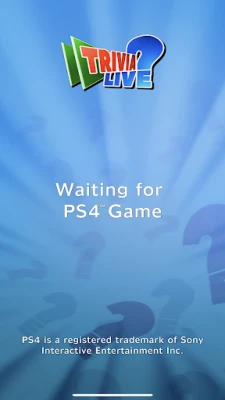
- Launch Trivia-Live on PS4: Start by opening the Trivia-Live app on your PlayStation 4. This will prepare your console for incoming connections.
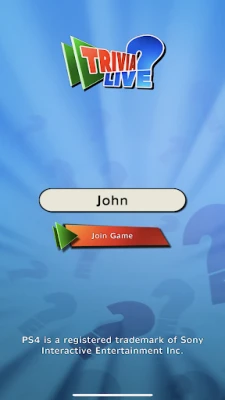
- Open the Trivia-Live App on Your Device: Whether you’re using a smartphone or tablet, launch the Trivia-Live app on your secondary device.
- Connect to the Same WiFi: Ensure that both your PS4 and your device are connected to the same WiFi network. This is crucial for the app to function correctly.
- Start Playing: Once both devices are connected, you can begin your trivia journey. Enjoy the interactive features and challenge your friends!
Troubleshooting Connection Issues
If you encounter any issues while trying to connect, consider the following troubleshooting tips:
- Check WiFi Connection: Ensure that both devices are connected to the same network. A stable internet connection is vital for optimal performance.
- Restart Devices: Sometimes, a simple restart of your PS4 and the device running Trivia-Live can resolve connectivity issues.
- Update Software: Make sure that both your PS4 and the Trivia-Live app are updated to the latest versions. This can help eliminate bugs and improve functionality.
Enhancing Your Trivia-Live Experience
To make the most out of your Trivia-Live sessions, consider these tips:
- Invite Friends: Trivia-Live is more fun with friends. Invite them to join your game for a competitive edge.
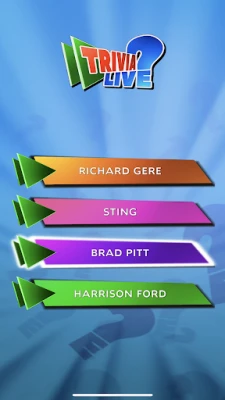
- Explore Different Categories: Trivia-Live offers a variety of categories. Explore different topics to keep the game exciting and challenging.
- Stay Updated: Keep an eye out for updates and new features within the app to enhance your gaming experience.
Conclusion
Connecting Trivia-Live on your PS4 is a straightforward process that can significantly enhance your gaming experience. By ensuring both devices are on the same WiFi network and following the steps outlined above, you can dive into a world of trivia fun. Remember to troubleshoot any issues and explore the app’s features to maximize your enjoyment. Get ready to challenge your knowledge and have a blast with Trivia-Live!
Note: PS4 is a registered trademark of Sony Interactive Entertainment Inc.
Rate the App
User Reviews










Popular Apps










Editor's Choice









