
Latest Version
3.5.0
November 25, 2024
Easy to make railroad.
Games
iOS
198.4 MB
0
Free
Report a Problem
More About Train Go - Railway Simulator
Unleash Your Creativity: Build the Ultimate Railway Experience
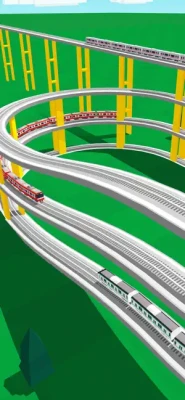
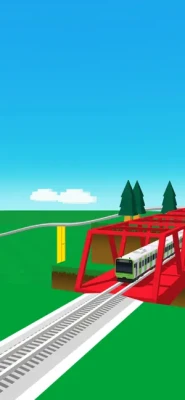
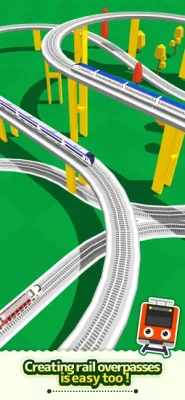
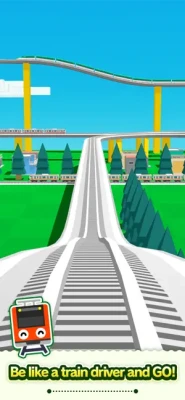
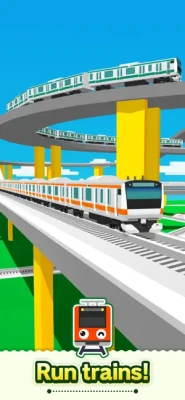
Are you ready to embark on an exciting journey of creativity and imagination? With our innovative railway-building platform, you can design and customize your very own railway system. Whether you prefer elevated tracks, forked routes, or intricate tunnels, the possibilities are endless. Let’s dive into how you can create a stunning railway for your favorite trains, including high-speed bullet trains, and experience the joy of running them on your unique creation.
Design Your Dream Railway
Creating a railway is not just about laying down tracks; it’s about bringing your vision to life. With our user-friendly interface, you can easily tap to lay rails in any configuration you desire. Imagine the thrill of watching your train navigate through a landscape you’ve crafted with care. The sense of accomplishment you’ll feel as your train glides along the tracks you’ve designed is truly rewarding.
Customize with Stations and Tunnels
Enhance your railway experience by adding train stations and tunnels. These elements not only make your railway more functional but also add depth to your design. Place stations strategically to create bustling hubs where passengers can board and disembark. Incorporate tunnels to add an element of surprise and excitement as your train disappears and reappears in different parts of your railway.
Simple Instructions for Building Your Railway
Getting started is a breeze! Follow these simple instructions to lay down your tracks:
- Tap the Screen: Begin by tapping the screen to add the desired rail segment.
- Choose Your Direction: Use the arrow buttons to select the direction in which you want to lay the rail. It’s that easy!
- Add Surroundings: Tap on any background area to place buildings, trees, and other scenic elements to enhance your railway’s environment.
Bringing Your Trains to Life
Once your railway is built, it’s time to bring your trains into the picture. Simply tap the “Put Train” button to select your desired train model. You have the flexibility to add or remove trains and even change their running direction to suit your design. This feature allows you to experiment with different configurations and see how each train interacts with your railway.
Start Your Train Adventure
After you’ve set everything up, it’s time to watch your creation come to life. Tap the “Start Train” button to set your train in motion. Feel the excitement as it travels along the tracks you’ve meticulously laid out. When your train approaches a fork in the tracks, simply use the Fork button to switch its direction, ensuring a smooth journey.
Camera Mode: Capture Every Moment
To enhance your viewing experience, utilize the Camera Mode features:
- Zoom In: Press the “+” button to get a closer look at your railway and trains.
- Zoom Out: Press the “-” button to see a broader view of your entire railway system.
- Change Camera Angle: Use the arrow button to adjust the camera angle for the best perspective.
- Train Tracking: Activate the tracking feature by pressing “ON” to follow your train’s journey in real-time.
Conclusion: Your Railway Awaits
Building your own railway is not just a fun activity; it’s an opportunity to express your creativity and engineering skills. With easy-to-follow instructions and customizable options, you can create a railway that reflects your unique style. So, gather your imagination, lay those tracks, and let your trains run wild on the railway you’ve built. The adventure awaits!
Rate the App
User Reviews












Popular Apps










Editor's Choice









