
Latest Version
3.8.49
October 21, 2024
TP-LINK SYSTEMS INC.
Tools
Android
0
Free
com.tplink.tpm5
Report a Problem
More About TP-Link Deco
Ultimate Guide to Setting Up Your Deco WiFi System for Whole Home Coverage
Transform your home into a seamless digital haven with our comprehensive guide to setting up your Deco WiFi system. This step-by-step process ensures you achieve optimal coverage throughout your home while providing you with the tools to manage your network effortlessly.
Effortless Setup and Management
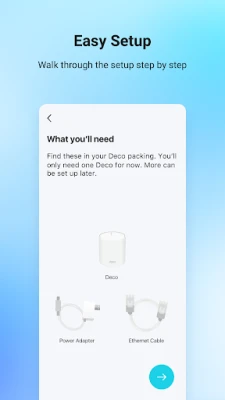
Setting up your Deco WiFi system is a breeze. Follow these simple instructions to get started:
- Quick Installation: Utilize our step-by-step guide to connect your Deco units swiftly.
- Optimal Placement: Discover the best locations for additional Deco units to enhance your WiFi coverage.
- Mobile Control: Manage your network directly from your smartphone without needing a computer.
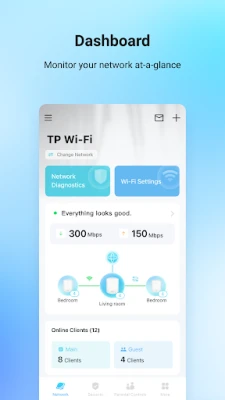
- Instant Status Check: Monitor your connection status and network speed at a glance.
- Device Management: Identify all devices connected to your network with ease.
- Block Unwanted Access: Instantly block any unauthorized devices with just a tap.
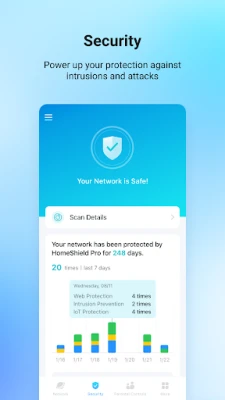
Enhance Your WiFi Security
Protecting your WiFi network is crucial in today’s digital age. Here’s how Deco helps you stay secure:
- Threat Detection: Receive alerts about potential threats before they escalate.
- Guest Network: Create a separate network for guests, ensuring your private network remains secure.
- Access Control: Block unauthorized users and filter inappropriate content effortlessly.
- Performance Testing: Conduct network performance tests to ensure optimal functionality.
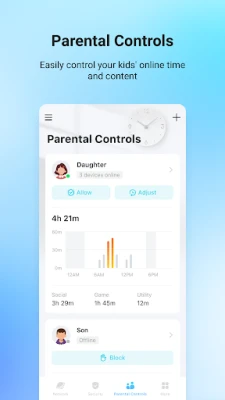
Foster Family Time with Parental Controls
Encourage quality family time by managing your kids’ online activities:
- Time Restrictions: Set limits on WiFi usage for your children’s devices.
- Device Scheduling: Control when specific devices can access the internet.
- Family Time Schedules: Create schedules that promote more family interaction by pausing WiFi during designated times.
Prioritize Your Favorite Devices
With Quality of Service (QoS) settings, you can ensure that your most important devices always have the fastest connections:
- Device Prioritization: Select which devices receive priority access to your network.
- Scheduled Prioritization: Set schedules to adjust device priority based on your daily routine.
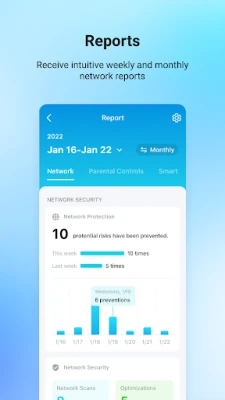
Gain Insight into Your Network
Stay informed about your home network with detailed reports:
- Network Overview: Understand your WiFi performance and all connected devices.
- Usage Reports: Analyze data to optimize your network settings.
Create Your Smart Home Ecosystem
Integrate your smart devices seamlessly with the Deco app:
- Smart Device Control: Connect and manage your smart cameras, plugs, and lights from one central app.
- Status Monitoring: Check the status of all your smart devices in real-time.
Note that features may vary by Deco model and software version. Stay updated as we continuously enhance the Deco family with new features and products.
Stay Informed
For more information about Deco and its features, visit www.tp-link.com. Ensure you review our Privacy Policy, Terms of Use, HomeShield Subscription Service Agreement, and HomeShield Privacy Policy for comprehensive details.
With the Deco WiFi system, you can enjoy a secure, efficient, and user-friendly home network that caters to all your digital needs. Start your journey to a smarter home today!
Rate the App
User Reviews















Popular Apps










Editor's Choice









