

Latest Version
September 30, 2024
BinaryBoot
Tools
Android
0
Free
com.authenticator.authservice2
Report a Problem
More About TOTP Authenticator – 2FA Cloud
Ultimate Guide to TOTP Authenticator: Enhance Your Online Security
In today's digital age, safeguarding your online accounts is more crucial than ever. One effective way to bolster your security is through the use of a two-factor authentication (2FA) app like TOTP Authenticator. This application generates one-time tokens directly on your device, which you can use alongside your password to create a formidable barrier against hackers. In this article, we will explore the features and benefits of TOTP Authenticator, ensuring your online security remains bulletproof.
What is TOTP Authenticator?
TOTP Authenticator is a powerful 2FA application designed to enhance your account security. By generating unique one-time tokens, it adds an extra layer of protection, making it significantly harder for unauthorized users to access your accounts. To get started, simply enable two-factor authentication in your account settings, scan the provided QR code, and you’re ready to secure your accounts.
Cloud Sync: Never Lose Your Codes
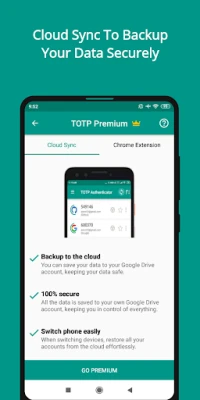
One of the standout features of TOTP Authenticator is its Cloud Sync option, available in the premium version. This feature allows you to back up your 2FA accounts to your personal Google Drive, ensuring that you never lose access to your codes. With complete control over your data, you can easily restore recently changed information using the Cloud History feature, making account management a breeze.
Browser Extension: Simplifying Desktop Access
Managing your 2FA codes on a desktop has never been easier. The Browser Extension (premium feature) allows you to push your 2FA codes directly to your desktop browser with a single tap. This eliminates the need to manually enter codes, streamlining your login process and enhancing your productivity.
Dark Theme: A Visual Delight
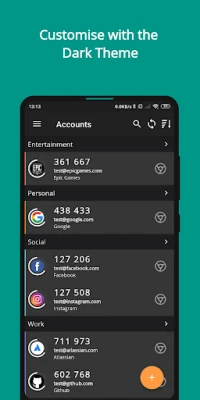
If you prefer a sleek, modern look, TOTP Authenticator offers a Dark Theme. Easily switch between light and dark modes in the app and widget, allowing you to customize your user experience according to your preferences.
Organize Your Accounts with Labels
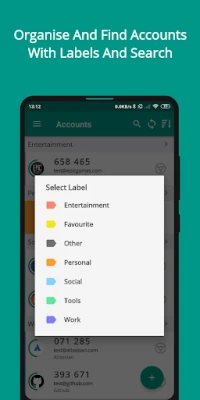
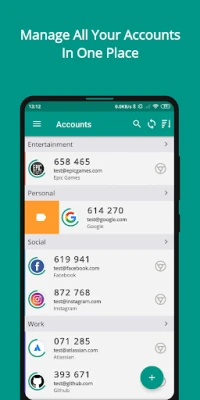
Managing multiple accounts can be overwhelming, but TOTP Authenticator simplifies this with its Labeling System. You can group and manage a large number of accounts effortlessly. The built-in search feature allows you to locate any account in seconds, ensuring you spend less time searching and more time securing your online presence.
Multi-Platform Support: Seamless Synchronization
TOTP Authenticator is designed for versatility, offering multi-platform support across both Android and iOS devices. You can easily export your data from one platform and import it on another, ensuring that your security remains intact no matter which device you use.
Multi-Device Usage: Flexibility at Its Best
This 2FA app empowers you to create both cloud backups (via Cloud Sync) and offline backups. You can import these encrypted backups on any device running TOTP Authenticator, making it incredibly useful for users with multiple devices or those who frequently switch phones.
Extensive Account Support: Compatibility with Major Services
TOTP Authenticator is compatible with a wide range of services that offer 6-digit code-based 2FA. If you encounter any issues with a specific service, the support team is readily available to assist you, ensuring that you can secure all your accounts without hassle.
Multiple Language Support: A Global Experience
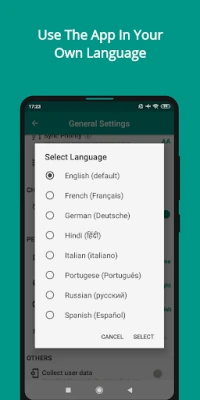
To enhance user experience, TOTP Authenticator supports seven popular languages. This feature allows users to navigate the app in their preferred language, making it more intuitive and accessible. If your language isn’t available, the support team is eager to hear your suggestions.
Multiple Widgets: Quick Access to Your Accounts
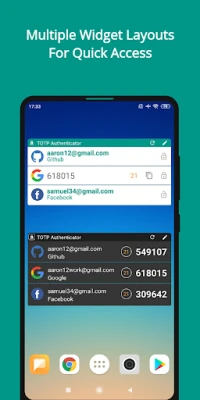
For those who value convenience, TOTP Authenticator allows you to add multiple widgets for your favorite accounts directly on your home screen. These widgets come in various layouts, enabling you to choose the design that best suits your needs for quick access to your codes.
Personalization: Make It Yours
Customization is key to a great user experience. TOTP Authenticator allows you to set unique icons for your accounts, either by selecting from a provided list or by uploading your own. This feature helps you easily recognize and organize your accounts, making navigation seamless.
Biometric Security: Protect Your Codes
Security is paramount, and TOTP Authenticator offers robust biometric security options. You can protect your accounts using fingerprint recognition, face scans, or a 4-digit PIN. This ensures that your codes remain secure from prying eyes, even if someone gains access to your phone. Additionally, you can block screen captures to further enhance your security.
Conclusion: Elevate Your Security with TOTP Authenticator
In a world where online threats are ever-present, TOTP Authenticator stands out as a reliable solution for enhancing your account security. With features like Cloud Sync, browser extensions, and extensive account support, it provides a comprehensive approach to safeguarding your digital life. Whether you’re a casual user or a security-conscious individual, TOTP Authenticator is designed to meet your needs. For any questions or suggestions, feel free to reach out at info@binaryboot.com.
Rate the App
User Reviews















Popular Apps










Editor's Choice









