Latest Version
3.50
September 28, 2024
C. Ghisler
Tools
Android
0
Free
com.ghisler.android.TotalCommander
Report a Problem
More About Total Commander - file manager
Unlocking the Power of Total Commander: Your Ultimate File Management Solution
In the digital age, efficient file management is crucial for both personal and professional use. Total Commander stands out as a powerful tool designed to streamline your file handling experience. This article delves into the key features of Total Commander, highlighting its capabilities and how it can enhance your productivity.
Ad-Free Experience with Essential Links
One of the standout aspects of Total Commander is its commitment to providing an ad-free user experience. While the app includes a link labeled "Add plugins (download)" in the home folder, this is not an advertisement in the traditional sense. Instead, it serves as a gateway to explore additional functionalities through other apps and plugins, enhancing your overall experience.
Key Features of Total Commander
Total Commander is packed with features that cater to a wide range of file management needs. Here’s a closer look at what makes this app a must-have:
Effortless File Operations
- Copy and Move Whole Subfolders: Easily manage your files by copying or moving entire subfolders with just a few taps.
- Drag & Drop Functionality: Utilize the intuitive drag-and-drop feature by long-pressing on file icons to move them seamlessly.
- In-Place Rename and Directory Creation: Quickly rename files or create new directories without hassle.
- Delete Files Securely: Remove files permanently without the need for a recycle bin.
Advanced Compression and Extraction Tools
Total Commander simplifies file compression and extraction:
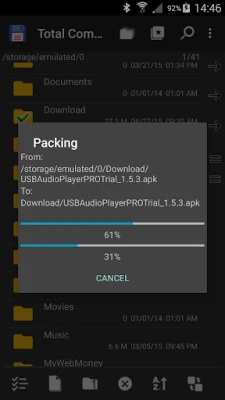
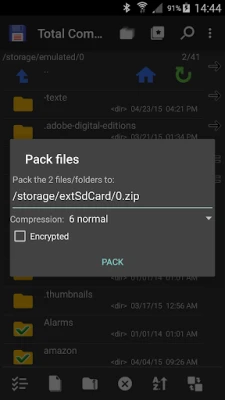
- Zip, Unzip, and Unrar: Manage compressed files effortlessly with built-in support for various formats.
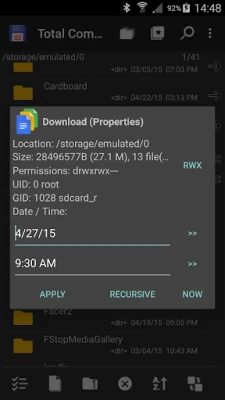
- Properties Dialog: Access detailed file properties and change permissions as needed.
Integrated Text Editor and Search Functionality
Editing and finding files has never been easier:
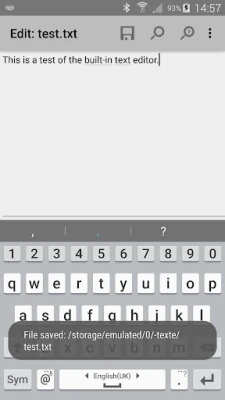
- Built-in Text Editor: Edit text files directly within the app.
- Comprehensive Search Function: Search for files and text content quickly and efficiently.
File Selection Made Simple
Total Commander offers multiple ways to select files:
- Select/Unselect Groups of Files: Manage multiple files at once with ease.
- Tap to Select: Simply tap on file icons to select them.
- Range Selection: Long tap and release on an icon to select a range of files.
Backup and Cloud Integration
Total Commander provides robust backup options and cloud service integration:
- Installed Applications List: View and manually back up your apps using the built-in plugin.
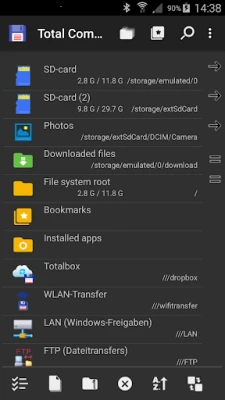
- FTP and SFTP Client: Connect to remote servers with ease using the FTP and SFTP plugin.
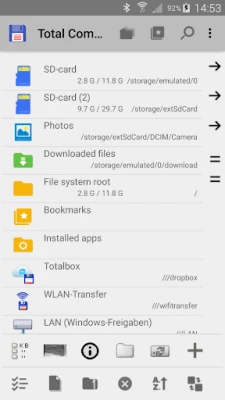
- WebDAV and LAN Access: Access web folders and local networks effortlessly with dedicated plugins.
- Cloud Service Plugins: Integrate with popular cloud services like Google Drive, Microsoft OneDrive, and Dropbox.
Root Support and File Sharing
For advanced users, Total Commander offers root support:
- SuperUser Permission: This permission enhances functionality on rooted devices, allowing access to system folders.
- Bluetooth File Sharing: Send files via Bluetooth (OBEX) for quick sharing.
User-Friendly Interface and Accessibility
Total Commander is designed with user experience in mind:
- Two Panels for Easy Navigation: Utilize a side-by-side view or a virtual two-panel mode for efficient file management.
- Bookmarks and Directory History: Save your favorite directories and access your history for quick navigation.
- Media Player: Stream media directly from LAN, WebDAV, and cloud plugins.
- Configurable Button Bar: Customize your button bar for quick access to commands and applications.
Multilingual Support and Accessibility Features
Total Commander is accessible to a global audience:
- Supported Languages: The app supports a wide range of languages, including English, German, Spanish, and many more.
- Optimizations for Visually Impaired Users: Features like text for icons enhance usability for all users.
Conclusion: Why Choose Total Commander?
Total Commander is more than just a file management app; it’s a comprehensive solution that caters to both casual users and advanced professionals. With its extensive features, user-friendly interface, and commitment to an ad-free experience, it stands out as a top choice for anyone looking to enhance their file management capabilities. Whether you need to manage files locally or access them in the cloud, Total Commander has you covered.
Explore the full potential of Total Commander today and transform the way you manage your files!
Rate the App
User Reviews















Popular Apps










Editor's Choice









