
Latest Version
1.2.4
October 25, 2025
Drawing Color Studio
Education
Android
0
Free
com.termux.linux.tools.commands
Report a Problem
More About Termux Tools & Linux Commands
Unlock the Power of Termux: Your Ultimate Guide to Linux Commands and Tools
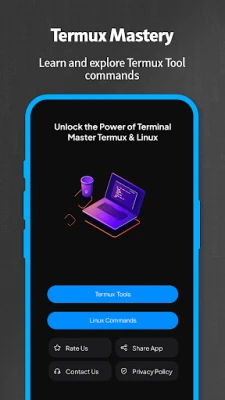
In the world of mobile computing, Termux stands out as a powerful terminal emulator that brings the capabilities of Linux to your Android device. With over 200 tools at your disposal, Termux allows you to harness the full potential of Linux commands without the need for rooting your device. This article will explore the various features of Termux, including essential commands for beginners, intermediates, and advanced users, as well as the app's offline functionality and lightweight design.
Discover 200+ Tools in Termux
Termux is not just a terminal emulator; it is a comprehensive environment that offers more than 200 tools for various tasks. Whether you are a developer, a system administrator, or simply a tech enthusiast, you will find a plethora of utilities that can enhance your productivity. From programming languages to network tools, Termux has something for everyone.
All Tools Function Seamlessly
One of the standout features of Termux is the seamless functionality of its tools. Each tool is designed to work flawlessly, ensuring that you can execute commands without any hiccups. This reliability makes Termux an essential app for anyone looking to perform advanced tasks on their Android device.
No Root Required: Enjoy Linux on Android
Unlike many other applications that require rooting your Android device, Termux operates without any modifications to your system. This means you can enjoy the full range of Linux commands and tools without compromising your device's security or warranty. Simply download the app, and you are ready to go!
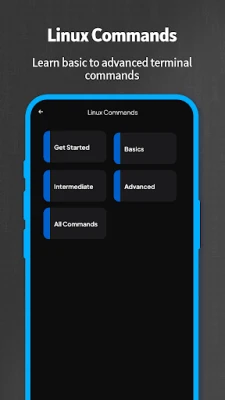
Essential Linux Commands for Beginners
If you are new to Linux, Termux provides an excellent platform to learn the basics. Here are some fundamental commands that every beginner should know:
- pwd - Displays the current working directory.
- ls - Lists files and directories in the current location.
- cd - Changes the current directory.
- mkdir - Creates a new directory.
- rm - Removes files or directories.
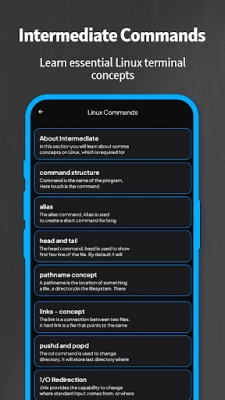
Intermediate Linux Commands to Enhance Your Skills
Once you have mastered the basics, you can move on to intermediate commands that will help you manage your system more effectively:
- cp - Copies files and directories.
- mv - Moves or renames files and directories.
- grep - Searches for specific patterns within files.
- chmod - Changes file permissions.
- top - Displays running processes and system resource usage.
Advanced Linux Commands for Power Users
For those who are ready to take their skills to the next level, here are some advanced commands that can help you optimize your workflow:
- find - Searches for files in a directory hierarchy.
- tar - Archives files into a single file.
- ssh - Connects to remote servers securely.
- curl - Transfers data from or to a server.
- docker - Manages containerized applications.
Effortless Command Copying and Sharing
Termux makes it easy to copy and share commands directly from the app. This feature is particularly useful for users who want to collaborate with others or document their processes. Simply select the command, copy it to your clipboard, and share it via your preferred messaging platform.
Offline Functionality: Work Anytime, Anywhere
One of the most significant advantages of Termux is its offline functionality. You can access all the tools and commands without an internet connection, making it an ideal choice for users who need to work in remote areas or during travel. This feature ensures that you remain productive regardless of your connectivity status.
Lightweight Design: Only 4 MB
Termux is designed to be lightweight, with a size of only 4 MB. This small footprint means that it won't take up much space on your device, allowing you to install other applications without worrying about storage limitations. Despite its size, Termux packs a powerful punch with its extensive features and tools.
Explore the Best Features of Termux
Termux is packed with features that cater to a wide range of users. Some of the best features include:
- Access to a vast repository of packages and tools.
- Support for multiple programming languages, including Python, Ruby, and Node.js.
- Customizable environment with the ability to install additional packages.
- Integration with Git for version control.
- Community support and extensive documentation for troubleshooting.
Download Termux and Rate It Now!
If you are ready to unlock the full potential of your Android device, download Termux today and start exploring the world of Linux commands and tools. Don't forget to rate the app and share your experience with others. Join the growing community of Termux users and elevate your mobile computing experience!
Rate the App
User Reviews















Popular Apps










Editor's Choice









