
Latest Version
July 29, 2026
A389 St.
Tools
Android
0
Free
com.csgroup.terminal
Report a Problem
More About Terminal, Shell for Android
Ultimate Guide to Command Line and Terminal Emulation for Android Devices
In the world of mobile technology, the ability to harness the power of a command line interface can significantly enhance your Android experience. This article delves into the features and benefits of using a full Linux terminal emulator on your Android device, enabling you to execute commands with ease and efficiency.
Full Linux Terminal Emulation on Android
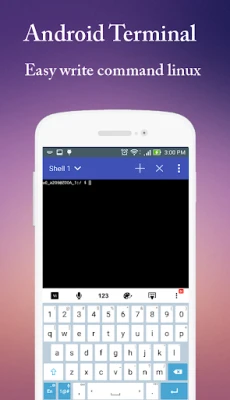
With the advent of advanced terminal emulators, Android users can now enjoy a complete Linux terminal experience right from their smartphones. This functionality allows users to run various Linux commands, making it an invaluable tool for developers, system administrators, and tech enthusiasts alike.
Support for UTF-8 Text Encoding
One of the standout features of modern terminal emulators is their support for UTF-8 text encoding. This capability ensures that users can work with a wide range of languages, including Arabic, Chinese, Greek, Hebrew, Japanese, Korean, Russian, Thai, and many more. This multilingual support makes it easier for users around the globe to interact with the command line without language barriers.
Root Command Line Access
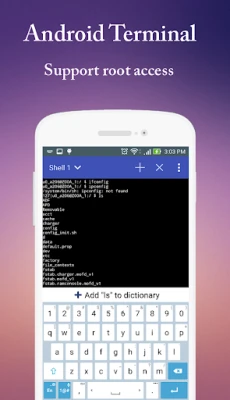
For those who want to take full control of their Android devices, terminal emulators provide support for root command line access. This feature allows users to execute commands that require administrative privileges, enabling advanced operations such as system modifications, app installations, and performance optimizations. However, it’s essential to use this power responsibly, as improper commands can lead to system instability.
Multi-Screen Functionality for Enhanced Productivity
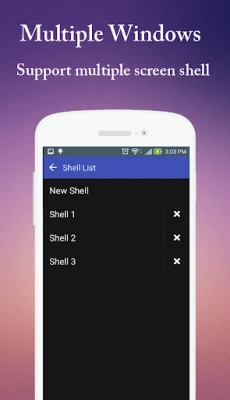
Efficiency is key when working with command lines, and multi-screen functionality significantly enhances productivity. Users can open multiple terminal sessions simultaneously, allowing for easy multitasking. This feature is particularly useful for developers who need to run several commands or scripts at once, making it easier to manage complex tasks without losing track of progress.
Customizable Font Options
Personalization is an essential aspect of any user interface, and terminal emulators offer customizable font options. Users can adjust font size and color to suit their preferences, ensuring a comfortable and visually appealing command line experience. This customization not only enhances readability but also allows users to create a workspace that reflects their style.
Comprehensive Linux Command Support
Whether you are a seasoned Linux user or a newcomer, having access to a wide array of Linux commands is crucial. Terminal emulators for Android provide comprehensive support for various Linux commands, enabling users to perform tasks ranging from file management to network diagnostics. This extensive command library empowers users to leverage the full potential of their devices.
100% Free Access to Powerful Tools
One of the most appealing aspects of using a terminal emulator on Android is that it is entirely free. Users can access powerful tools and features without any financial investment, making it an excellent choice for anyone looking to enhance their mobile computing capabilities. This accessibility democratizes technology, allowing more users to explore the benefits of command line interfaces.
Conclusion
In conclusion, utilizing a command line and terminal emulator on your Android device opens up a world of possibilities. From full Linux terminal emulation to support for multiple languages and root access, these tools empower users to take control of their devices like never before. With customizable options and a wealth of commands at your fingertips, you can transform your Android experience into a powerful computing platform. Embrace the command line and unlock the full potential of your device today!
Rate the App
User Reviews















Popular Apps










Editor's Choice









