

Latest Version
1.0.0
October 15, 2024
TEC Mobile Tool&App Lab
Tools
Android
0
Free
com.cleanmaster.junk.cleaner.spacesaver
Report a Problem
More About TEC Cleanup - Storage Cleaner
Unlock Your Device's Potential with TEC Cleanup: Top Features and Benefits
In today's digital age, maintaining your device's performance is crucial. TEC Cleanup emerges as a powerful tool designed to optimize your Android phone by efficiently managing storage and enhancing overall functionality. This article delves into the standout features of TEC Cleanup, showcasing how it can transform your device experience.
Comprehensive Junk Scan for Optimal Storage Management
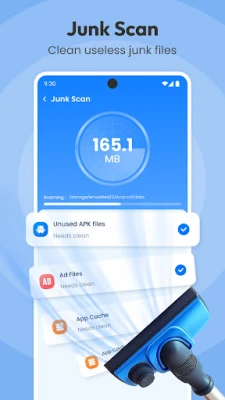
One of the primary features of TEC Cleanup is its Junk Scan. This tool meticulously scans your device to identify various types of junk files, including:
- Temporary files
- App caches
- Ad junk
By effectively managing these files, TEC Cleanup helps you reclaim valuable storage space, ensuring your device runs smoothly and efficiently.
Battery Information at Your Fingertips
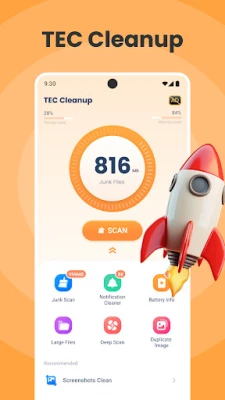
Understanding your device's battery status is essential for optimal usage. TEC Cleanup offers a Battery Info feature that allows you to monitor your battery's health and provides estimates on battery life. This information empowers you to make informed decisions about your device usage, prolonging battery life and enhancing performance.
Streamlined Notification Management
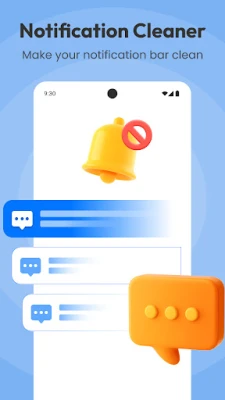
Are you overwhelmed by constant notifications? TEC Cleanup's Notification Manager gathers notifications you wish to block, enabling a one-click cleanup. This feature keeps your notification bar organized and clutter-free, allowing you to focus on what truly matters.
Recommended Features for Enhanced Storage Management
Effortless Large Files Cleanup
Large files can quickly consume your device's storage. TEC Cleanup includes a Large Files Cleaner that helps you easily identify and remove unnecessary large files, freeing up space for essential applications and data.
In-Depth Deep Scan Capability
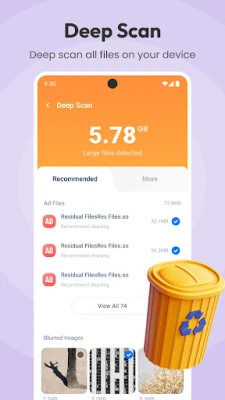
For those who require a more thorough cleaning, the Deep Scan feature conducts a comprehensive analysis of all files on your device. It categorizes files, making it simple to locate and delete unwanted items, ensuring your device remains clutter-free.
Duplicate Images Cleaner for Efficient Storage Use
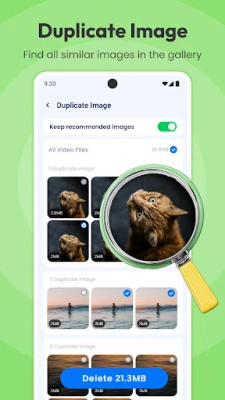
Duplicate images can take up significant storage space. TEC Cleanup's Duplicate Images Cleaner detects these duplicates, allowing you to select the best version while efficiently managing your storage. This feature is particularly useful for photography enthusiasts looking to optimize their device's memory.
Streamlined Screenshots Management
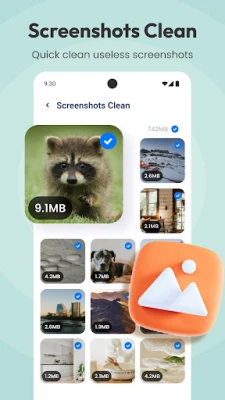
Over time, screenshots can accumulate and clutter your device. The Screenshots Cleaner scans all screenshots, enabling you to efficiently remove unnecessary ones and keep your gallery organized.
Special Features to Enhance Your Experience
Image Compression for Space Optimization
Images can consume a lot of storage space. TEC Cleanup's Image Compressor reduces image sizes without compromising quality. This feature significantly improves space utilization, allowing you to store more photos and files without sacrificing clarity.
Speed Test for Internet Performance Monitoring
In an era where internet speed is paramount, TEC Cleanup includes a Speed Test feature. This tool monitors your current internet speed, providing insights into both upload and download speeds, helping you assess your connectivity and make necessary adjustments.
Clock Screensaver for Aesthetic Appeal
TEC Cleanup also features a Clock Screensaver, which showcases a full-screen page flip animation displaying the time in a simple yet elegant design. This feature not only serves a functional purpose but also adds a touch of style to your device.
Why Choose TEC Cleanup?
TEC Cleanup stands out as an indispensable cleaning tool for your Android phone. Its user-friendly interface and highly efficient features cater to diverse cleaning needs, making it easy for anyone to optimize their device. Whether you're looking to free up storage, manage notifications, or monitor battery life, TEC Cleanup has you covered.
Don't wait any longer to enhance your device's performance. Download TEC Cleanup now and experience the difference it can make. For any inquiries or support, feel free to reach out via email at speedtest.lab.pro@gmail.com.
Rate the App
User Reviews















Popular Apps










Editor's Choice









