
Latest Version
6.5.11
October 24, 2025
joaomgcd
Tools
Android
0
$3.49
net.dinglisch.android.taskerm
Report a Problem
More About Tasker
Unlock the Full Potential of Your Smartphone with Tasker: A Comprehensive Guide
Tasker is a powerful automation app that transforms your smartphone into a highly personalized device. With its extensive capabilities, you can automate tasks, customize actions, and enhance your overall mobile experience. This article explores the myriad features of Tasker, showcasing how you can leverage its flexibility to create a truly smart phone.
Automate Your Daily Tasks
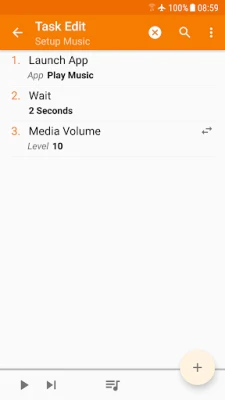
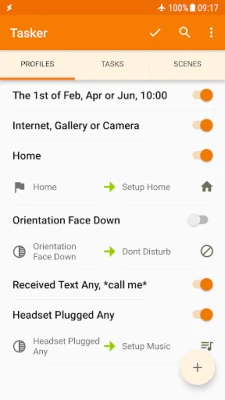
Imagine a world where your phone anticipates your needs. With Tasker, you can automate daily tasks effortlessly. Whether it’s adjusting your phone’s volume when you leave home or changing settings based on your location, Tasker allows you to set up automations based on over 130 different contexts and events. This means your phone can react to the app you’re using, the time of day, your Wi-Fi network, incoming SMS or calls, and even the song currently playing.
To see how easy it is to create an automation, check out this video tutorial.
Customize Actions with Over 350 Options
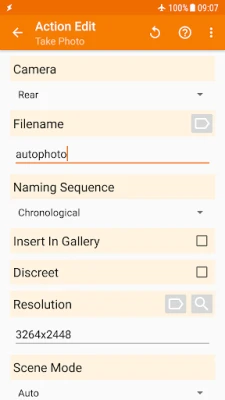
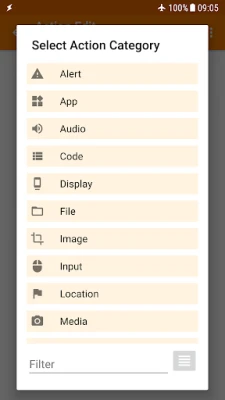
Tasker offers more than 350 actions, enabling you to customize your phone like never before. You can send SMS messages, create notifications, and modify system settings such as Wi-Fi tethering, dark mode, and volume controls. Additionally, you can manage Do Not Disturb settings, open apps, manipulate files, control music playback, and even track your location. If you can envision it, Tasker can likely execute it for you!
Importantly, most functions do not require root access. However, certain actions, like killing apps or toggling mobile data on some devices, may necessitate root due to Android's security policies.
Automatic File Backups for Peace of Mind
Tasker can automatically back up your files to designated folders on your device, SD card, USB drive, or even Google Drive. This feature is invaluable for safeguarding your data, ensuring that you don’t lose important files if your phone is misplaced or damaged.
Seamless APK Management
With Tasker, you can automate the process of downloading and installing APKs. By setting up a task, your phone can check specific websites for updated APKs, download them, and initiate installation—all without manual intervention. This feature keeps your apps up to date effortlessly.
Diverse Triggers for Manual Actions
Tasker allows you to manually trigger actions through various methods, including launcher shortcuts, quick setting tiles, widgets, and even long-pressing volume buttons. You can also use media buttons on Bluetooth headsets, the Bixby button, navigation bar, and notifications to activate your tasks. This flexibility ensures that you can access your automations quickly and conveniently.
Remote Task Management with Join
Integrating Join with Tasker expands your automation capabilities even further. This feature allows you to trigger tasks from another Android device or a PC, making it easier to manage your tasks remotely. Discover more about Join here.
Create Custom User Interfaces
Tasker enables you to design your own user interfaces (UIs) to display information or trigger tasks. This feature allows for a personalized experience, tailored to your specific needs and preferences.
Develop Your Own Apps
With the Tasker App Factory, you can create standalone apps to share or sell. This feature empowers you to monetize your automations or provide custom solutions for others. Explore the possibilities of app creation here.
Developer-Friendly Features
Tasker is designed with developers in mind. Many third-party apps allow you to perform actions and listen to events through Tasker. You can also utilize powerful HTTP Auth and HTTP Request actions to call most web APIs. For a practical demonstration, check out this example video.
Try Tasker Risk-Free
Experience the full range of Tasker’s features with a 7-day trial. After the trial period, a one-time payment unlocks the app permanently. Get started with your automation journey here.
Additional Resources
For any issues, please use the "Report Issue To Developer" option within the app menu, as problems reported via Play Store comments cannot be addressed.
Note: Tasker requires the BIND_DEVICE_ADMIN permission to provide system lock functionality and utilizes an accessibility service for features like closing the notification tray and checking the currently opened app.
Unlock the full potential of your smartphone with Tasker and experience a new level of automation and customization!
Rate the App
User Reviews















Popular Apps










Editor's Choice









