

Latest Version
March 01, 2026
PIONE STUDIO
Entertainment
Android
0
Free
com.pionestudio.chatsnap
Report a Problem
More About Talk Story Studio : Fake chat
Unleash Your Creativity with Talk Story Studio: A Comprehensive Guide
In today's digital age, storytelling has evolved into an interactive experience, and Talk Story Studio stands at the forefront of this transformation. This innovative platform empowers users to plan, create, and produce their unique narratives effortlessly. Whether you’re a budding writer or a seasoned storyteller, Talk Story Studio offers a plethora of tools to help you bring your imaginative tales to life.
Getting Started with Talk Story Studio
Embarking on your storytelling journey is simple. Follow these steps to dive into the world of interactive narratives:
1. Start Writing Your Story
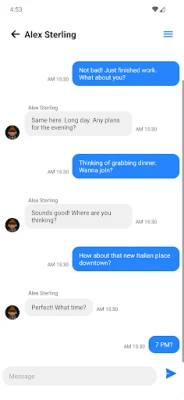
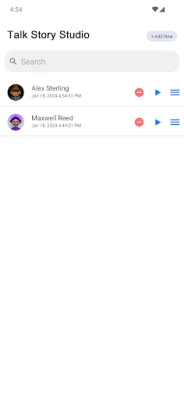
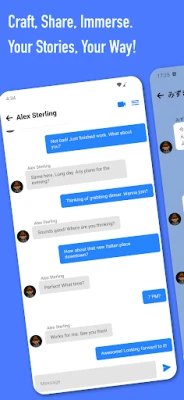
Open the Talk Story Studio application and initiate a new project. The chat-based format allows you to shape your story dynamically, making it engaging and relatable. Begin by outlining your plot and characters, setting the stage for an immersive experience.
2. Personalize Your Experience
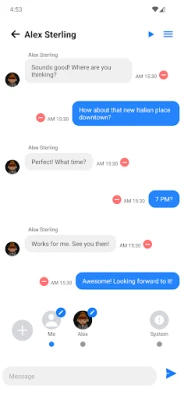
Enhance your story by adding friends and customizing profile pictures. This personal touch not only makes the narrative more relatable but also invites your friends to engage with the content. By incorporating familiar faces, you create a sense of connection that enriches the storytelling experience.
3. Crafting Your Narrative
As you develop your story, directly incorporate conversations between you and your friends. This interactive element allows for a more authentic representation of dialogue, making your narrative feel alive. Use the chat format to explore different scenarios and character interactions, adding depth to your storytelling.
4. Review and Refine Your Story
Once you’ve crafted your narrative, take the time to preview and edit your work. This step is crucial for enhancing the overall quality of your story. Look for areas that may need clarification or improvement, ensuring that your final product is polished and engaging.
Transforming Your Story into a Video
After finalizing your narrative, take it a step further by converting your story into a video. This feature allows you to share your creation with friends or on social media platforms, expanding your audience and showcasing your creativity. Utilize visuals, sound effects, and music to elevate your storytelling, making it a captivating experience for viewers.
Why Choose Talk Story Studio?
Talk Story Studio is not just a platform; it’s a creative playground for storytellers. Here are a few reasons why it stands out:
- Interactive Format: The chat-based storytelling format engages users, making the writing process enjoyable and dynamic.
- Customization Options: Personalizing your story with friends and images adds a unique touch that resonates with audiences.
- Easy Sharing: The ability to convert stories into videos facilitates sharing on various platforms, increasing your reach.
- Creative Tools: A variety of tools are available to enhance your storytelling, from editing features to multimedia integration.
Conclusion: Start Your Storytelling Adventure Today!
Talk Story Studio is the ideal platform for unleashing your imagination and creativity. With its user-friendly interface and interactive features, you can easily craft stories that reflect your individuality. Don’t wait any longer—get started now and transform your ideas into captivating narratives that resonate with others!
Rate the App
User Reviews















Popular Apps










Editor's Choice









