

Latest Version
2.0.3
July 09, 2025
Mariko Yamamoto
Games
iOS
33.8 MB
0
Free
Report a Problem
More About Taiko-san Daijiro 3
Unlock the Joy of Rhythm: How to Play Taiko Music Files on Your Device
Are you ready to immerse yourself in the vibrant world of rhythm games? If you’re a fan of "Taiko no Tatsujin" and "osu! taiko," you can easily play music files from these popular titles on your device. This guide will walk you through the process of downloading and transferring music files, ensuring you can enjoy your favorite tracks anytime, anywhere.
Understanding Music File Formats
Before diving into the steps, it’s essential to understand the music file formats you’ll be working with. The PC version of "Taiko no Tatsujin" uses the .tja file format, while "osu! taiko" utilizes the .osz format. Both formats are designed for rhythm gameplay, allowing you to experience the beats and melodies that make these games so enjoyable.
Downloading Music Files
To get started, you’ll need to download the desired music files. Here’s how:
- Open your preferred web browser and navigate to a reliable source for music files.
- Search for the specific tracks you want to download, ensuring they are in the correct format (.tja or .osz).
- Click on the download link and save the file to your device.
Transferring Music Files to Your Device
Once you have downloaded the music files, the next step is to transfer them to your device. If you are using Safari, follow these steps:
- Open Safari and locate the downloaded music file.
- Tap on the file to initiate the transfer process.
- Follow the on-screen instructions to complete the transfer.
Playing Your Music Files
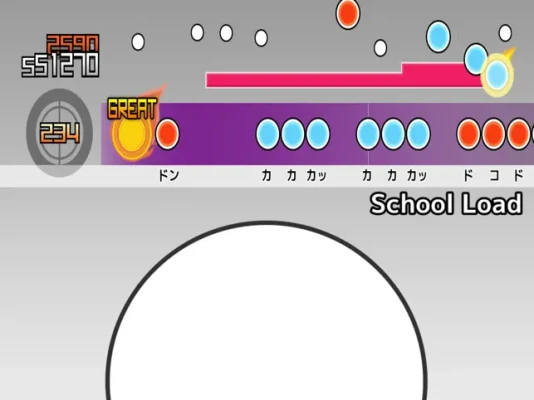
After successfully transferring the music files, you can now enjoy them in your favorite rhythm games. Here’s how to play:
- Launch the game that supports the music file format you have downloaded.
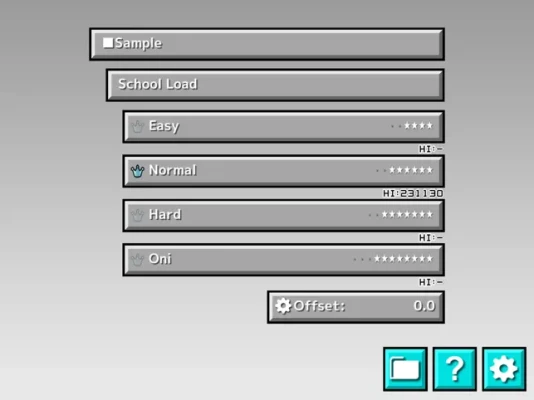
- Navigate to the music selection menu.
- Locate the transferred music file and select it to start playing.
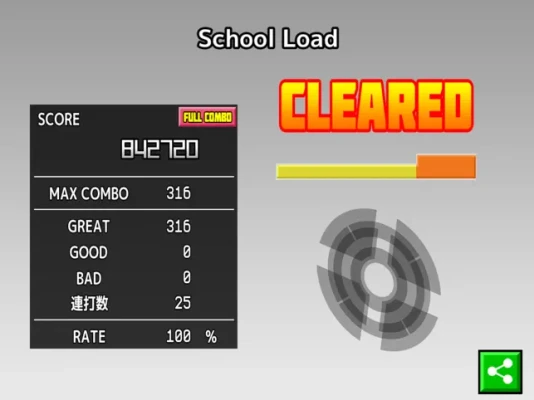
Sample Song Highlight
To give you a taste of what’s available, here’s a sample song you might enjoy:
- Title: School Load
- Composer: Toshiyuki Azuma
- More Information: Visit Azu Soundworks for more compositions.
This track showcases the engaging rhythms and melodies that make rhythm games so captivating. Don’t miss out on the chance to experience it!
Creating Your Own Music Scores
If you’re feeling creative, you can also create your own music scores. Here’s a quick guide:
- Use a music score creation tool like Million to design your custom tracks.
- Visit this link to access the tool and start crafting your unique rhythms.
- Once completed, save your score in the appropriate format (.tja or .osz) and transfer it to your device as described earlier.
Conclusion
Playing music files from "Taiko no Tatsujin" and "osu! taiko" on your device is a straightforward process that enhances your gaming experience. By following the steps outlined in this guide, you can easily download, transfer, and enjoy your favorite tracks. Whether you’re playing existing songs or creating your own, the world of rhythm gaming awaits you!
For more detailed instructions and additional resources, feel free to explore the following link: Taiko-san Jiro Help Page.
Now, grab your device, download some music files, and let the rhythm take over!
Rate the App
User Reviews














Popular Apps










Editor's Choice









