

Latest Version
4.1.0.1562
December 18, 2025
T-Mobile USA
Tools
Android
0
Free
com.tmobile.secure.wifi
Report a Problem
More About T-Mobile Threat Protect
Ultimate Protection: How T-Mobile's Threat Protect Keeps You Secure
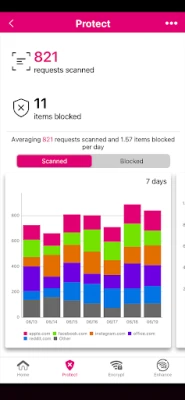
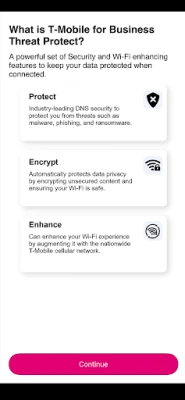
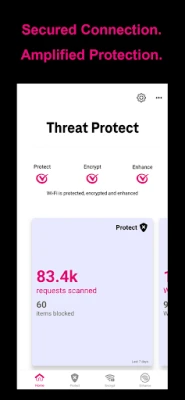
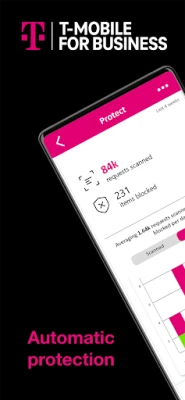
In an age where digital threats are constantly evolving, staying ahead of potential risks is crucial. T-Mobile’s Threat Protect offers a cutting-edge solution that combines real-time insights with the power of its industry-leading 5G network. This innovative service ensures that you remain secure without the hassle of manual updates or guesswork.
Unmatched Security with 5G Technology
T-Mobile’s advanced 5G network not only enhances your connectivity but also significantly boosts your security. Unlike traditional VPNs that can slow down your internet speed, Threat Protect operates seamlessly in the background, providing robust protection without compromising performance. This means you can browse, stream, and work online without interruptions, all while enjoying enhanced security.
Comprehensive Data Encryption
One of the standout features of Threat Protect is its ability to encrypt user data effectively. Unlike outdated VPNs that may disrupt app functionality, Threat Protect operates at the network layer. This ensures that all your data remains encrypted, regardless of the applications you are using. With no blind spots and minimal friction, you can confidently access the internet, whether on public Wi-Fi or a cellular roaming network.
Enhancing Connectivity with Patented Technology
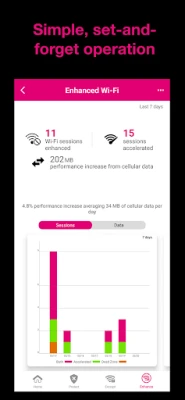
Threat Protect introduces an industry-first patented technology designed to eliminate Wi-Fi “dead zones.” By leveraging America’s largest and fastest 5G network, this service enhances your connectivity through patented Wi-Fi bonding technology. This means you can stay connected without the need to disable Wi-Fi, ensuring a smooth online experience.
Note: If you have a limited cellular data plan, you may want to consider disabling this feature to avoid excessive data usage.
How SmartVPN® Technology Works
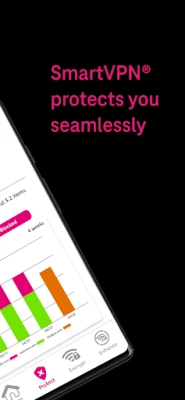
At the heart of Threat Protect is the SmartVPN® technology, which intelligently applies threat protection, encryption, and Wi-Fi plus cellular bonding only when necessary. This ensures optimal performance and efficient battery usage, making it one of the most effective VPN solutions available today.
When any of the features are active, a VPN key 🗝️ icon will appear on your device's status bar. You will also receive notifications regarding status changes as you connect or disconnect from Wi-Fi networks.
Automatic Data Encryption
Threat Protect automatically encrypts your data as soon as you connect to Wi-Fi networks. It avoids re-encrypting HTTPS traffic, which not only enhances performance but also conserves battery life and maintains compatibility with all apps and video services. This means you can enjoy a faster, more efficient online experience without sacrificing security.
Important Considerations
It’s essential to understand that while monitoring data and battery usage on your phone, it may seem like the Threat Protect app is consuming a significant amount of resources. However, this is a result of the app managing your security and connectivity, rather than an indication of excessive usage. In reality, the actual battery consumption is minimal, averaging less than 5%.
Threat Protect’s SmartVPN® utilizes the VPN capabilities provided by your mobile operating system, which has a limitation of allowing only one VPN app to run at a time. If you activate another VPN app, Threat Protect will automatically disable itself to prevent any conflicts.
Reporting Issues Made Easy
If you encounter any issues with the Threat Protect application, reporting them is straightforward. Simply tap the Menu in the upper right corner of the app and select ‘Report problem.’ Providing specific details will help the support team address your concerns more effectively.
Conclusion: Stay Secure with T-Mobile's Threat Protect
In a world where online security is paramount, T-Mobile’s Threat Protect stands out as a reliable solution. With its advanced 5G technology, comprehensive data encryption, and innovative SmartVPN® technology, you can navigate the digital landscape with confidence. Enjoy seamless connectivity and robust protection, ensuring that your online activities remain secure and uninterrupted.
Rate the App
User Reviews















Popular Apps










Editor's Choice









