

Latest Version
1.0.12
February 06, 2026
Synology Inc.
Tools
Android
0
Free
com.synology.vpnplus
Report a Problem
More About Synology VPN Plus
Unlock Seamless Internet Access with VPN Plus: Your Ultimate Guide
In today's digital landscape, ensuring secure and efficient access to the internet and local network resources is paramount. VPN Plus, powered by the Synology Router, offers a robust solution through its SSL VPN service. This mobile application not only facilitates easy connectivity but also enhances your online experience with impressive speed and security features.
What is VPN Plus?
VPN Plus is a cutting-edge mobile application designed to provide users with seamless access to the internet and local network resources. By leveraging the Synology Router's SSL VPN service, it ensures that your online activities remain private and secure. Whether you are working remotely or simply browsing the web, VPN Plus is your go-to tool for a reliable connection.
Key Features of VPN Plus
1. Fast Connection Speeds
One of the standout features of VPN Plus is its ability to deliver fast connection speeds. Users can enjoy uninterrupted streaming, quick downloads, and smooth browsing experiences. The application optimizes your connection, ensuring that you can access your favorite content without frustrating delays.
2. Enhanced Security
Security is a top priority for anyone using the internet, and VPN Plus excels in this area. The application employs advanced encryption protocols to safeguard your data from potential threats. With VPN Plus, you can browse the web with peace of mind, knowing that your personal information is protected from prying eyes.
3. Bypassing Firewalls
Many users encounter restrictions when trying to access certain websites or services due to firewalls. VPN Plus provides a reliable solution by enabling users to bypass these barriers effortlessly. This feature is particularly beneficial for those who travel frequently or work in environments with strict internet regulations.
How to Set Up VPN Plus
Setting up VPN Plus is a straightforward process that can be completed in just a few steps:
- Download the App: Start by downloading the VPN Plus app from your device's app store.
- Connect to Your Synology Router: Ensure that your Synology Router is configured to support the SSL VPN service.
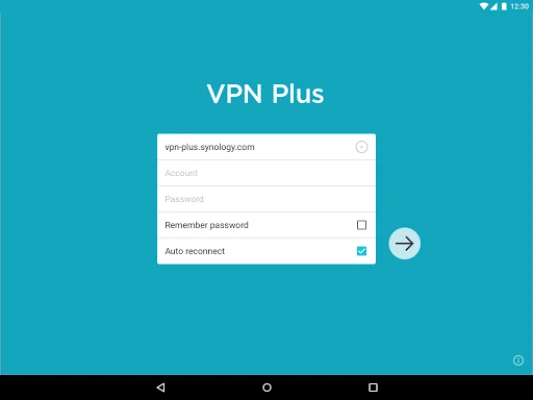
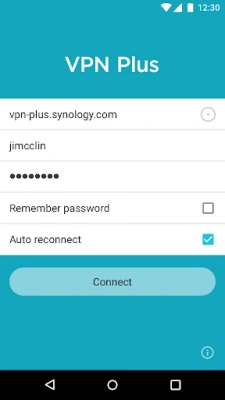
- Log In: Open the app and log in using your Synology account credentials.
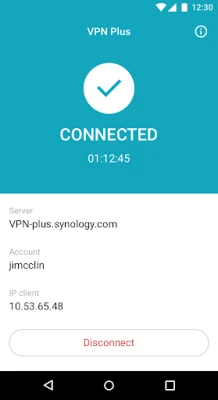
- Establish a Connection: Select the desired server location and click on the connect button to establish a secure connection.
Benefits of Using VPN Plus
1. Remote Access to Local Resources
VPN Plus allows users to access local network resources remotely. This feature is invaluable for professionals who need to connect to their office network while working from home or on the go. With VPN Plus, you can access files, printers, and other resources as if you were physically present in the office.
2. Improved Online Privacy
In an age where online privacy is increasingly compromised, VPN Plus offers a solution to protect your digital footprint. By masking your IP address and encrypting your internet traffic, the application ensures that your online activities remain confidential. This is especially important when using public Wi-Fi networks, which are often vulnerable to cyber threats.
3. User-Friendly Interface
VPN Plus boasts a user-friendly interface that makes it accessible for users of all technical levels. The intuitive design allows you to navigate the app effortlessly, making it easy to connect to your desired network and adjust settings as needed.
Conclusion
In conclusion, VPN Plus is an essential tool for anyone seeking secure and efficient internet access. With its fast connection speeds, enhanced security features, and ability to bypass firewalls, it stands out as a premier choice for users looking to protect their online activities. Whether you are a remote worker, a frequent traveler, or simply someone who values online privacy, VPN Plus is the solution you need to enhance your internet experience.
Don't compromise on your online security and accessibility. Download VPN Plus today and unlock the full potential of your internet connection!
Rate the App
User Reviews















Popular Apps










Editor's Choice









