

Latest Version
1.2.3
January 30, 2025
Synology Inc.
Tools
Android
0
Free
com.synology.securesignin
Report a Problem
More About Synology Secure SignIn
Enhance Your Security with Synology Secure SignIn: A Comprehensive Guide
In today's digital landscape, safeguarding your online accounts is more crucial than ever. With the introduction of DiskStation Manager 7.0 and the Synology Secure SignIn service, users can significantly bolster their account security. This article delves into the features and benefits of Synology Secure SignIn, highlighting its two primary verification methods: Approve Sign-In and One-Time Password (OTP) verification.
What is Synology Secure SignIn?
Synology Secure SignIn is a robust security feature designed to protect your Synology account from unauthorized access. By requiring additional verification steps, it ensures that only you can access your sensitive data. This service is available for users running DiskStation Manager 7.0 or later versions, making it essential for anyone looking to enhance their security protocols.
Key Features of Synology Secure SignIn
Synology Secure SignIn offers two primary methods for verifying your identity:
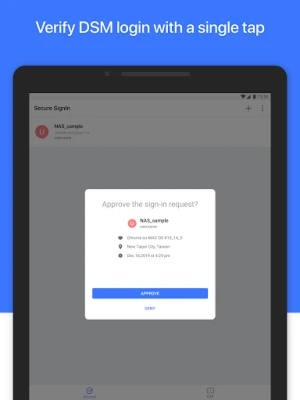
1. Approve Sign-In
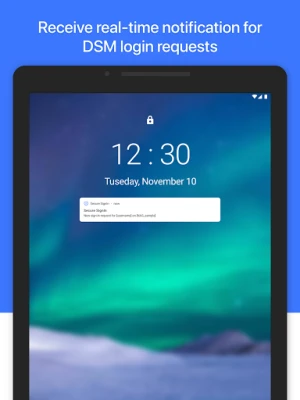
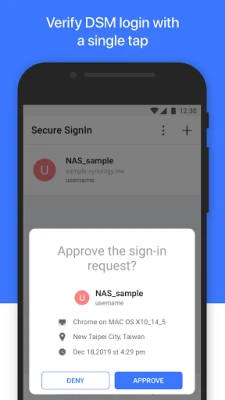
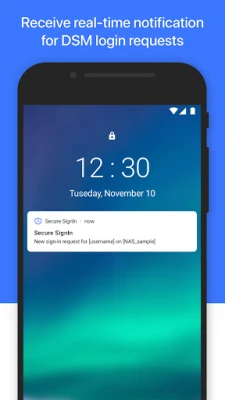
The Approve Sign-In method allows you to replace your traditional DSM password with a more secure verification process. When you attempt to log in, you will receive a prompt on your registered device, asking you to approve or deny the sign-in attempt. This method not only simplifies the login process but also adds an extra layer of security, ensuring that only authorized users can access your account.
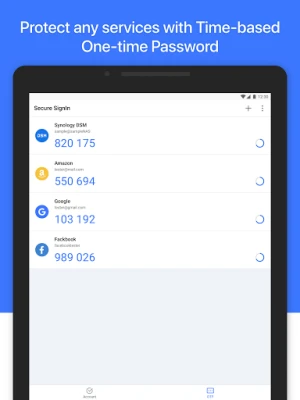
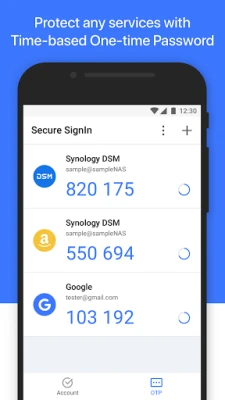
2. One-Time Password (OTP) Verification
The OTP verification method generates a unique code that you must enter during the login process. This code is typically sent to your registered mobile device or email, providing an additional security measure. Even if someone manages to obtain your password, they would still need access to your OTP to gain entry, making this method highly effective in preventing unauthorized access.
Implementing Two-Factor Authentication
For optimal security, it is recommended to use either the Approve Sign-In or OTP method as the second step in a two-factor authentication (2FA) setup. By combining your password with one of these verification methods, you create a formidable barrier against potential threats. Here’s how to set it up:
- Access your Synology account settings: Log in to your DiskStation Manager and navigate to the account settings section.
- Enable Secure SignIn: Locate the Secure SignIn option and enable it. Follow the prompts to set up your preferred verification method.
- Test the setup: After configuration, log out and attempt to log back in to ensure that the verification process works smoothly.
Benefits of Using Synology Secure SignIn
Implementing Synology Secure SignIn offers numerous advantages:
- Enhanced Security: By requiring additional verification, you significantly reduce the risk of unauthorized access.
- User-Friendly: The Approve Sign-In method simplifies the login process while maintaining high security.
- Flexibility: Choose between Approve Sign-In and OTP based on your preferences and needs.
- Peace of Mind: Knowing that your account is protected by advanced security measures allows you to focus on what matters most.
Conclusion
In an era where cyber threats are increasingly sophisticated, utilizing tools like Synology Secure SignIn is essential for protecting your digital assets. By enabling this feature on your DiskStation Manager 7.0 or later, you can take significant steps toward securing your account. Whether you opt for the Approve Sign-In method or the OTP verification, you are making a wise choice to enhance your online security. Don’t wait—implement Synology Secure SignIn today and enjoy the peace of mind that comes with knowing your data is safe.
Rate the App
User Reviews















Popular Apps










Editor's Choice









