

Latest Version
3.1.2
January 25, 2026
Alessandro Tasca
Tools
Android
0
Free
com.tasca.superdim
Report a Problem
More About Super Dim
Enhance Your Nighttime Viewing Experience with Super Dim
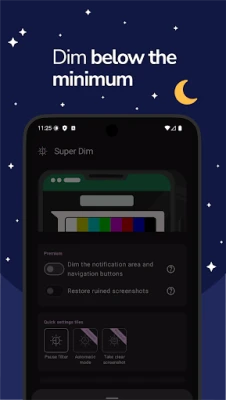
In today’s digital age, prolonged screen time can lead to eye strain, especially during nighttime use. Super Dim is an innovative solution designed to reduce your device's screen brightness below its minimum settings, providing a comfortable viewing experience that protects your eyes while you enjoy your favorite content.
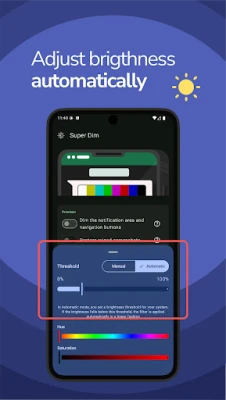
Manual and Automatic Screen Filtering
With Super Dim, you have the flexibility to apply the screen filter either manually or automatically. This feature ensures that you can easily adjust your screen brightness to a level that feels comfortable for your eyes, regardless of the time of day. Whether you’re reading an eBook, watching a movie, or browsing social media, Super Dim allows you to customize your viewing experience effortlessly.
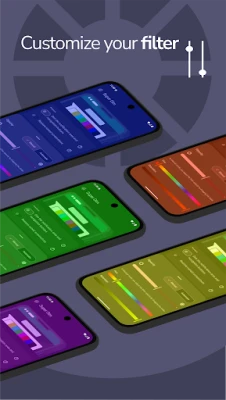
Personalize Your Screen Filter
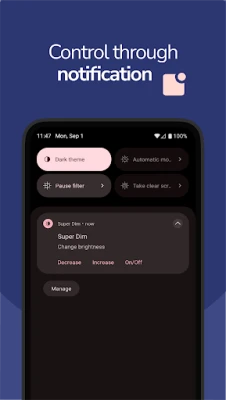
One of the standout features of Super Dim is the ability to personalize your screen filter. Users can choose from a variety of colors to create a soothing ambiance that suits their preferences. This customization not only enhances your viewing experience but also adds a personal touch to your device. Adjusting the filter is simple and can be done through a convenient notification, allowing for quick changes without interrupting your activities.
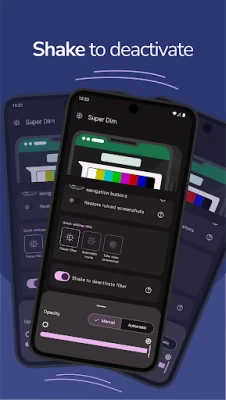
Easy Control with Shake Feature
If you ever find yourself needing to turn off the filter, Super Dim makes it incredibly easy. Simply shake your device, and the filter will be disabled instantly. This intuitive feature ensures that you can switch back to normal brightness without any hassle, making it perfect for those moments when you need to quickly access your device’s full brightness.
Upgrade for Enhanced Features
For users seeking an even more comprehensive experience, upgrading to the premium version of Super Dim unlocks additional features. This upgrade allows the filter to extend across the entire screen, including the notification area and navigation buttons. This means that every aspect of your device’s display can be adjusted for optimal comfort, ensuring a consistent viewing experience throughout.
Automatic Screenshot Correction
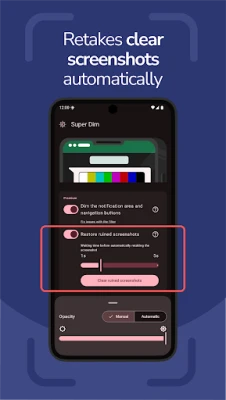
Another remarkable feature of Super Dim is its ability to detect when a screenshot is being taken with the filter applied. This functionality automatically corrects the brightness for perfect captures every time, ensuring that your screenshots look just as good as the content you’re viewing. No more worrying about dark or poorly lit images; Super Dim has you covered.
Accessibility and Privacy Assurance
To enable the filter to cover the entire screen, users must grant Super Dim permission to use Accessibility settings. It’s important to note that while this permission is necessary for full functionality, Super Dim prioritizes user privacy. No personal data will be accessed or collected when utilizing the Accessibility service, allowing you to enjoy the benefits of the app without compromising your privacy.
Conclusion: A Must-Have for Nighttime Users
In conclusion, Super Dim is an essential tool for anyone who frequently uses their device at night. With its ability to reduce screen brightness, customizable filters, and user-friendly controls, it significantly enhances the nighttime viewing experience. Whether you’re reading, watching, or browsing, Super Dim ensures that your eyes remain comfortable and strain-free. Upgrade to the premium version for even more features and enjoy a seamless, personalized experience that caters to your needs.
Don’t let eye strain ruin your nighttime activities. Download Super Dim today and transform the way you interact with your device after dark!
Rate the App
User Reviews















Popular Apps










Editor's Choice









