

Latest Version
2.4.06
December 02, 2025
MobileIdea Studio
Tools
Android
0
Free
com.idea.backup.smscontacts
Report a Problem
More About Super Backup & Restore
Ultimate Guide to Backing Up Your Android Data: Never Lose Your Information Again!
In today's digital age, safeguarding your data is more crucial than ever. Whether it's your apps, contacts, SMS, call logs, bookmarks, or calendars, having a reliable backup solution can save you from potential data loss. This guide will walk you through the essential features and important notices regarding backing up your Android device data to an SD card.
Why You Should Back Up Your Data
Backing up your data ensures that you never lose important information. With the right tools, you can easily store your data on an external SD card, making it accessible even after a factory reset or device malfunction. Here are some key features of a robust backup solution:
- Backup apps directly to your SD card.
- Store download links for your installed applications.
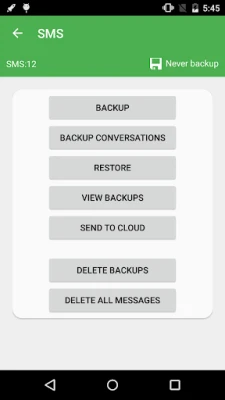
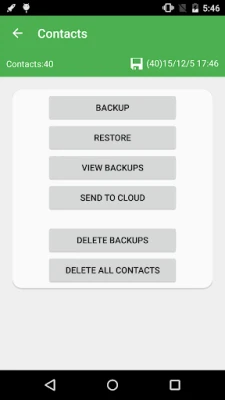
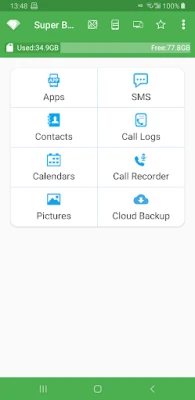
- Backup and restore contacts, SMS, call logs, bookmarks, and calendars.
- Select specific SMS conversations for backup.
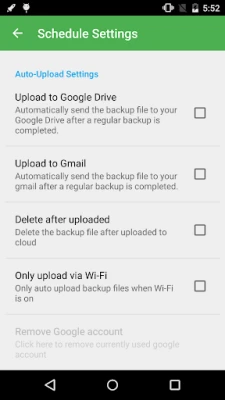
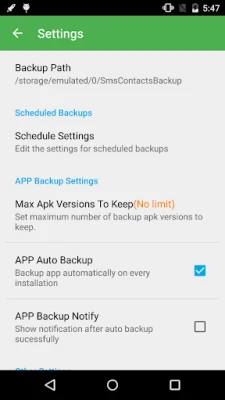
- Schedule automatic backups (Note: Not supported since Android 13).
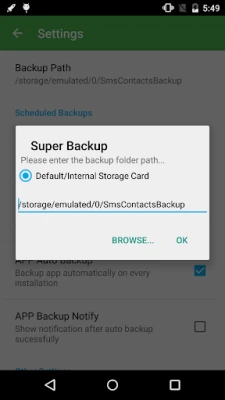
- Change the backup folder to an external SD card.
- Record and back up voice calls in MP3 format (Note: Not supported since Android 10).
Important Notices Before You Begin
Before diving into the backup process, it's essential to be aware of a few important notices:
Notice #1: Preparing for Factory Reset
If you plan to perform a factory reset on your device, ensure that the default backup folder is located on your external SD card. If it isn't, copy the entire backup folder, typically named "SmsContactsBackup," to your external SD card to prevent data loss.
Notice #2: Bookmark Limitations
Since the introduction of Android M 6.0, third-party applications can no longer access bookmarks. Consequently, the backup and restore feature for bookmarks is unavailable in Super Backup.
Notice #3: Automatic Backup Scheduling
If you schedule automatic backups, ensure that apps like Task Killer or Memory Clear include Super Backup in their whitelist or ignore list. Otherwise, Super Backup may not run in the background, leading to failed automatic backups.
Notice #4: SMS Restore Issues
If you complete the SMS restore process but do not see the messages in your default SMS app, try rebooting your device. This simple step often resolves display issues.
How to Back Up Your Data
Backing up your data is a straightforward process. Follow these steps to ensure your information is securely stored:
- Download and install the Super Backup application from the Google Play Store.
- Open the app and grant the necessary permissions for SMS, contacts, call logs, bookmarks, and calendars.
- Select the data types you wish to back up.
- Choose the external SD card as your backup location.
- Initiate the backup process and wait for it to complete.
Understanding Permissions Required for Backup
To ensure a seamless backup and restore process, the application requires specific permissions:
- READ/EDIT TEXT MESSAGES (SMS OR MMS): These permissions allow the app to back up and restore your SMS.
- READ/MODIFY CONTACTS: Necessary for backing up and restoring your contacts.
- WRITE/READ WEB BOOKMARKS AND HISTORY: Required for backing up and restoring bookmarks.
- READ CALENDAR EVENTS: These permissions enable the app to back up and restore calendar events.
- READ/WRITE CALL LOG: Essential for backing up and restoring call logs.
- RECORD_AUDIO: This permission is needed for recording voice calls.
- Location Permission: Required for transferring backup files between devices via Wi-Fi peer-to-peer. Note that this permission does not involve collecting your location information.
Conclusion: Secure Your Data Today!
Backing up your Android data is a vital step in protecting your information. With the right tools and knowledge, you can easily secure your apps, contacts, SMS, call logs, bookmarks, and calendars. Remember to follow the important notices and understand the permissions required for a smooth backup experience. Don't wait until it's too late—start backing up your data today and enjoy peace of mind knowing your information is safe!
Rate the App
User Reviews















Popular Apps










Editor's Choice









