

Latest Version
0.0.3
August 28, 2025
Astudio
Tools
Android
0
Free
com.astudio.studytimer
Report a Problem
More About Study Timer: Fullscreen Clock
Maximize Your Productivity with the Ultimate Full-Screen Timer
In today's fast-paced world, effective time management is crucial for achieving your goals. Whether you're studying for exams, working on a project, or simply trying to enhance your productivity, having the right tools can make all the difference. Enter the Full-Screen Timer, a powerful application designed to help you track your time effortlessly and efficiently. Below, we explore its key features that set it apart from the rest.
Full-Screen Counter Timer: Your Time, Your Way
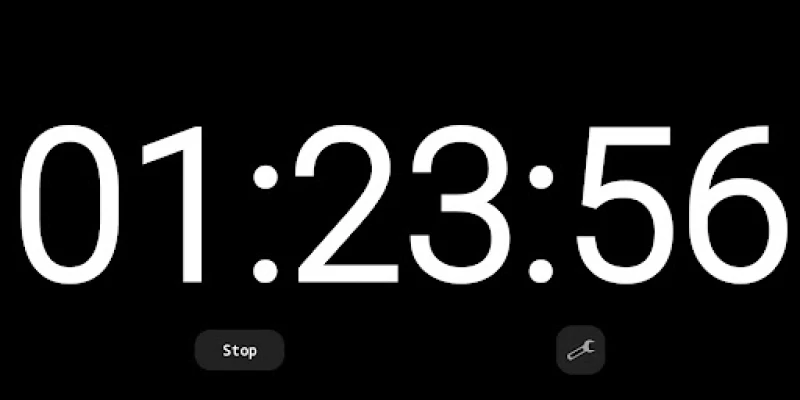
The Full-Screen Counter Timer starts from 00:00:00 and allows you to watch your time grow. This feature is perfect for tracking study sessions or work periods without any distractions. By focusing solely on the timer, you can immerse yourself in your tasks, ensuring maximum productivity.
Seamless Transition with Swipe to Clock View
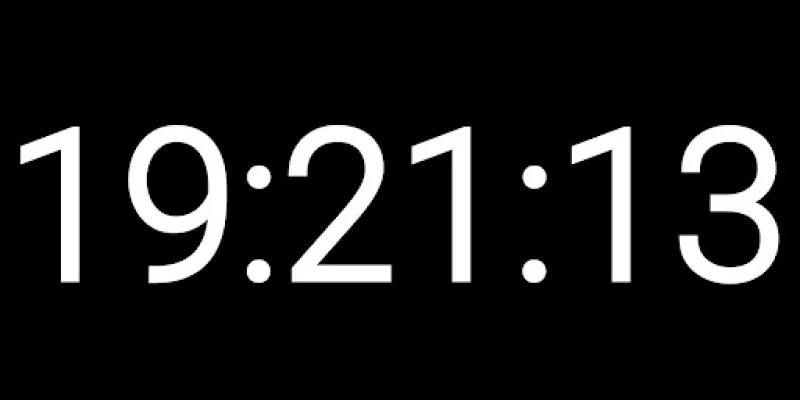
Switching between different views has never been easier. With a simple swipe, you can transition from the counter view to a digital clock display. This flexibility allows you to choose the format that best suits your needs at any given moment, enhancing your overall user experience.
Effortless Control with Start/Stop Button
Managing your time is a breeze with the intuitive Start/Stop button. This single button allows you to control your session instantly, making it easy to pause or resume your timer as needed. This feature is particularly useful during study breaks or when you need to shift your focus temporarily.
Tap to Hide UI: A Clean and Immersive Experience
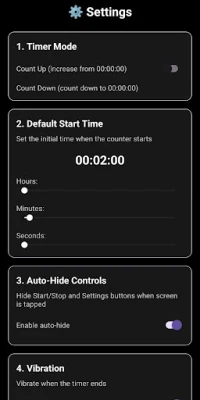
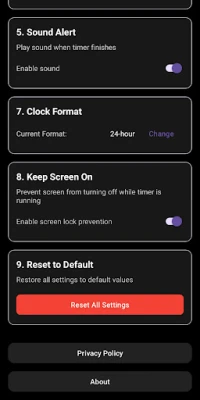
For those who prefer a distraction-free environment, the Tap to Hide UI feature is a game-changer. By tapping anywhere on the screen, you can hide or show the controls, providing a clean interface that allows you to concentrate fully on your tasks. This minimalist approach enhances your focus and productivity.
Customizable Time Settings: Edit to Fit Your Needs
Everyone has different time management preferences, which is why the Full-Screen Timer allows you to edit your time easily. Simply tap on the hours, minutes, or seconds to set your own custom duration. This flexibility ensures that you can tailor your sessions to fit your specific requirements, whether you're studying for a short quiz or preparing for a lengthy exam.
Simple & Clean Interface: Designed for Focus
The Full-Screen Timer features a dark-themed UI with large digital fonts, ensuring perfect visibility and focus. This design not only looks sleek but also minimizes eye strain, allowing you to work for extended periods without discomfort. A clean interface means fewer distractions, enabling you to stay on task.
Lightweight & Fast: No Clutter, Just Efficiency
In a world filled with ads and unnecessary features, the Full-Screen Timer stands out as a lightweight and fast application. With no ads and no clutter, you get only the essential tools you need to manage your time effectively. This streamlined approach ensures that you can focus on what truly matters—your productivity.
Versatile Use Cases: More Than Just a Timer
Whether you need a study timer, a focus clock, or a count-up productivity tracker, the Full-Screen Timer is the perfect tool to keep you on track. Its versatility makes it suitable for various activities, from academic studies to professional projects. No matter your goal, this timer can help you achieve it.
Download Now and Transform Your Focus
Ready to take your productivity to the next level? Download the Full-Screen Timer today and start improving your focus, one second at a time. With its user-friendly features and clean design, you'll wonder how you ever managed without it. Don't let time slip away—make every second count!
Rate the App
User Reviews















Popular Apps










Editor's Choice









