


Latest Version
December 31, 2025
bringsgame
Tools
Android
0
Free
com.bringsgame.stickermaker
Report a Problem
More About Sticker Maker - WASticker
Create and Share Custom WhatsApp Sticker Packs Effortlessly
In today's digital age, expressing emotions through stickers has become a popular way to communicate. WhatsApp allows users to create personalized sticker packs, making conversations more engaging and fun. This guide will walk you through the simple steps to create and share your own custom sticker packs on WhatsApp, including the use of animated images.
Step-by-Step Guide to Creating Your Sticker Pack
Follow these easy steps to design your unique sticker pack:
- Access the Sticker Creation Page
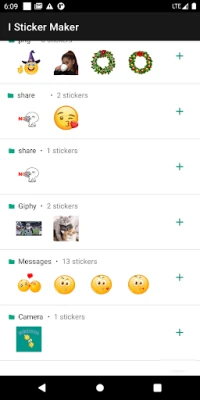
Begin by clicking the + sign on your app interface. This action will direct you to the page dedicated to creating sticker packs. - Name Your Sticker Pack
Enter a catchy name for your sticker pack. You can also include a creator name, although this step is optional. - Select Your Images
Choose a picture or photo from your phone's gallery that you want to transform into a sticker. Ensure the image is clear and vibrant for the best results. - Add to WhatsApp
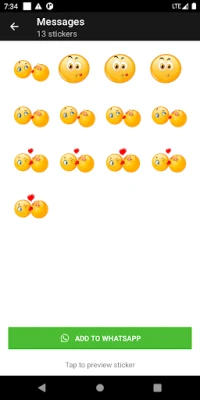
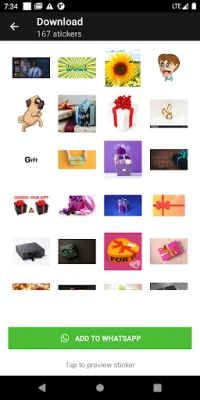
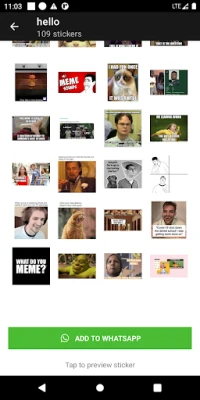
Once you have selected your images, click the [Add to WhatsApp] button. This will import your newly created sticker pack directly into your WhatsApp application.
Sharing Your Custom Stickers with Friends and Family
Now that you have created your sticker pack, it’s time to share it with your loved ones. Here’s how you can do that:
- Open a Chat: Navigate to the chat of the friend or family member you wish to share your stickers with.
- Access Stickers: Tap on the sticker icon in the chat interface to view your sticker packs.
- Select and Send: Choose your custom stickers and send them to your contacts. Watch as your friends enjoy your creative expressions!
Enhancing Your Stickers with Animated Images
For those looking to add an extra layer of fun, consider incorporating animated images into your sticker packs. Animated stickers can bring your conversations to life and add a dynamic touch to your messages. Follow the same steps as above, ensuring that the images you select support animation.
Tips for Creating Engaging Sticker Packs
To make your sticker packs stand out, keep these tips in mind:
- Be Creative: Use unique images that reflect your personality or interests. The more original, the better!
- Keep It Simple: Stickers should be easily recognizable. Avoid overly complex designs that may not translate well in smaller sizes.
- Test Your Stickers: Before sharing, send your stickers to yourself to see how they appear in chats. This will help you make any necessary adjustments.
Conclusion
Creating and sharing custom sticker packs on WhatsApp is a fun and straightforward process. By following the steps outlined above, you can easily express your creativity and enhance your conversations. Whether you opt for static images or animated stickers, your friends and family will surely appreciate the personal touch. Start designing your sticker packs today and bring a smile to your loved ones' faces!
Rate the App
User Reviews















Popular Apps










Editor's Choice









