
Latest Version
January 24, 2026
HarishA97
Tools
Android
0
Free
com.thesmallgames.stickermaker
Report a Problem
More About Sticker Maker
Create Unique Personal Stickers with Sticker Maker: Your Ultimate Guide
Why settle for mundane text messages when you can express yourself with vibrant, personalized stickers? Sticker Maker offers an effortless way to transform your favorite images into custom sticker packs for your chats. Whether it’s a hilarious meme, a cherished selfie, or a cute picture of your pet, if you can capture it, you can turn it into a sticker!
Unleash Your Creativity with Powerful Tools
Sticker Maker is equipped with a suite of creative tools designed to help you craft the perfect stickers:
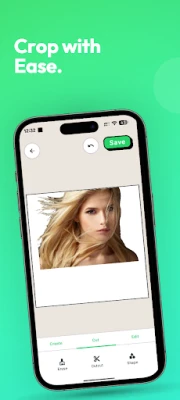
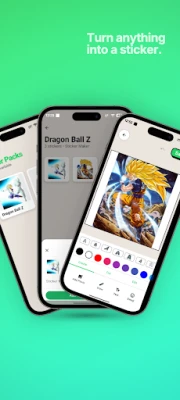
- Background Eraser: Effortlessly cut out people or objects with precision, ensuring your stickers look professional and polished.
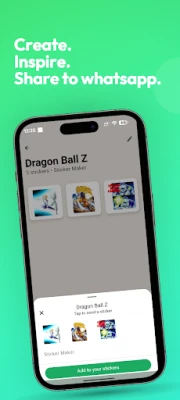
- WASticker Creator: Seamlessly export your custom sticker packs directly to WhatsApp, making sharing a breeze.
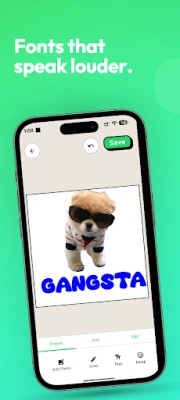
- Text & Doodles: Enhance your stickers with funny captions, emojis, or even your own hand-drawn art to add a personal touch.
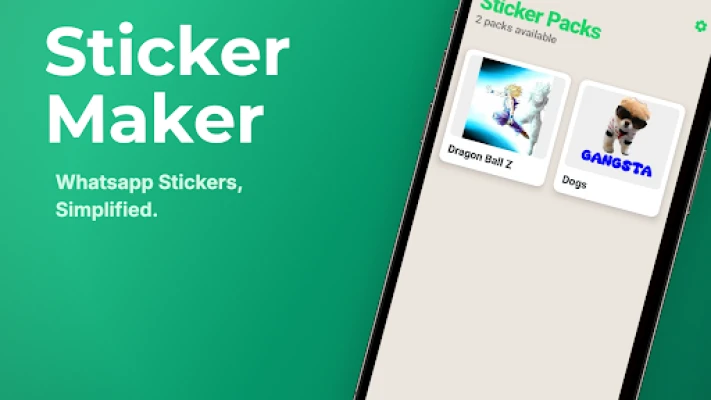
- Sticker Pack Manager: Organize your creations into unlimited custom packs, keeping your sticker collection neat and accessible.
Privacy-First Approach: Enjoy a Secure Experience
In today’s digital age, privacy is paramount. Sticker Maker prioritizes your security with a range of features:
- No Ads: Enjoy a clean, distraction-free experience without annoying pop-ups interrupting your creativity.
- 100% Offline: Create stickers without an internet connection. Your photos remain private, as we don’t track or upload them.
- No Accounts Required: Dive right into sticker creation without the hassle of sign-ups or accounts. Start making stickers immediately!
How to Use Sticker Maker: A Step-by-Step Guide
Getting started with Sticker Maker is simple and intuitive. Follow these easy steps to create your own custom stickers:
- Open the Sticker Maker app and select New Sticker Pack.
- Import a photo from your gallery that you want to transform into a sticker.
- Utilize the crop and erase tools to refine your design, ensuring it looks just right.
- Add text or decorative elements to infuse your sticker with personality.
- Tap Add to WhatsApp to share your creations with friends and family!
Why Choose Sticker Maker?
Whether you’re in search of a meme generator or a professional sticker creator, Sticker Maker provides the tools you need to express yourself creatively. With its user-friendly interface and robust features, you can easily create stickers that resonate with your personality and style.
Don’t miss out on the opportunity to enhance your messaging experience. Download the most private, ad-free WASticker tool today and start creating stickers that truly represent you!
Conclusion: Elevate Your Messaging Game
In a world where communication is often reduced to plain text, Sticker Maker empowers you to add flair and fun to your conversations. With its powerful creative tools, commitment to privacy, and ease of use, you can transform ordinary messages into extraordinary expressions. Start your sticker-making journey now and let your creativity shine!
Rate the App
User Reviews















Popular Apps










Editor's Choice









