

Latest Version
1.0.9-10
August 26, 2024
Viko & Co
Tools
Android
0
Free
com.marsvard.stickermakerforwhatsapp
Report a Problem
More About Sticker maker
Create Custom Sticker Packs for Everyone in Just 4 Simple Steps
In today's digital age, personalized communication has become a vital part of our interactions. One fun and creative way to express yourself is through custom sticker packs. Whether you want to create stickers for your pets, your girlfriend, family, or friends, the process is straightforward and enjoyable. Follow these four easy steps to make your own sticker pack and add a personal touch to your conversations.
Step 1: Choose a Name for Your Sticker Pack
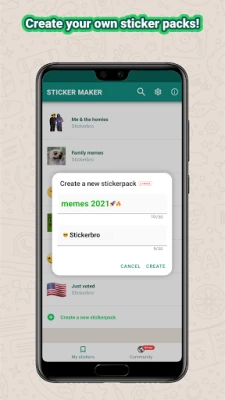
The first step in creating your custom sticker pack is to select a catchy and memorable name. This name will represent your pack and should reflect its theme or purpose. Consider using names that resonate with the stickers you plan to include. For instance, if your stickers feature adorable pets, you might choose a name like "Paw-some Pals" or "Furry Friends." A creative name not only makes your pack more appealing but also helps your friends easily identify it in their sticker collection.
Step 2: Add Stickers to Your Pack
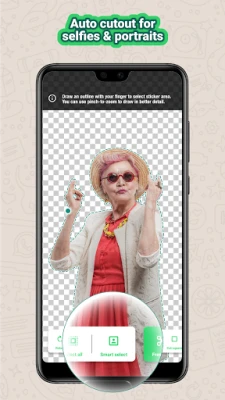
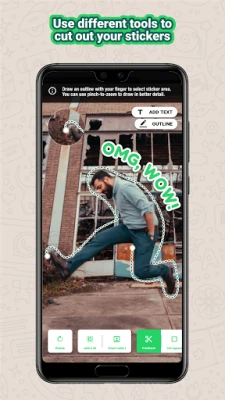
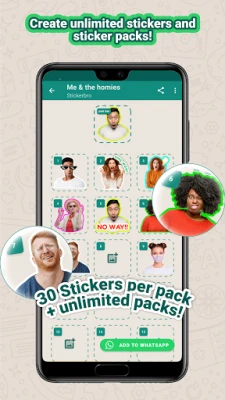
Once you have a name, it’s time to start adding stickers to your pack. You can either create your own designs or use existing images that you have the rights to. Many apps and online tools allow you to design stickers easily. After selecting your images, you can cut them out using your finger or a stylus, ensuring they are the right size and shape for your sticker pack. Aim for a variety of stickers that convey different emotions or messages, making your pack versatile and fun to use.
Step 3: Publish Your Sticker Pack
After you’ve added all your desired stickers, the next step is to publish your sticker pack. Most sticker creation apps have a straightforward publishing process. Follow the prompts to finalize your pack, and make sure to review everything before hitting the publish button. Once published, your sticker pack will be available for you and your friends to use in messaging apps like WhatsApp. This is where your creativity comes to life, allowing you to share your unique stickers with others.
Step 4: Enjoy Your Custom Stickers!
Now that your sticker pack is live, it’s time to enjoy it! Use your stickers in conversations to add a personal touch and make your messages more engaging. Share your creations with friends and family, and encourage them to use your stickers in their chats. The joy of seeing your custom stickers in action is truly rewarding, and it enhances the way you communicate with loved ones.
Troubleshooting: Can't Add Stickers to WhatsApp?
If you encounter issues adding your stickers to WhatsApp, it may be due to not having the latest app update. To resolve this, check for updates in the Google Play Store or visit the official WhatsApp website for the latest version. Keeping your app updated ensures you have access to all the latest features, including the ability to add and use custom sticker packs seamlessly.
Conclusion
Creating custom sticker packs is a fun and creative way to express yourself and connect with others. By following these four simple steps—choosing a name, adding stickers, publishing your pack, and enjoying your creations—you can enhance your messaging experience. So, gather your ideas, unleash your creativity, and start making sticker packs that reflect your personality and the people you cherish!
Rate the App
User Reviews















Popular Apps










Editor's Choice









