

Latest Version
10.8.0.0
July 16, 2026
Leaf Stack Studio
Tools
Android
0
Free
io.spck
Report a Problem
More About Spck Editor / Git Client
Essential Guide to Backing Up Your Projects Before Uninstalling Apps
When it comes to managing your projects, ensuring data integrity is paramount. Before you uninstall any application, it’s crucial to back up your projects to avoid potential data loss. While upgrading or updating the app typically poses no risk, uninstalling can lead to irreversible consequences if you haven’t saved your work. This guide will walk you through the essential features of a robust coding application that can enhance your development experience while ensuring your data remains safe.
Key Features of a Top-Tier Coding Application
Modern coding applications come equipped with a variety of features designed to streamline your workflow and enhance productivity. Here are some standout functionalities:
- Clone Repositories: Easily clone both public and private repositories using app tokens, allowing for seamless project management.
- Quick Snippets Keyboard: Utilize a quick snippets keyboard for faster code edits, making your coding process more efficient.
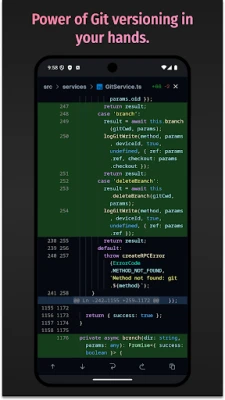
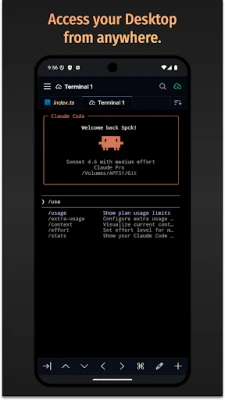
- Git Client Integration: Enjoy full Git client integration, enabling you to checkout, pull, push, commit, and log changes effortlessly.
- Diff Viewer: Analyze differences in your git-enabled projects with a built-in diff viewer, simplifying version control.
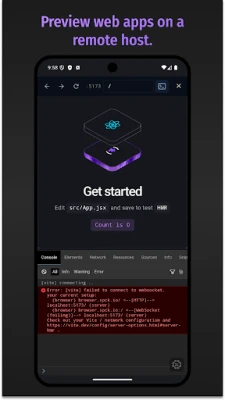
- Preview HTML/Markdown: Preview HTML and Markdown files directly on your device, ensuring your content appears as intended.
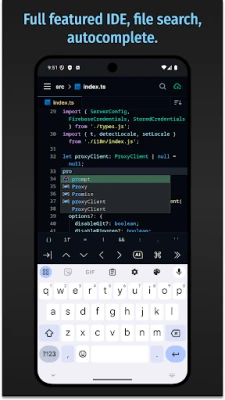
- Project & File Searching: Quickly search through projects and files to locate specific code snippets or documents.
- Code Syntax Analysis: Benefit from smart auto-completion and code syntax analysis to enhance your coding accuracy.
- Auto Code-Indentation: Maintain clean and organized code with automatic indentation features.
- Customizable Themes: Choose between light and dark themes to suit your visual preferences.
- Export/Import Functionality: Easily export or import projects and files as zip files for convenient sharing and backup.
- CSS Color Selector: Utilize a CSS color selector to streamline your design process.
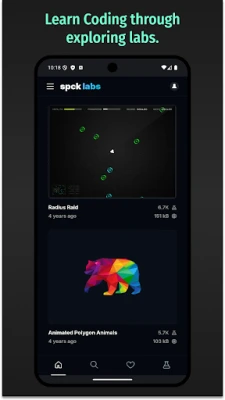
- JavaScript Labs: Experiment with cool JavaScript labs to enhance your coding skills.
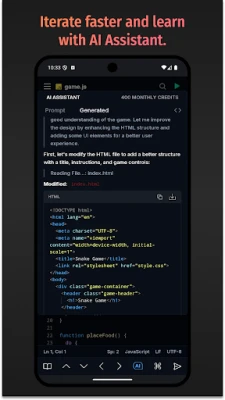
- AI Code Completion: Leverage new AI-driven code completion and explanations to boost your productivity.
Supported Programming Languages
This coding application supports a wide range of programming languages, making it versatile for various development needs. The main languages supported include:
- JavaScript
- CSS
- HTML
- Markdown
Smart Code-Hinting Support
In addition to the primary languages, the application offers smart code-hinting support for several other popular languages, including:
- TypeScript, JavaScript, TSX, JSX
- CSS, Less, SCSS
- HTML (with Emmet support)
Additional Language Support
For developers working with various programming languages, the application provides syntax highlighting for:
- Python, Ruby, R, Perl, Julia, Scala, Go
- Java, Scala, Kotlin
- Rust, C, C++, C#
- PHP
- Stylus, CoffeeScript, Pug
- Shell, Batch
- OCaml, ActionScript, ColdFusion, HaXe
- And many more...
Conclusion: Safeguard Your Work and Enhance Your Coding Experience
Backing up your projects before uninstalling any application is a critical step in safeguarding your work. By utilizing a coding application with robust features, you can enhance your development experience while ensuring your data remains secure. With capabilities like repository cloning, smart code-hinting, and AI-driven code completion, you can streamline your workflow and focus on what truly matters—creating exceptional code. Always remember to back up your projects, and enjoy the benefits of a powerful coding tool that supports a wide array of programming languages.
Rate the App
User Reviews















Popular Apps










Editor's Choice









