

Latest Version
August 27, 2024
Sophos Limited
Tools
Android
0
Free
com.sophos.smsec
Report a Problem
More About Sophos Intercept X for Mobile
Comprehensive Android Security: Sophos Mobile Protection Without Compromise
In an era where digital threats are ever-evolving, ensuring the security of your Android device is paramount. Sophos, a leader in IT security for businesses and governments globally, offers a robust solution that guarantees full-featured protection without the burden of advertisements. This article delves into the extensive features of the Sophos Mobile app, designed to safeguard your device and privacy while maintaining optimal performance and battery life.
Unmatched Malware Protection
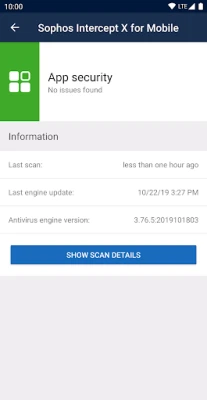
One of the standout features of the Sophos Mobile app is its malware protection. The app conducts thorough scans of your applications and storage media, identifying and neutralizing malicious or inappropriate content. This proactive approach ensures that your device remains free from harmful software that could compromise your data and privacy.
Advanced Web Filtering Capabilities
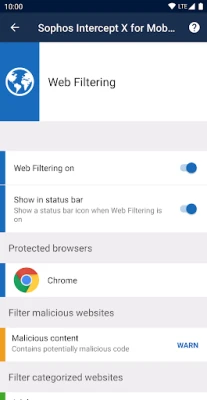
With the web filtering feature, Sophos empowers users to block access to web pages that harbor malicious, undesirable, or illegal content. This functionality not only protects your device from potential threats but also enhances your browsing experience by keeping you away from harmful sites.
Link Checker for Enhanced Safety
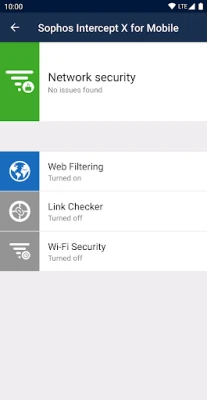
The link checker feature is another critical component of Sophos Mobile. It scrutinizes links you encounter in non-browser applications, ensuring that they do not lead to malicious or inappropriate content. This added layer of security is essential in today’s digital landscape, where threats can lurk behind seemingly innocuous links.
App Protection with Password Security
To further enhance your device's security, Sophos offers app protection that allows you to secure individual applications with a password. This feature is particularly useful for safeguarding sensitive information and ensuring that unauthorized users cannot access your private data.
Wi-Fi Security: Stay Protected on the Go
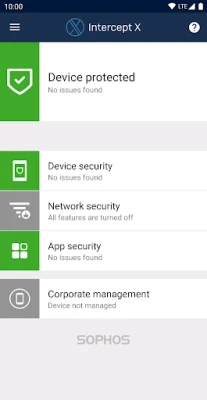
In an age where public Wi-Fi networks are ubiquitous, the Wi-Fi security feature is indispensable. Sophos checks your connection for potential man-in-the-middle attacks, providing peace of mind when connecting to unfamiliar networks. This proactive measure helps protect your data from interception by malicious actors.
Privacy and Security Advisors
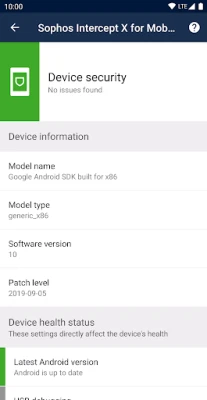
The app includes a privacy advisor that lists applications accessing your personal data, helping you identify potential risks. Additionally, the security advisor offers tailored advice on enhancing your device's security, empowering you to take control of your digital safety.
Secure QR Code Scanning
With the rise of QR codes, the secure QR code scanner feature is a timely addition. It performs security checks when scanning QR codes that contain URLs, contacts, or Wi-Fi connection data, ensuring that you do not inadvertently expose yourself to threats.
Password Safe for Secure Storage
Managing multiple accounts can be daunting, but Sophos simplifies this with its password safe. This feature allows you to store all your account information in a KeePass-compatible password database, ensuring that your credentials are secure and easily accessible.
Multi-Factor Authentication Made Easy
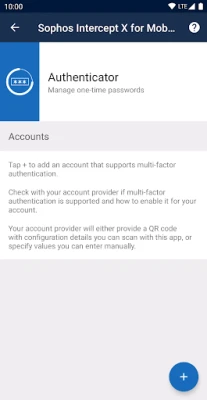
Security is paramount, and the authenticator feature enhances your protection by generating time-based (TOTP) and counter-based (HOTP) one-time passwords for multi-factor authentication. This additional layer of security is crucial for safeguarding your accounts against unauthorized access.
Managed Mode for Organizational Control
For businesses, the managed mode feature allows organizations to connect the app to Sophos Mobile, enabling them to manage devices effectively. This capability ensures that corporate data remains secure while providing employees with the tools they need to stay protected.
Understanding Permissions for Optimal Functionality
To deliver its comprehensive security features, the app requires certain permissions. These permissions are essential for monitoring incoming data and detecting threats. For instance, enabling app protection utilizes Device Administrator permissions, while the Wi-Fi security feature requires location permissions to identify the Wi-Fi network you are connected to, without tracking your actual location.
Battery and Data Usage Considerations
While the app updates malware definitions daily to ensure your protection, this process consumes a minimal amount of data. The initial full scan of installed applications may lead to a one-time increase in battery usage, but subsequent scans are optimized for efficiency.
Data Safety and Privacy Assurance
Privacy is a top priority for Sophos. The app does not store your web browsing history, ensuring that your online activities remain confidential. When managed by Sophos Mobile, organizations can view details about blocked or warned web pages without compromising user privacy.
Support and Resources
For users seeking assistance, Sophos provides a comprehensive knowledge base and a dedicated support forum. These resources are invaluable for troubleshooting and maximizing the app's capabilities.
In conclusion, Sophos Mobile offers a robust suite of features designed to protect your Android device from a myriad of threats. With its commitment to user privacy and security, Sophos stands out as a premier choice for anyone looking to enhance their digital safety without compromising performance or battery life.
Rate the App
User Reviews















Popular Apps










Editor's Choice









