




Latest Version
10.5
April 03, 2026
Snap Search - Private Browser, Incognito Browser
Tools
Android
0
Free
cybersky.snapsearch
Report a Problem
More About Snap Search - Private Browser
Unlock Ultimate Privacy with the Best Incognito Browser
In an age where online privacy is paramount, the Incognito Browser stands out as a beacon of security and convenience. This innovative browser is designed to provide users with a seamless and private browsing experience, free from the prying eyes of advertisers and data trackers. Below, we delve into the remarkable features that make this browser a must-have for anyone serious about their online privacy.
Zero Permissions for Maximum Security
The Incognito Browser is a free private browser that requests zero permissions. Unlike traditional browsers such as Chrome, Firefox, or even DuckDuckGo, this browser avoids sensitive permissions like location tracking and account access. This makes it a safer choice for users who prioritize their online security.
No Sign-Up Required: Enjoy Instant Access
One of the standout features of the Incognito Browser is that it requires no sign-up or account creation. Users can dive straight into a private browsing experience without the hassle of creating an account. This feature ensures that your browsing remains anonymous and free from unnecessary data collection.
VPN Mode: Your Shield of Privacy
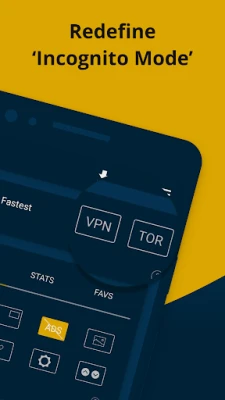
Activate the VPN mode to connect to private servers, effectively masking your IP address. This feature keeps you untraceable, ensuring that your online activities remain confidential from ISPs, networks, and even search engines. With the Incognito Browser, you can browse the web with peace of mind.
Website Translation: Break Language Barriers
For the first time, the Incognito Browser allows users to translate websites into over 100 supported languages. This feature is particularly beneficial for travelers and language enthusiasts, enabling them to access content in their preferred language effortlessly.
Guest Mode: Share Your Device with Confidence
Worried about lending your phone to friends or family? The Guest Mode feature locks the current webpage, allowing others to view only what you want them to see. This ensures that your personal information and browsing history remain secure, even when sharing your device.
Data Saver Mode: Conserve Your Data
With the Data Saver Mode, users can significantly reduce their data consumption. The browser employs advanced algorithms to compress images and websites, making it an excellent choice for those who want to save on data costs while still enjoying a rich browsing experience.
Extensive Search Engine Support
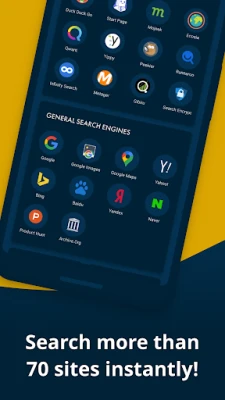
The Incognito Browser supports a wide array of search engines, including Google, DuckDuckGo, StartPage, Bing, Ecosia, and Yandex. This extensive collection ensures that users can choose their preferred search engine, with DuckDuckGo set as the default option.
Floating Windows: Multitask with Ease
Experience the convenience of floating windows that allow you to browse, watch videos, and stream content while using other apps. This unique feature enhances multitasking capabilities, making it easier to manage your online activities without interruptions.
Incognito Keyboard: Privacy at Your Fingertips
The Incognito Keyboard is designed to ensure that your typing remains private. It neither remembers nor learns the words you type, providing a 100% private browsing experience. This feature is particularly useful for those who want to keep their search queries hidden from search engines.
Edit Websites: Have Fun with Content
With the ability to edit websites, users can play around with content and even fool their friends by altering search results or Wikipedia entries. This fun feature adds a layer of interactivity to your browsing experience.
Dark Mode: A Stylish Browsing Experience
Enjoy a visually appealing dark mode while browsing any website. This feature not only enhances the aesthetic appeal but also reduces eye strain during nighttime browsing sessions.
Reader Mode: Focus on What Matters
The Reader Mode eliminates distractions, allowing users to read content peacefully. This feature ensures that your search remains private and secure while you enjoy uninterrupted reading.
Home Screen Widgets: Quick Access to Privacy
Utilize home screen widgets for secure, one-tap access to the Incognito Browser and search results. This feature enhances convenience, allowing you to access your favorite private browsing tools quickly.
Complete Privacy with Every Exit
Every time you exit the Incognito Browser, all your activities—including history, cookies, and sessions—are wiped clean. This ensures that your browsing remains private and secure, making it the best choice for those who value their online privacy.
Download the Incognito Browser today and take control of your online privacy. With its advanced features and user-friendly interface, it’s the ultimate tool for anyone looking to enhance their browsing experience while keeping their data safe.
Rate the App
User Reviews















Popular Apps










Editor's Choice









