

Latest Version
April 30, 2026
Kale-Studio
Tools
Android
0
Free
com.bobog.n.sms_forwarder
Report a Problem
More About SMS Forwarder
Essential Guide to Using SMS Forwarding Applications Safely
In today's digital age, communication is key, and SMS forwarding applications can be incredibly useful. However, caution is paramount when using these tools. This guide will walk you through the safe usage of SMS forwarding applications, their features, and privacy considerations.
Be Aware of Scams
When someone asks you to install an SMS forwarding application, exercise caution. Scammers often exploit these tools to gain unauthorized access to your personal information. Always verify the source before proceeding with any installation.
How to Use SMS Forwarding Applications
Using an SMS forwarding application can streamline your communication. Follow these steps to set it up effectively:
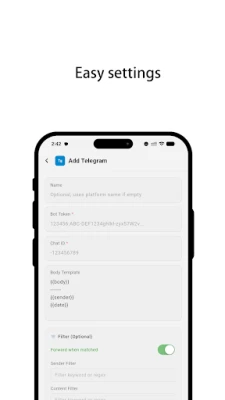
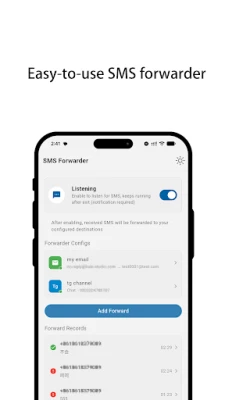
- Add a Filter: Start by adding a filter to specify the recipient of the forwarded messages.
- Enter Recipient Details: Input the recipient's phone number, email address, URL, Telegram ID, or push service ID. You can include multiple recipients for convenience.
- Set Keywords: Define keywords that should appear in the phone number or message body as conditions. If you prefer to forward all messages, you can leave this section blank.
- Customize Message Templates: Tailor the template for the messages you wish to forward, ensuring they meet your communication style.
Key Features of SMS Forwarding Applications
SMS forwarding applications come equipped with a variety of features designed to enhance your messaging experience:
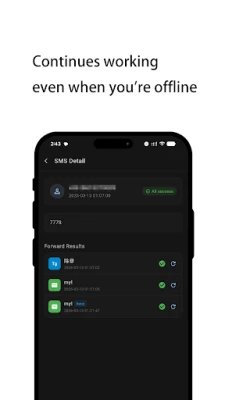
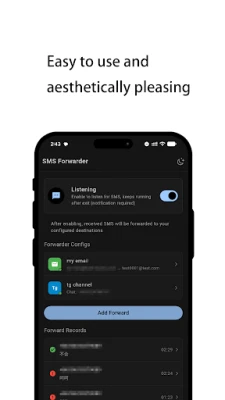
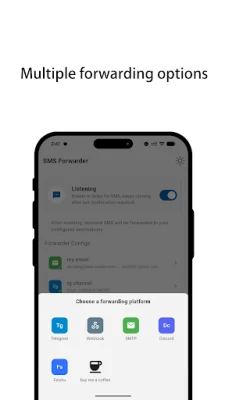
- Multi-Channel Forwarding: Forward SMS or notifications to various platforms, including email, phone, URL, Telegram, or push services.
- Advanced Filtering Options: Add filters to customize which messages get forwarded based on your preferences.
- Email Support: The application supports Gmail and SMTP for seamless email integration.
- Dual SIM Card Compatibility: Enjoy the flexibility of using the application with dual SIM card setups.
- Run-Time Settings: Adjust settings in real-time to suit your current needs.
- Backup and Restore Filters: Easily back up and restore your filter settings for future use.
Limitations of SMS Forwarding Applications
It’s important to note that this application does not allow you to receive messages from devices that do not have the application installed. This limitation is crucial for maintaining security and privacy.
Permissions Required for Functionality
To ensure the application functions correctly, certain permissions are necessary:
- SMS Permissions: Permissions to receive SMS, receive MMS, read SMS, and send SMS are required for the application to read and send messages effectively.
- Contact Access: Access to your contacts is needed to read your Gmail account and contact names for better integration.
Privacy Considerations
When using an SMS forwarding application, privacy should be a top priority:
- This application requires permission to read or send SMS, which is essential for its functionality.
- Rest assured, the application does not store SMS or contacts on any external server, ensuring your data remains private.
- Upon uninstalling the application, all data will be deleted permanently. However, it is advisable to remove the push service account from the application before uninstalling to avoid any potential issues.
Conclusion
SMS forwarding applications can significantly enhance your communication efficiency, but they come with responsibilities. Always be vigilant about the sources from which you download applications, understand the permissions required, and prioritize your privacy. By following these guidelines, you can enjoy the benefits of SMS forwarding while keeping your information secure.
Rate the App
User Reviews















Popular Apps










Editor's Choice









