

Latest Version
2.1.0
July 23, 2025
wozhuanapp3
Tools
Android
1
Free
com.lanrensms.app
Report a Problem
More About SMS Forwarder
Ultimate Guide to SMS Forwarding: How to Efficiently Manage Your Messages
In today's fast-paced digital world, staying connected is crucial. Whether you're managing work communications or personal messages, having a reliable SMS forwarding solution can streamline your communication process. This guide will walk you through the steps to effectively use an SMS forwarding application, highlighting its main features and typical use cases.
Getting Started: How to Use the SMS Forwarding App
Using the SMS forwarding app is straightforward. Follow these simple steps to set up your rules and start forwarding messages:
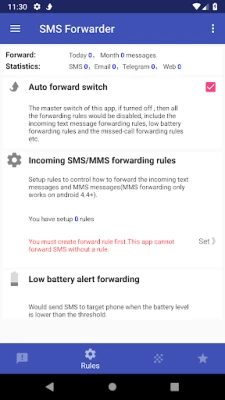
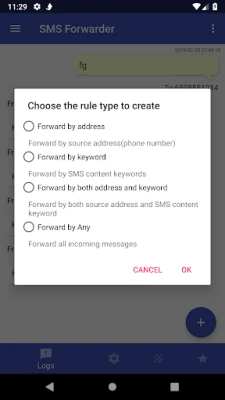
- Select a Rule: Choose from options such as forwarding SMS, missed calls, or notifications.
- Define Your Rule: Complete the rule by entering specific conditions and targets. This could include a phone number, email address, Telegram group, or a URL.
- Add Multiple Rules: You can create several rules to cater to different needs.
- Backup and Restore: The app allows you to back up your rules offline and restore them whenever necessary.
Main Features of the SMS Forwarding Application
This SMS forwarding application comes packed with features designed to enhance your messaging experience:
- Seamless Synchronization: Effortlessly forward SMS and missed calls to another phone or PC.
- History Tracking: Keep a record of all forwarded SMS and calls for easy reference.
- Multiple Forwarding Options: Forward messages via Email, Telegram, WeChat, or Slack.
- Customizable Rules: Create rules to forward messages based on specific keywords or source addresses.
Where Can You Forward SMS, Calls, and Notifications?
The application offers a variety of forwarding options, including:
- To another phone via SMS
- To an email address
- To a specified URL
- To Telegram groups
- To WeChat
- And more! Feel free to suggest additional options, and we will consider them.
Importantly, the application is ad-free, ensuring a smooth user experience.
How the Application Works
The SMS forwarding application operates efficiently by following these steps:
- The application detects incoming or outgoing SMS/MMS messages.
- It applies the user-defined rules to determine the appropriate action.
- If a rule matches the received SMS/MMS, the application synchronizes or forwards the message to the designated device.
Typical Use Cases for SMS Forwarding
This application is versatile and can be used in various scenarios, such as:
- Synchronizing and forwarding SMS/MMS, calls, and notifications between a phone and a computer.
- Managing communications between a primary phone and a secondary phone (e.g., work and personal devices).
- Forwarding authentication messages to another phone or computer for enhanced security.
Users are encouraged to request new features to further enhance the application’s functionality.
Important Caution
Be cautious if someone else has asked you to install the SMS forwarder, as they may not have your best interests in mind. Always ensure you are using the application for legitimate purposes.
Step-by-Step Guide to Using the App
To effectively use the SMS forwarding app, follow these steps:
- Create a Forwarding Rule: Start by setting up your desired forwarding rule.
- Test Your Rule: Use the simulated message feature in the app to ensure your rule works as intended.
- Send Real Messages: Once satisfied with the test, send actual SMS/MMS, calls, or notifications to verify the rule in action.
Additional Features to Enhance Your Experience
The SMS forwarding application offers several additional features:
- Create multiple forwarding rules to suit various needs.
- The app automatically retries failed message forwarding attempts.
- Implement static or dynamic keyword replacement rules before forwarding messages, ensuring sensitive information is protected.
- Utilize cloud email forwarding without needing to provide SMTP server credentials.
- Forward messages to a Telegram bot, specifically designed for receiving forwarded messages.
- Customize email forwarding templates to suit your preferences.
- Set your own web forwarding API URL for tailored message delivery.
Privacy and Security Considerations
Your privacy is paramount. The app requires SMS read and send permissions to forward messages in real-time. Rest assured, it does not store or use any of your messages or contacts, ensuring your data remains confidential.
In conclusion, the SMS forwarding application is a powerful tool for anyone looking to streamline their messaging process. With its user-friendly interface, robust features, and commitment to privacy, it stands out as an essential solution for managing communications effectively.
Rate the App
User Reviews















Popular Apps










Editor's Choice









