

Latest Version
2.73
February 20, 2026
Jerry Zigo
Tools
Android
0
Free
com.jerryzigo.smsbackup
Report a Problem
More About SMS Backup
Ultimate Guide to Backing Up Your SMS Messages: Features and Benefits
In today's digital age, preserving your important conversations is crucial. Whether you're switching to a new phone or simply want to keep a record of your messages, understanding how to effectively back up your SMS messages is essential. This article will explore the features of a powerful app designed to help you manage your text messages efficiently.
Key Features of the SMS Backup App
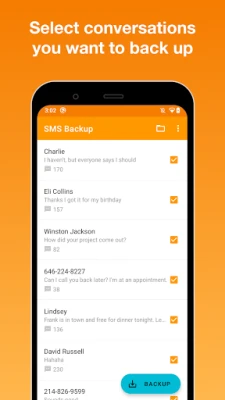
This app offers a range of functionalities that make it a must-have for anyone looking to secure their SMS conversations. Here are the standout features:
1. Limitations on Message Restoration
It's important to note that this app does not restore deleted messages. If you find that some messages or entire conversations are missing from your backup, it may be due to the app's inability to back up RCS messages (also known as Advanced Messaging). To ensure that your messages are backed up, set Google Messages as your default texting app. Additionally, turning off Advanced Messaging will allow the app to back up only new messages, excluding those already stored as RCS.
2. Versatile Export Options
The app provides two distinct formats for exporting your conversations:
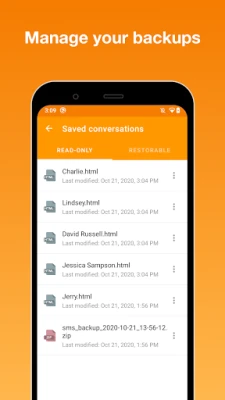
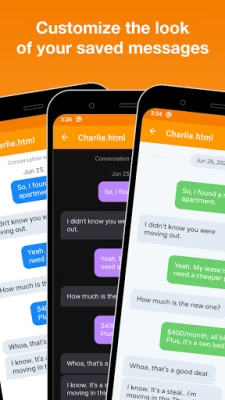
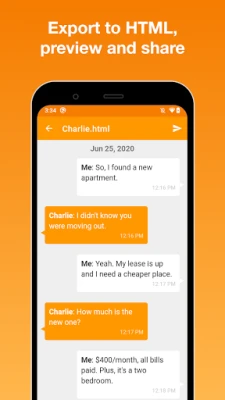
- HTML Format: This visually appealing, read-only format displays your messages in chat bubbles, making it easy to view and share.
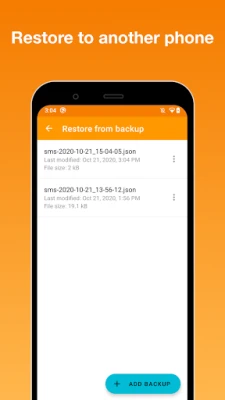
- JSON Data File: This format is ideal for users planning to transfer their messages to another device, as it allows for easy restoration.
Both formats are saved directly to your device's internal storage, ensuring that your data is secure and accessible.
3. Seamless File Sharing
Once your messages are backed up, you can effortlessly send these files to your email, Gmail, Google Drive, or any other preferred storage solution. This flexibility ensures that you can access your backed-up messages from virtually anywhere.
Transferring SMS Messages to a New Phone
If you're upgrading to a new phone, this app is your go-to solution for transferring SMS messages. It not only generates the necessary data file for restoring messages but also saves your text messages in an easily viewable HTML format. This means you can open and read your backed-up messages on various devices, including computers and iPhones.
Why Choose This SMS Backup App?
With numerous options available for backing up messages, you might wonder why this app stands out. Here are a few compelling reasons:
- User-Friendly Interface: The app is designed with simplicity in mind, making it accessible for users of all technical levels.
- Reliable Backup Process: The app ensures that your messages are backed up securely, minimizing the risk of data loss.
- Compatibility: It works seamlessly with various devices, allowing for easy access and transfer of your messages.
Feedback and Suggestions
Your experience matters! If you have any questions or suggestions for improving the app, feel free to reach out via email at japps4all@gmail.com. Your feedback is invaluable in helping us enhance the app's functionality and user experience.
Conclusion
Backing up your SMS messages has never been easier. With this app, you can ensure that your important conversations are preserved and easily transferable to new devices. Take advantage of its robust features, and never worry about losing your messages again!
Rate the App
User Reviews















Popular Apps










Editor's Choice









