

Latest Version
118.0
June 22, 2026
Simple things for life
Tools
Android
0
Free
com.smart.switch.data.transfer.switcher
Report a Problem
More About Smart switch - copy my data
Effortless Data Transfer: How to Use SmartSwitch for Seamless Mobile Migration
Transferring files between an old and a new mobile device can often feel daunting. However, with the SmartSwitch app, you can ensure that all your important data moves seamlessly to your new phone. Whether you’ve just purchased the latest smartphone or are upgrading to a more advanced model, SmartSwitch is your go-to solution for a hassle-free transition.
Understanding SmartSwitch: The Dual Device Process
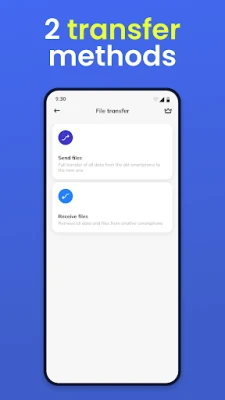
The SmartSwitch application operates by connecting two devices: the sender (your old phone) and the receiver (your new phone). This dual-device setup allows for a smooth transfer of various types of data, ensuring that nothing important is left behind.
What Data Can You Transfer with SmartSwitch?
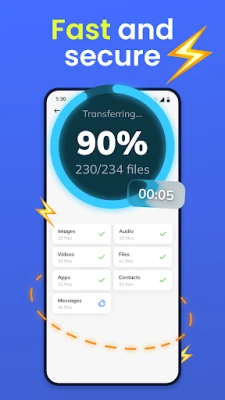
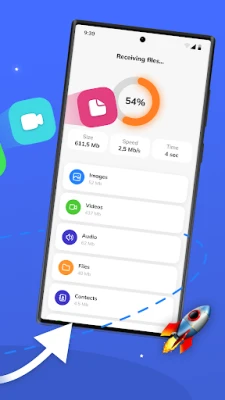
SmartSwitch supports the transfer of a wide range of data types, including:
- Files: Documents, PDFs, and other essential files.
- Applications: Your favorite apps can be easily moved to your new device.
- Music: Keep your playlists intact and ready to enjoy.
- Photos: Preserve your cherished memories without losing a single image.
- Videos: Transfer all your important video files effortlessly.
With SmartSwitch, you can rest assured that all the little things that make your mobile experience enjoyable will be transferred without a hitch.
How to Transfer Data Using SmartSwitch
Transferring data with SmartSwitch is straightforward. Follow these simple steps to ensure a smooth transition:
- Place both devices (the sender and the receiver) close to each other.
- Enable Wi-Fi on both devices.
- Ensure both devices are connected to the same Wi-Fi network, or use direct transfer mode, which doesn’t require an internet connection.
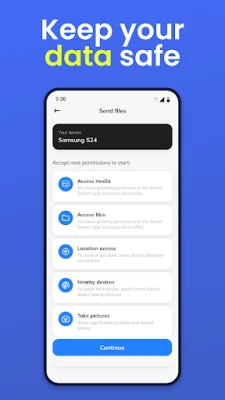
- Open the SmartSwitch application on both devices and initiate pairing.
- The sender device will display the recipient in the list of available devices. Request permission to pair.
- Once the recipient confirms the pairing, select the data you wish to transfer.
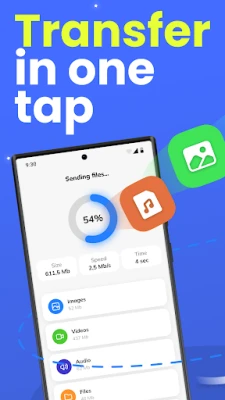
- Hit send, and watch as your data moves from one device to the other!
All selected content will be readily available on your new device, making the transition seamless.
Transfer Time: What to Expect
The duration of the data transfer process can vary based on several factors, including:
- The type of device you are using.
- The transfer mode selected (Wi-Fi or direct transfer).
- The total amount of data being transferred.
For smaller files, the transfer may take just a few seconds, while larger files or extensive data sets may require additional time. Regardless, SmartSwitch is designed to optimize the process for efficiency.
Why Choose SmartSwitch? The Benefits
The advantages of using the SmartSwitch app are clear:
- Direct Transfer: Move data directly from one phone to another without the need for a computer.
- Easy Data Selection: Quickly choose the specific types of data you want to transfer.
- Wide Compatibility: SmartSwitch works with a variety of phone models, making it versatile.
- Unchanged Data Quality: Your files retain their original quality during the transfer.
- User-Friendly Interface: The app is intuitive and requires no technical expertise to operate.
Compatibility: Works with Most Android Models
SmartSwitch is compatible with nearly all Android phone models, ensuring that you can easily transfer your data regardless of the brand or model of your new device. This broad compatibility makes it a reliable choice for anyone looking to upgrade their mobile experience.
Continuous Improvement: Stay Updated with SmartSwitch
The team behind SmartSwitch is dedicated to enhancing the app's functionality and user experience. Regular updates ensure that you benefit from the latest features and improvements. Keep an eye out for new enhancements that will make your data transfer experience even better!
Conclusion: Make Your Transition Smooth with SmartSwitch
In conclusion, if you’re looking to transfer data from an old mobile device to a new one, the SmartSwitch app is an invaluable tool. With its user-friendly interface, wide compatibility, and efficient transfer capabilities, you can ensure that all your important files, applications, and media are safely moved to your new phone. Don’t let the fear of losing data hold you back from upgrading—embrace the ease of SmartSwitch and enjoy your new device to the fullest!
Rate the App
User Reviews















Popular Apps










Editor's Choice









