

Latest Version
1.0.2
February 16, 2026
Clemmyj Apps
Tools
Android
0
Free
com.pof.mymanage.file
Report a Problem
More About Smart Phone Manager
Optimize Your Digital Space: Mastering File Management with Smart Phone Manager
In today's fast-paced digital world, efficient file management is essential for maintaining an organized and productive workspace. With the right tools, you can streamline your file organization, enhance accessibility, and ensure that your device runs smoothly. One such tool is the Smart Phone Manager, designed to help you manage your files effortlessly. This article explores its key features and benefits, ensuring you can maximize your device's potential.
Effortlessly Delete Unused Files
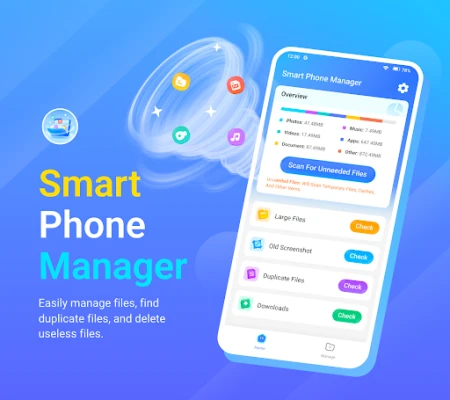
One of the standout features of Smart Phone Manager is its ability to help you quickly identify and delete unused files. Temporary files, old screenshots, duplicate items, and large files can clutter your device, slowing it down and making it difficult to find what you need. With Smart Phone Manager, you can:
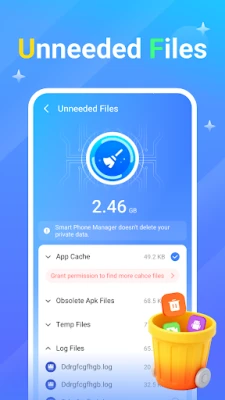
- Quickly Locate Temporary Files: The app scans your device for temporary files that are no longer needed, allowing you to delete them with just a few taps.
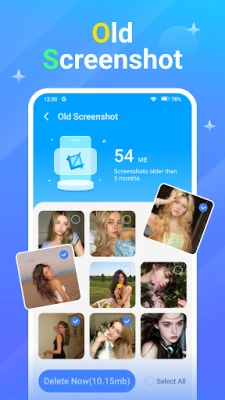
- Remove Old Screenshots: Easily find and delete outdated screenshots that take up valuable storage space.
- Identify Duplicate Items: The app helps you spot duplicate files, ensuring you only keep the versions you need.
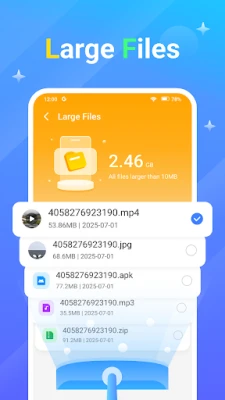
- Manage Large Files: Quickly find large files that may be consuming unnecessary storage, enabling you to make informed decisions about what to keep or delete.
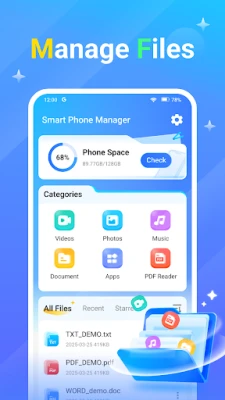
Comprehensive File Management Features
Smart Phone Manager goes beyond just deleting files; it offers a comprehensive suite of file management tools that enhance your overall experience. With this app, you can:
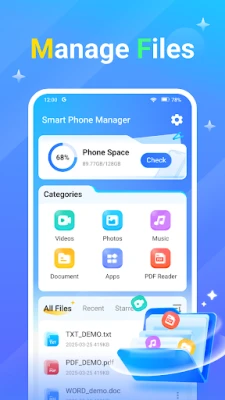
- View File Details: Gain insights into your files, including size, type, and last modified date, helping you make better management decisions.
- Rename Files with Ease: Quickly rename files to keep your organization system consistent and intuitive.
- Share Files Seamlessly: Effortlessly share important documents, photos, and videos with friends, family, or colleagues directly from the app.
- Star Important Files: Mark essential photos, videos, audio files, and documents with a simple tap, making them easy to find later.
Supports Multiple File Formats
In a world where we encounter various file types daily, having an app that supports multiple formats is crucial. Smart Phone Manager allows you to:
- Open PDF Files: View your PDF documents directly within the app, eliminating the need for additional software.
- Access TXT, PPT, and Excel Files: Open and view text files, presentations, and spreadsheets without hassle, making it easier to manage your work on the go.
Download Smart Phone Manager Today
Ready to take control of your digital space? Download Smart Phone Manager today and experience the ease of efficient file management. With its powerful features, you can declutter your device, enhance your productivity, and ensure that your important files are always at your fingertips. Don't let unused files slow you down—optimize your digital life now!
Rate the App
User Reviews















Popular Apps










Editor's Choice









