Latest Version
June 22, 2026
MONIQ TAP., CO LTD
Tools
Android
0
Free
com.moniqtap.lgtv.smart.remote
Report a Problem
More About Smart LG Remote Control for TV
Transform Your Viewing Experience with Our Smart Remote App
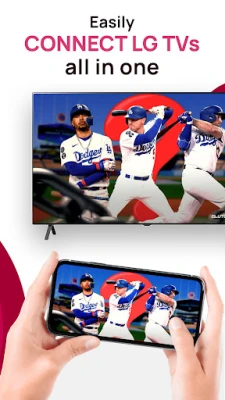
Take control of your television like never before with our innovative smart remote app. This powerful application turns your smartphone into a virtual remote, offering features such as a touch pad, media casting, and screen mirroring to enhance your viewing experience.
Overview of the Smart Remote App
This app provides a convenient solution for managing your TV without the need for a physical remote. Whether your original remote is lost or the batteries have died, our app is designed to work seamlessly with LG Smart TVs, ensuring you never miss a moment of your favorite shows.
Key Features of the Smart Remote App
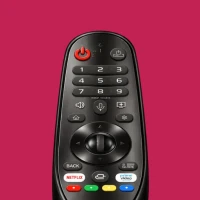
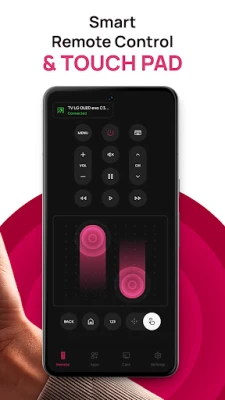
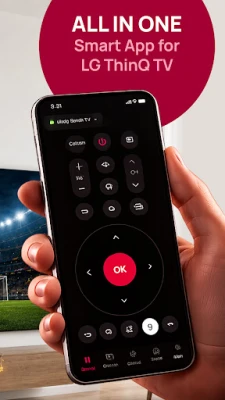
- Full Remote Control: Transform your smartphone into a fully functional remote, complete with all the essential buttons needed to operate your smart TV.
- Smart Touch Pad: Navigate menus with ease using a swipe and tap interface, making it faster and more intuitive than traditional remotes.
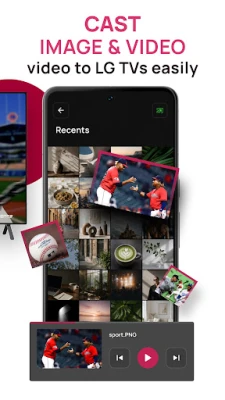
- Media Casting: Effortlessly cast photos, videos, and music from your smartphone directly to your television screen for a shared viewing experience.
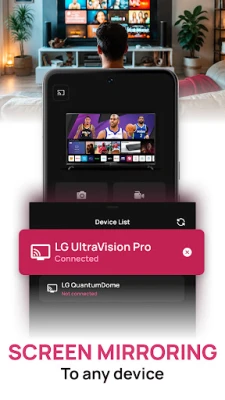
- Screen Mirroring: Mirror your smartphone screen to your TV, perfect for presentations, video streaming, or browsing the web.
- Fast & Easy Connection: The app automatically detects and connects to your TV when both devices are on the same WiFi network, ensuring a hassle-free setup.
How to Use the Smart Remote App
- Ensure your smartphone and Smart TV are connected to the same WiFi network.
- Open the app and select your TV from the list of available devices.
- Begin controlling, casting, or mirroring your content instantly.
Why Choose Our Smart Remote App?
Our app serves as a reliable alternative to a lost or broken physical remote. With a simple, user-friendly interface, you can enjoy smooth touchpad navigation and quick response times, making your viewing experience more enjoyable.
Important Notices
Please note that while the app is free to install, it includes premium features that require a purchase or subscription for full access. Non-subscribed users can utilize each premium feature a limited number of times per day.
Subscriptions automatically renew unless canceled 24 hours before the end of the current period. You can manage your subscription and disable auto-renewal in your account settings. Be aware that any unused portion of a free trial will be forfeited upon subscription.
Terms of Use and Privacy Policy
For more information, please review our Terms of Use and Privacy Policy.
Experience the future of television control with our smart remote app and elevate your entertainment experience today!
Rate the App
User Reviews















Popular Apps










Editor's Choice









