

Latest Version
6.4
June 21, 2026
Raimondas Rimkus
Tools
Android
0
Free
rkr.simplekeyboard.inputmethod
Report a Problem
More About Simple Keyboard
How to Enable and Customize the Simple Keyboard on Your Device
In today's digital age, having a reliable and efficient keyboard is essential for seamless communication. The Simple Keyboard offers a lightweight solution that prioritizes functionality without unnecessary bloat. This guide will walk you through the steps to enable and customize the Simple Keyboard, as well as highlight its key features and limitations.
Steps to Enable the Simple Keyboard
Follow these straightforward steps to get started with the Simple Keyboard:
- Launch the Simple Keyboard: Open the "Simple Keyboard" application from your device's launcher.
- Enable the Keyboard: Activate the Simple Keyboard. You may see a default system warning regarding tracking; this is standard.
- Switch Input Method: Change your current input method to Simple Keyboard. The method to do this varies by device, but it typically involves a long-press on the space bar.
- Customize Settings: To modify the Simple Keyboard settings, long-press the comma (",") key or navigate to Settings > Languages & Input > Simple Keyboard.
- Manage Input Methods: You can enable or disable all input methods by going to Settings > Languages & Input > Manage Keyboards. Note that the process may differ slightly between devices.
Key Features of Simple Keyboard
The Simple Keyboard is designed with user convenience in mind. Here are some of its standout features:
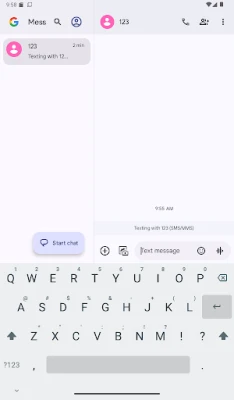
- Compact Size: At less than 1MB, this keyboard won't take up much space on your device.
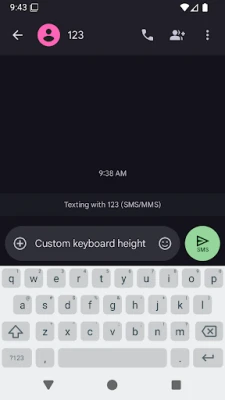
- Adjustable Height: Customize the keyboard height to maximize your screen space, making it easier to view your content.
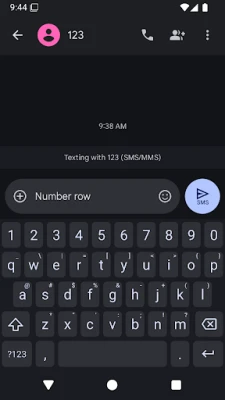
- Number Row: Access numbers quickly with a dedicated number row, enhancing your typing efficiency.
- Pointer Movement: Swipe the space bar to move the pointer, allowing for precise text editing.
- Delete Swipe: Quickly delete text by swiping, streamlining your typing experience.
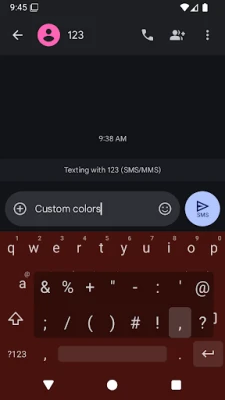
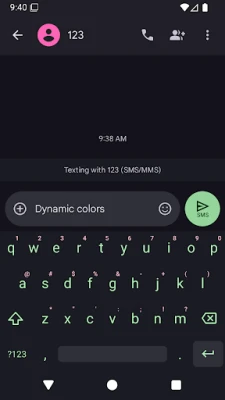
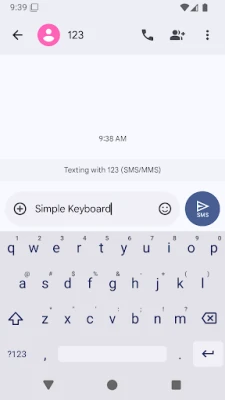
- Custom Themes: Personalize your keyboard with custom theme colors to match your style.
- Minimal Permissions: The Simple Keyboard requires only basic permissions, such as vibration, ensuring your privacy.
- Ad-Free Experience: Enjoy an uninterrupted typing experience without annoying advertisements.
Limitations of Simple Keyboard
While the Simple Keyboard excels in many areas, it does have some limitations that users should be aware of:
- No Emojis: The keyboard does not support emoji input, which may be a drawback for users who frequently use them.
- No GIF Support: Users looking to send GIFs will need to rely on other applications, as this feature is not available.
- No Spell Checker: The Simple Keyboard lacks a built-in spell checker, so users should double-check their spelling manually.
- No Swipe Typing: Unlike some other keyboards, the Simple Keyboard does not offer swipe typing functionality.
Open-Source Nature of Simple Keyboard
The Simple Keyboard is an open-source application, which means its source code is publicly available for review and modification. This transparency fosters trust and allows developers to contribute to its improvement. You can find the source code linked at the bottom of the store page, and it is licensed under the Apache License Version 2.0.
Conclusion
The Simple Keyboard is an excellent choice for users seeking a lightweight, efficient, and customizable typing solution. While it may lack some advanced features like emojis and swipe typing, its simplicity and ease of use make it a valuable tool for everyday communication. By following the steps outlined in this guide, you can easily enable and tailor the Simple Keyboard to fit your needs.
For those who appreciate minimalism and functionality, the Simple Keyboard stands out as a reliable option in a crowded market of keyboard applications.
Rate the App
User Reviews















Popular Apps










Editor's Choice









