

Latest Version
January 19, 2026
Hartmann Studios
Tools
Android
0
Free
com.charles.filemanager
Report a Problem
More About Simple File Manager
Discover the Latest Features in Our New Version
In the ever-evolving world of technology, staying updated with the latest software versions is crucial for enhancing productivity and user experience. Our latest release introduces a host of exciting features designed to streamline your workflow and improve file management. Let’s delve into the standout elements of this new version.
Revamped User Interface for Enhanced Navigation
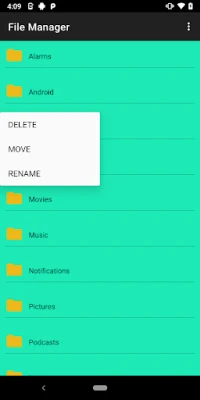
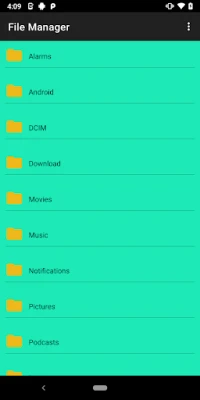
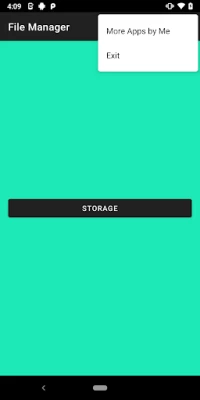
The most noticeable change in this version is the new design featuring a modern interface. This redesign prioritizes user experience, making it easier than ever to navigate through various functionalities. The intuitive layout allows users to find what they need quickly, reducing the time spent searching for files and tools.
Streamlined File Management for Effortless Organization
Managing files has never been simpler. With easy access to file management tools, users can effortlessly organize their documents, images, and other media. The new version allows for quick sorting and categorization, ensuring that your files are always in order and easy to locate.
Versatile Viewing Options for Enhanced File Interaction
This update introduces multiple ways to view, share, and organize your files. Whether you prefer a list view for detailed information or a grid view for a more visual approach, the choice is yours. Additionally, sharing files with colleagues or friends is now more straightforward, with integrated sharing options that facilitate collaboration.
Efficient Photo Management and Viewing
For those who work with images, the ability to view and manage photos has been significantly improved. The new version supports various image formats and offers tools for quick editing and organization. Users can now create albums, tag images, and easily access their photo library, making it a breeze to manage visual content.
Quick Browsing for Instant Access
Time is of the essence, and our new version recognizes that. With the ability to quickly browse files, users can locate documents and media in seconds. The enhanced search functionality allows for keyword searches, making it easier to find specific files without sifting through endless folders.
Expand Your Capabilities with Additional Apps
To further enhance your experience, this version allows you to download and install additional apps seamlessly. Whether you need tools for productivity, creativity, or organization, the new app integration feature provides a customizable experience tailored to your needs. Explore a variety of applications that can be easily added to your workspace, expanding your capabilities and improving efficiency.
Conclusion: Embrace the Future of File Management
With its innovative features and user-friendly design, the latest version is set to revolutionize the way you manage files. From a revamped interface to enhanced photo management and quick browsing capabilities, every aspect is designed with the user in mind. Embrace these changes and elevate your productivity to new heights. Upgrade today and experience the future of file management!
Rate the App
User Reviews















Popular Apps










Editor's Choice









