

Latest Version
July 10, 2026
WP GAMES
Tools
Android
0
Free
com.simwifi.info
Report a Problem
More About SIM Wi-Fi & Network Info Tools
Unlocking Connectivity: The Ultimate Guide to Wi-Fi, SIM, and Network Insights
In today's digital age, staying connected is more crucial than ever. Whether you're at home, in the office, or on the go, understanding your Wi-Fi, SIM, and network connections can significantly enhance your online experience. This article delves into the essential features of a powerful tool designed to provide comprehensive insights into your connectivity options, ensuring you remain connected wherever you are.
Key Features of the Connectivity Tool
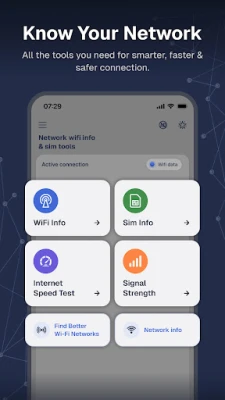
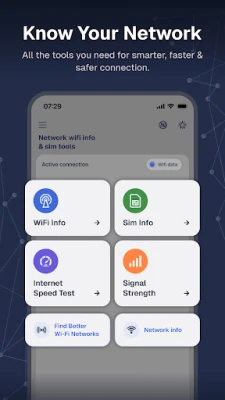
Wi-Fi Information & Details
- Comprehensive Network Overview: Access a complete list of available Wi-Fi networks, complete with detailed information.
- Signal Strength Analysis: Evaluate signal strength, coverage range, and channel bandwidth to find the best connection.
- Advanced Network Management: View MAC addresses for effective network management and troubleshooting.
- Connection Quality Metrics: Analyze the quality of your connection, including transmitting and receiving speeds.
- Connected Network Insights: Obtain detailed information about networks you are currently connected to.
Share Connection Details Effortlessly
- PDF Sharing: Easily share your connection details in PDF format, making it simple to communicate network information with others.
SIM Information & Details
- Network Operator Insights: View essential details about your network operator and SIM card.
- Signal Strength and ASU Levels: Check the type of network, signal strength, and ASU levels for optimal connectivity.
- Roaming and Data Activity: Stay informed about your roaming status, country code, and data activity.
- IP Address Information: Access both IPv4 and IPv6 addresses along with cellular type details.
- Subscription ID Awareness: Keep track of your internet connection status and subscription ID.
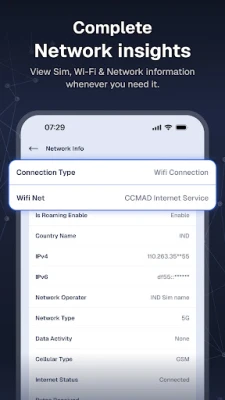
Network Information & Details
- Real-Time Performance Analysis: Monitor mobile data and Wi-Fi network performance in real-time.
- Connection Type and Carrier Information: Check the type of connection, carrier name, and relevant country information.
- Network Type Insights: Access BSSID, MAC address, and other network type details.
- Roaming Status Tracking: Stay updated on your roaming status.
- Data Usage Monitoring: Track bytes transmitted and received since the last device boot.
Discover Better Wi-Fi Networks
- Nearby Network Scanning: Scan for nearby Wi-Fi networks to find the best options.
- Network Comparison: Compare available networks based on signal strength to identify stronger connections.
- Channel Information: View channel details to help you select the optimal network for your needs.
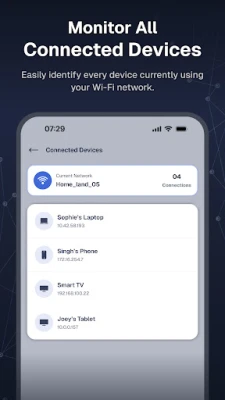
Connected Wi-Fi Devices
- Device Overview: View all devices currently connected to your Wi-Fi network.
- Device Identification: Access device names, IP addresses, and MAC addresses for easy identification.
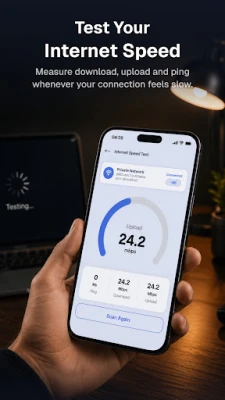
Internet Speed Test
- Download Speed Measurement: Accurately measure your download speed.
- Upload Speed Measurement: Test your upload speed for a complete performance overview.
- Network Latency Check: Assess network latency (Ping) to understand your connection's responsiveness.
- Performance Testing: Evaluate your internet performance over both Wi-Fi and mobile data.
Why Choose This Connectivity Tool?
- Streamlined Connection Management: Identify superior Wi-Fi networks based on real-time performance data, ensuring you always have the best connection.
- Seamless Connectivity: Effortlessly switch between Wi-Fi and mobile networks with complete transparency regarding their reliability and performance.
Stay informed, stay connected, and elevate your digital experience with this essential connectivity tool. With its comprehensive features and user-friendly interface, you can navigate your network landscape with confidence.
Permissions Required for Optimal Functionality
- Location Permission: This permission is necessary to display the name of the connected Wi-Fi network.
- Read Phone State Permission: Required to provide users with accurate SIM information.
By utilizing this powerful tool, you can enhance your connectivity experience, troubleshoot issues effectively, and ensure that you are always connected to the best available networks. Embrace the future of connectivity and take control of your digital life today!
Rate the App
User Reviews















Popular Apps










Editor's Choice









