

Latest Version
1.4
July 22, 2025
DoubleTheFun
Tools
Android
0
Free
com.doublethefun.quickcuts
Report a Problem
More About Shortcut Manager
Create Custom Shortcuts Effortlessly: A Step-by-Step Guide
Creating shortcuts on your device has never been easier. With just a few clicks, you can streamline your digital experience and access your favorite apps, websites, or settings in no time. This guide will walk you through the process of creating shortcuts and highlight the features that make it a breeze.
How to Create Shortcuts
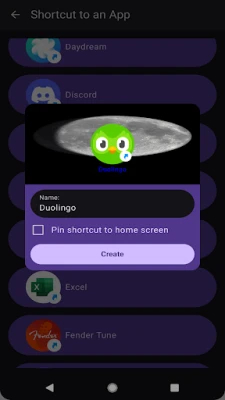
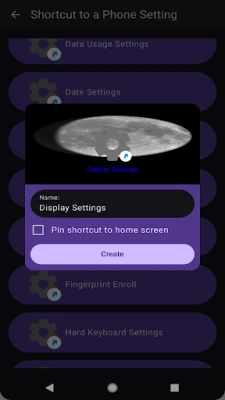
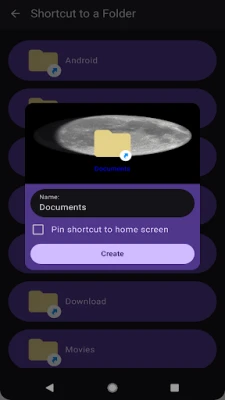
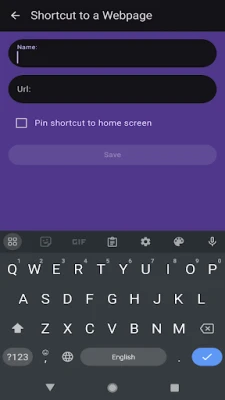
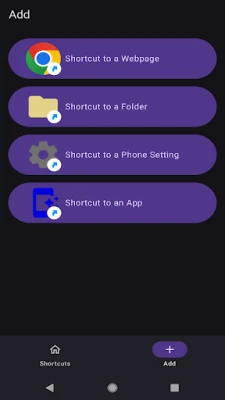
To get started, simply choose the type of shortcut you wish to create and click the Create button. It’s that straightforward! Whether you want to access a specific website, a folder, or a particular app, the process is quick and user-friendly.
Enhance Your Home Screen with Shortcuts
One of the most convenient features of creating shortcuts is the ability to add them directly to your phone's home screen. This allows for instant access to your most-used applications and settings, making your device more efficient and personalized.
Key Features of Shortcut Creation
- Add Shortcuts for Various Functions: You can create shortcuts for websites, folders, phone settings, or other applications, tailoring your device to fit your needs.
- Customizable Names: Name your shortcuts anything you desire, making it easy to identify them at a glance.
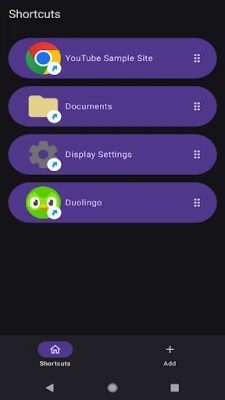
- Organize Your Shortcuts: Sort through your shortcuts and delete any that you no longer need, keeping your home screen clutter-free.
- Home Screen Integration: Add your newly created shortcuts to your home screen for quick and easy access.
Why Use Shortcuts?
Shortcuts not only save time but also enhance your overall user experience. By minimizing the number of steps needed to access your favorite apps or settings, you can navigate your device more efficiently. This is particularly beneficial for users who frequently switch between applications or need quick access to specific features.
Conclusion
Creating shortcuts is a simple yet powerful way to optimize your device. With the ability to customize and organize your shortcuts, you can ensure that your most important tools are always just a tap away. Start creating your shortcuts today and enjoy a more streamlined digital experience!
Rate the App
User Reviews















Popular Apps










Editor's Choice









