


Latest Version
April 05, 2026
Developer vds
Tools
Android
0
Free
com.shield.antivirus.clean
Report a Problem
More About Shield Antivirus: Junk Cleaner
Ultimate Guide to Efficient Phone Management: Optimize Your Device Today
In today's fast-paced digital world, effective phone management is essential for maintaining optimal performance and security. This comprehensive guide will explore various tools and techniques to help you manage your device efficiently, ensuring it runs smoothly and securely. From cleaning junk files to enhancing your privacy, we cover everything you need to know.
1. Junk Cleaner: Eliminate Unnecessary Files
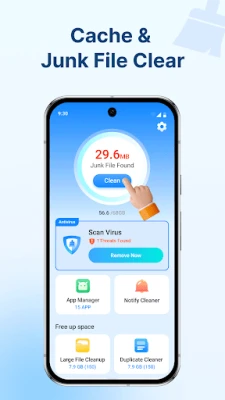
Over time, your phone accumulates junk files that can slow down its performance. A Junk Cleaner tool scans your device to identify and remove these unnecessary files, freeing up valuable storage space. Regularly using a junk cleaner can significantly enhance your phone's speed and responsiveness.
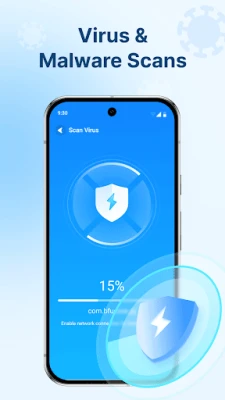
2. Virus Scan: Safeguard Your Device
Protecting your phone from potential threats is crucial. A Virus Scan feature allows you to scan your device for malware and other security threats. By regularly checking for vulnerabilities, you can ensure your personal information remains safe and secure.
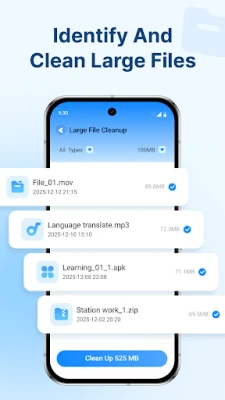
3. Large File Manager: Optimize Storage Space
Managing storage space is vital for maintaining your phone's performance. A Large File Manager helps you quickly locate large files on your device, allowing you to decide whether to keep or delete them. This tool is particularly useful for identifying files that consume excessive storage, enabling you to optimize your device effectively.
4. Similar File & Photo Cleaner: Streamline Your Media
Duplicate files can clutter your device and take up unnecessary space. The Similar File & Photo Cleaner identifies and removes duplicate files and photos with ease. By streamlining your media library, you can enjoy a more organized and efficient device.
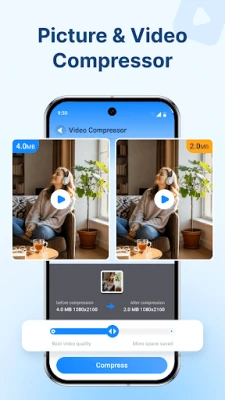
5. Photo & Video Compression: Save Space Without Sacrificing Quality
High-resolution images and videos can quickly consume storage space. Utilizing Photo & Video Compression techniques allows you to reduce the size of these files without compromising quality. This feature is essential for anyone who frequently captures and stores media on their device.
6. Media File Manager: Effortless Organization
A Media File Manager simplifies the process of browsing, managing, and deleting unwanted images, videos, and audio files. With an intuitive interface, you can easily organize your media library, ensuring that your device remains clutter-free and efficient.
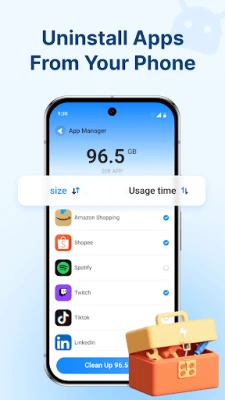
7. App Manager: Control Your Applications
Managing installed applications is crucial for maintaining your phone's performance. An App Manager allows you to view all installed apps and uninstall those you no longer need. This tool helps free up storage space and ensures your device runs smoothly.
8. Security & Privacy Tools: Protect Your Information
In an age where data privacy is paramount, utilizing security tools is essential. Here are two key features to consider:
8.1 Notification Cleaner: Declutter Your Notifications
A Notification Cleaner helps you clear cluttered notifications with just one tap. This feature not only enhances your user experience but also allows you to focus on what matters most without distractions.
8.2 App Lock: Secure Your Private Apps
Protecting sensitive information is crucial. An App Lock feature secures your private applications with robust encryption, ensuring that only you can access them. This added layer of security is vital for safeguarding your personal data.
9. Let Shield Antivirus Manage Your Phone
For comprehensive phone management, consider using Shield Antivirus. This application combines various features, including virus scanning, junk cleaning, and privacy protection, to help you maintain a secure and efficient device. With Shield Antivirus, you can rest assured that your phone is in good hands.
10. Contact Us for Support
If you have any questions regarding the application or need assistance, feel free to reach out at kolhire16@gmail.com. Our team is here to help you optimize your phone management experience.
In conclusion, effective phone management is essential for maintaining your device's performance and security. By utilizing the tools and techniques outlined in this guide, you can ensure that your phone remains efficient, organized, and secure. Start optimizing your device today!
Rate the App
User Reviews















Popular Apps










Editor's Choice









