

Latest Version
9.1
February 24, 2026
Vb2labs
Tools
Android
1
Free
com.vb2labs.android.sdelete
Report a Problem
More About SDelete - File Shredder
Unlock Ultimate Data Security with SDelete: The Premier Secure Deletion Tool
In an age where data privacy is paramount, ensuring the secure deletion of personal information is crucial. SDelete stands out as a highly advanced secure deletion tool designed to leave no trace of your sensitive data. This article delves into the features, benefits, and frequently asked questions about SDelete, highlighting why it is the go-to solution for secure file deletion.
Why Choose SDelete?
SDelete offers a comprehensive suite of features that cater to your data security needs:
- Advanced Secure Deletion: SDelete guarantees that your personal data is permanently erased, ensuring that it cannot be recovered by any means.
- Support for Internal and External Storage: Whether your files are stored on internal memory or an SD card, SDelete provides secure deletion across all storage types.
- Versatile File Shredding: This tool can securely shred various file types, including photos, videos, audio files, documents, and more.
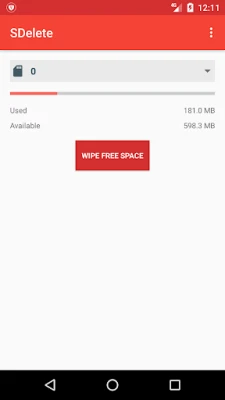
- Efficient Free Space Wiping: SDelete allows for the rapid and secure wiping of free space, making previously deleted files unrecoverable.
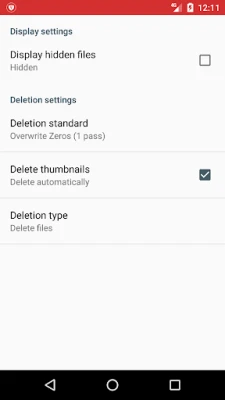
- Automatic Thumbnail Deletion: The app automatically deletes thumbnails for images and videos, further enhancing your privacy.
- Compliance with International Standards: SDelete adheres to recognized deletion standards, including US DoD 5220.22-M and NIST 800–88.
- Compatibility with Latest Android Versions: SDelete is optimized for the latest Android operating systems, ensuring seamless performance.
Key Features of SDelete
SDelete is designed with user-friendliness and efficiency in mind. Here are some of its standout features:
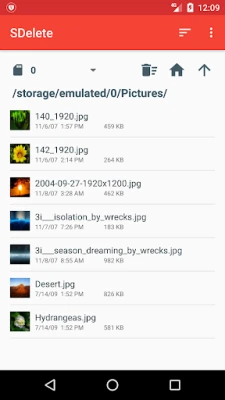
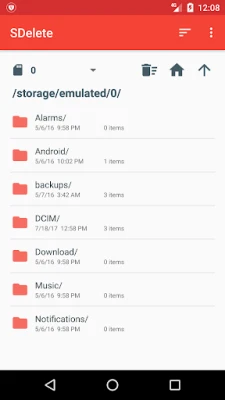
- Intuitive File Browser: Navigate through your files effortlessly with a simple and smooth interface that allows for quick deletions.
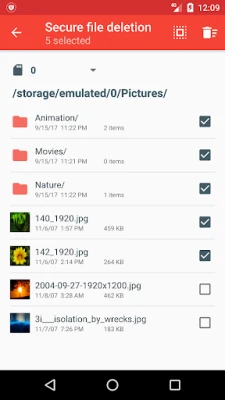
- Batch Deletion: Delete multiple files and folders simultaneously, saving you time and effort.
- Thumbnail Previews: View thumbnails for images and videos directly in the file browser, making it easier to identify files for deletion.
- Integration with Other Apps: Easily delete files in SDelete by selecting them from other file managers and gallery applications.
- Secure Deletion of Hidden Files: SDelete ensures that even hidden files are securely deleted, leaving no trace behind.
- Custom Shredding Patterns: Users can define custom shredding patterns for enhanced security.
- Selective Content Scrapping: SDelete allows you to scrap file contents while leaving the file itself undeleted, providing flexibility in data management.
Exclusive Features of SDelete Pro
For those seeking an enhanced experience, SDelete Pro offers additional features:
- Ad-Free Experience: Enjoy using the app without any interruptions from advertisements.
- Password Protection: Secure the app with a password lock, adding an extra layer of security.
- Priority Support: Pro users receive priority assistance for any inquiries or issues.
- Unique Features: Access a range of exclusive features available only in the Pro version.
To upgrade to SDelete Pro, visit the following link: SDelete Pro on Google Play.
Frequently Asked Questions
What happens when I delete a file normally on my device?
When you delete files such as photos, videos, or documents using standard methods, they are not physically erased from your device. This means that if you sell or lose your device, anyone can potentially recover your deleted data.
How can I recover a file I accidentally deleted using SDelete?
Files deleted with SDelete are permanently erased and cannot be recovered. It is essential to double-check before confirming deletions to avoid losing important data.
Future Updates and Support
Stay tuned for more features and enhancements in upcoming updates! For any support or suggestions, please reach out to support@vb2labs.com.
In conclusion, SDelete is an indispensable tool for anyone concerned about data privacy and security. With its robust features and user-friendly interface, it ensures that your personal information remains confidential and irretrievable. Don’t compromise on your data security—choose SDelete today!
Rate the App
User Reviews















Popular Apps










Editor's Choice









