

Latest Version
August 20, 2024
darken
Tools
Android
0
$3.96
eu.thedarken.sdm.unlocker
Report a Problem
More About SD Maid 1 Pro - Unlocker
Unlocking Pro Features in SD Maid: A Comprehensive Guide
Are you looking to enhance your experience with SD Maid? This guide will walk you through the process of unlocking the "Pro" status in the free version of SD Maid, giving you access to a plethora of additional features that can optimize your device's performance.
What is SD Maid?
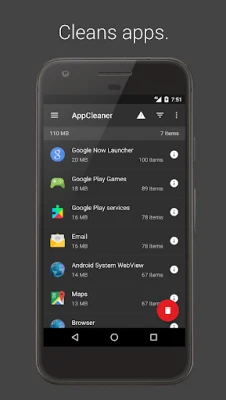
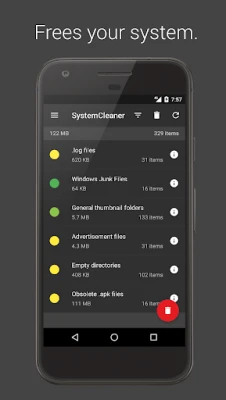
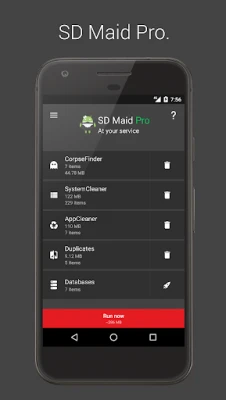
SD Maid is a powerful tool designed to help users manage their Android devices more effectively. It offers a range of features that assist in cleaning up unnecessary files, managing apps, and optimizing storage. With the free version, users can enjoy basic functionalities, but unlocking the Pro status elevates the experience significantly.
How to Unlock Pro Status in SD Maid
To unlock the Pro features in SD Maid, you need to follow a straightforward process. It’s important to note that this app is not a stand-alone application; you must first install the free version of SD Maid from the Google Play Store.
Step 1: Install the Free Version
Begin by downloading the free version of SD Maid from the Google Play Store. Once installed, open the app to familiarize yourself with its interface and basic functionalities.
Step 2: Download the Pro Unlocker
Next, you will need to download the Pro Unlocker app. This app is specifically designed to unlock the additional features of SD Maid. You can find it on the same platform or through trusted third-party sources. Ensure that you download it from a reputable site to avoid any security risks.
Step 3: Follow the Installation Instructions
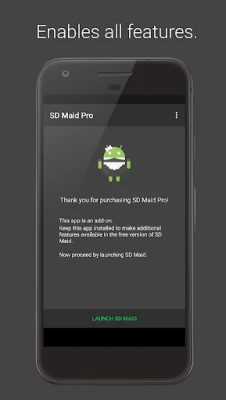
After downloading the Pro Unlocker, install it on your device. The installation process is simple and should only take a few moments. Once installed, open the Pro Unlocker app, and it will automatically detect the free version of SD Maid on your device.
Step 4: Enjoy Pro Features
Once the Pro Unlocker has successfully activated the Pro status, you can return to the SD Maid app. You will now have access to all the premium features, including advanced cleaning options, app management tools, and more. Explore these features to maximize your device's performance.
Benefits of Unlocking Pro Features
Unlocking the Pro features of SD Maid offers numerous advantages that can significantly improve your device's efficiency:
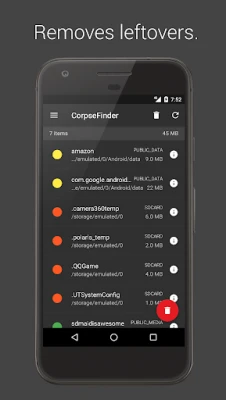
- Advanced Cleaning: The Pro version provides deeper cleaning options, allowing you to remove residual files and optimize storage space more effectively.
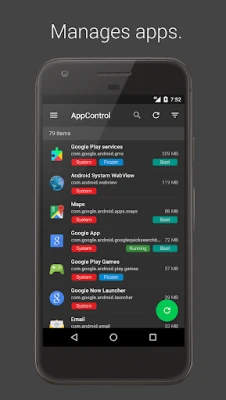
- App Management: Gain access to enhanced app management tools that help you monitor and control the applications on your device.
- Scheduled Cleanings: Set up automatic cleaning schedules to keep your device running smoothly without manual intervention.
- Customizable Options: Tailor the cleaning process to suit your preferences, ensuring that you only remove what you don’t need.
Common Questions About SD Maid Pro Unlocker
Is the Pro Unlocker Safe to Use?
Yes, as long as you download the Pro Unlocker from a trusted source, it is safe to use. Always ensure that you have the latest version to avoid any compatibility issues.
Will I Lose Data After Unlocking?
No, unlocking the Pro features will not result in data loss. However, it’s always a good practice to back up important data before making significant changes to your device.
Can I Use SD Maid Without Unlocking Pro Features?
Absolutely! The free version of SD Maid offers basic functionalities that can still help you manage your device. However, unlocking the Pro features will provide a more comprehensive experience.
Conclusion
Unlocking the Pro status in SD Maid is a simple yet effective way to enhance your device's performance. By following the steps outlined in this guide, you can easily access advanced features that will help you maintain a clean and efficient Android device. If you have any questions or need further assistance, feel free to reach out via email. Enjoy your optimized device!
Rate the App
User Reviews















Popular Apps










Editor's Choice









