


Latest Version
7.2.2
December 07, 2025
CloudEx Inc.
Tools
Android
0
$3.49
jp.snowlife01.android.screenshot
Report a Problem
More About Screenshot Pro - Auto trimming
Revolutionize Your Screenshot Experience with Advanced Features
In today's digital age, capturing screenshots has become an essential part of our daily tasks, whether for work, education, or personal use. With the right tools, you can enhance your screenshot experience significantly. This article explores innovative features that allow you to cut the status bar and navigation bar automatically, making your screenshots cleaner and more professional.
Automatic Status Bar and Navigation Bar Cutting
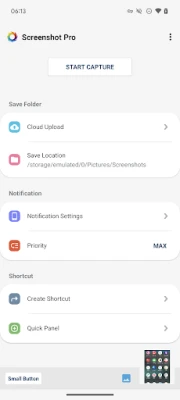
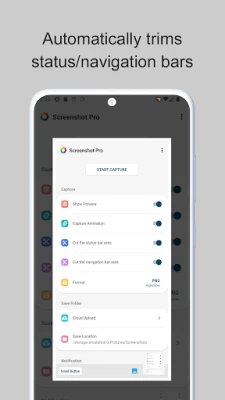
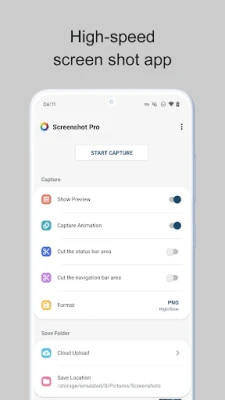
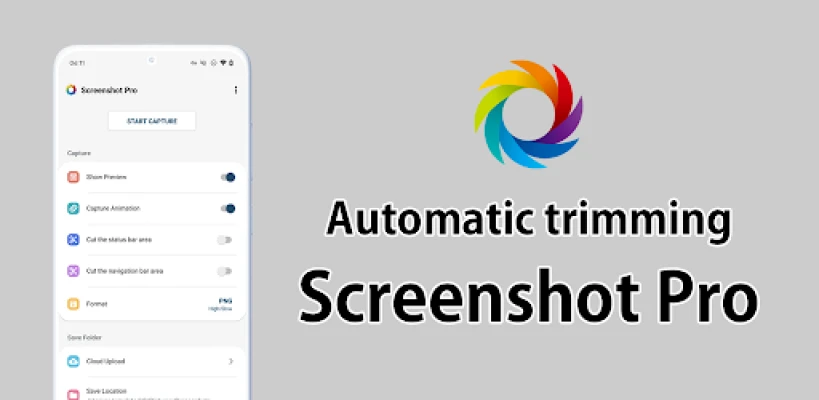
One of the standout features of modern screenshot tools is the ability to automatically cut the status bar area. This functionality ensures that your screenshots focus solely on the content you want to capture, eliminating any distractions from notifications or system icons. Similarly, the tool can automatically cut the navigation bar area, providing a seamless and polished look to your images.
Dynamic Capture Animation
Enhance your screenshot-taking experience with the capture animation feature. This option allows you to toggle the animation ON or OFF, giving you control over how your screenshots are captured. Whether you prefer a subtle capture or a more dynamic approach, this feature caters to your preferences.
Convenient Overlay Shutter Button
Accessibility is key when it comes to taking screenshots. The overlay shutter button provides a convenient solution, allowing you to capture images effortlessly. This mobile-friendly button can be accessed at any time, making it ideal for users who frequently take screenshots.
Notification Icon for Easy Access
Stay organized with the notification icon feature. This function displays an icon in your notification bar, enabling you to take screenshots and review them quickly. With just a tap, you can access your most recent captures, streamlining your workflow.
Instant Preview of Screenshots
After capturing a screenshot, the show preview feature displays a miniaturized version of your image on the screen. This instant feedback allows you to verify that you’ve captured the desired content before moving on, ensuring accuracy and satisfaction with your screenshots.
Persistent Small Button for Quick Access
For those who regularly take screenshots, the small button feature is a game-changer. By setting this inconspicuous button to be displayed at all times, you can bring up the shutter button instantly whenever you need it. This functionality is particularly beneficial for users who require frequent captures, enhancing efficiency and convenience.
Create Shortcuts for Enhanced Efficiency
Maximize your productivity by creating shortcuts to access the shutter button with a single tap. This feature allows you to customize your screenshot experience, making it quicker and easier to capture images without navigating through multiple menus.
Customizable Save Location
Organize your screenshots effectively with the modifiable save folder option. You can choose where your images are stored, making it easier to find and manage your screenshots later. This customization ensures that your workflow remains smooth and efficient.
Seamless Cloud Upload
Never lose a screenshot again with the cloud upload feature. This functionality automatically uploads a copy of your new screenshots to the cloud, providing a secure backup and easy access from any device. Enjoy peace of mind knowing your important captures are safely stored.
Access Your Latest Screenshot Instantly
With the latest screenshot feature, you can open your most recent capture with just a click. This quick access saves time and allows you to focus on your tasks without interruption, making it an invaluable tool for anyone who frequently takes screenshots.
Conclusion
Incorporating these advanced features into your screenshot-taking routine can significantly enhance your productivity and the quality of your captures. From automatic cutting of status and navigation bars to convenient access options and cloud uploads, these tools are designed to streamline your experience. Embrace the future of screenshot technology and transform the way you capture and manage your digital content.
Rate the App
User Reviews















Popular Apps










Editor's Choice









