
Latest Version
June 01, 2026
UtilitySoftLabs
Tools
Android
0
Free
com.golemapps.screenshotLite
Report a Problem
More About Screenshot Capture & Editor
Ultimate Guide to Screenshot Capture & Editor: Your Go-To Tool for Fast Screen Editing
Are you in search of a quick and efficient screenshot editor that allows you to capture your screen and edit it instantly? Look no further! The Screenshot Capture & Editor is a lightweight yet powerful tool designed to meet all your screen capturing needs. Whether you want to take screenshots, capture entire web pages, snap Google Maps, or stitch images together, this app has got you covered.
Why Choose Screenshot Capture & Editor?
This versatile tool offers a plethora of features that make it stand out from the competition:
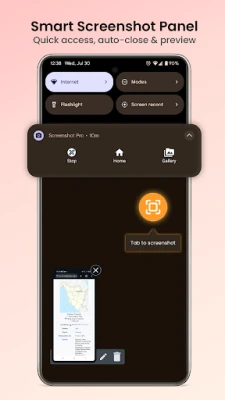
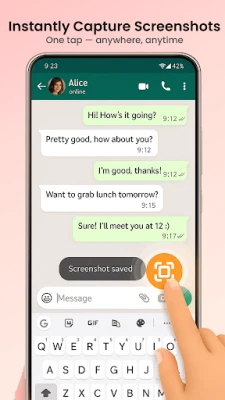
- One-Tap Capture: Easily capture your screen using a floating button, notification panel, or simply shake your device.
- Web Page Capture: Save full or partial web pages as high-quality images.
- Google Maps Screenshot: Capture detailed areas of maps effortlessly.
- Image Stitching: Combine multiple photos into one seamless long screenshot.
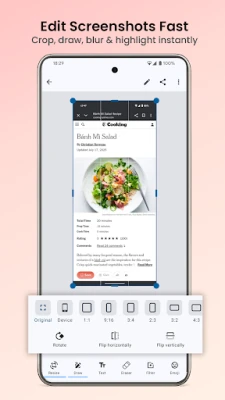
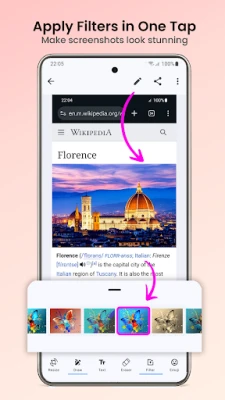
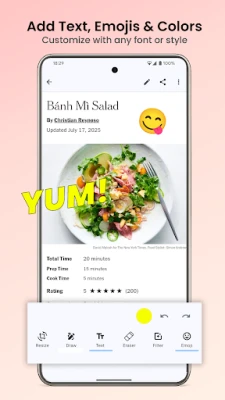
- Powerful Photo Editor: Edit your screenshots with cropping, text, emojis, filters, shapes, and drawing tools.
- Instant Sharing: Share your creations via WhatsApp, Telegram, Google Drive, and more.
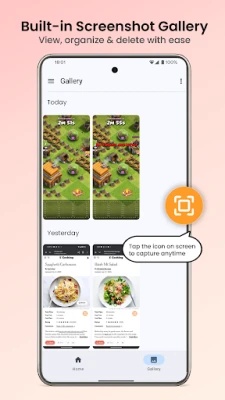
- Smart Gallery: Automatically save and organize your screenshots by date.
- Dark Mode: Choose between system, light, or dark themes for your convenience.
- Lightweight & Fast: The app is small in size, ensuring it saves battery life.
Effortlessly Capture Your Screen
Whether you need to capture web pages, articles, maps, or documents, the Screenshot Capture & Editor makes it easy. Just tap the floating button or shake your phone to get started. This app is compatible with all Android devices running version 8.0 and above, and no rooting is required.
Multiple Capture Triggers for Your Convenience
Choose the capture method that suits you best:
- Floating Button: An always-on overlay that allows you to tap and capture.
- Notification Panel: Quickly toggle the capture feature from your status bar.
- Shake to Capture: Simply shake your phone to take a screenshot without any tapping.
Web Page Capture: Scrolling Screenshots Made Easy
Save any web page as a high-quality scrolling screenshot, whether you need the entire page or just a specific section:
- Full Page Capture: Capture the entire web page from top to bottom.
- Partial Capture: Select and save only the section you want.
- No Browser Extensions Needed: Just paste the URL to get started.
This feature is perfect for saving articles, receipts, product pages, and online documents.
Google Maps Screenshot: Capture with Precision
Need to capture detailed map screenshots? The Screenshot Capture & Editor allows you to:
- Save routes, directions, and specific locations.
- Obtain high-resolution map images.
- Share map screenshots effortlessly with friends, colleagues, or clients.
This feature is ideal for travel planning, delivery routes, and location sharing.
Image Stitching: Create Long Screenshots
Combine multiple screenshots or photos into one long image with ease:
- Vertical or Horizontal Stitching: Choose how you want to combine your images.
- Perfect for Guides: Great for creating step-by-step instructions or before-and-after comparisons.
Photo Editor: Edit Like a Pro
Enhance your screenshots with the built-in photo editor:
- Crop & Resize: Focus on the most important parts of your screenshot.
- Text & Annotations: Add notes directly onto your images.
- Emoji Stickers: Use visual cues to mark up your screenshots.
- Filters: Apply effects to enhance your images.
- Shapes & Drawing: Add arrows, circles, lines, and rectangles for clarity.
- Undo & Redo: Instantly fix any mistakes you make while editing.
Share Your Screenshots Instantly
Once you’ve captured and edited your screenshots, sharing them is a breeze. Send your images via:
- WhatsApp, Telegram, Messenger
- Instagram, Facebook, X (formerly Twitter)
- Google Drive, Dropbox
- Email or save them locally on your device
Organized Screenshot Gallery for Easy Access
Every screenshot you take is automatically saved and organized by date, ensuring quick access without cluttering your photo gallery.
Performance First: Lightweight and Efficient
The Screenshot Capture & Editor is designed for optimal performance:
- App size is under 5 MB
- No background processes to drain your battery
- Runs smoothly on any device
- No rooting or account creation required
Who Can Benefit from Screenshot Capture & Editor?
This app is perfect for a variety of users:
- Students: Save lecture slides, notes, and study materials.
- Professionals: Document tasks, annotate reports, and capture receipts.
- Travelers: Save maps, routes, and hotel confirmations.
- Online Shoppers: Keep order confirmations and price comparisons handy.
Download Screenshot Capture & Editor Today!
Experience the fastest way to capture, edit, and share your screen. Take screenshots like a pro with this lightweight, powerful
Rate the App
User Reviews















Popular Apps










Editor's Choice









