
Latest Version
7.3.1
June 11, 2026
CloudEx Inc.
Tools
Android
0
Free
jp.snowlife01.android.screenshot_trial
Report a Problem
More About Screenshot -Automatic trimming
Ultimate Guide to Screenshot Management: Features and Benefits of the Pro Version
In today's digital age, capturing and sharing screenshots has become an essential part of our daily activities. Whether you're documenting a conversation, saving an important image, or sharing information, having a reliable screenshot tool is crucial. This article explores the features of a popular screenshot application, highlighting its free and pro versions, and how it can enhance your screenshot experience.
Free Version: A Quick Overview
The free version of this screenshot application allows users to explore its functionalities and operations. However, it comes with a time limitation, expiring just two days after installation. This brief trial period provides a glimpse into the app's capabilities, making it easier for users to decide whether to upgrade to the pro version.
Key Features of the Screenshot Application
Automatic Status Bar and Navigation Bar Cutting
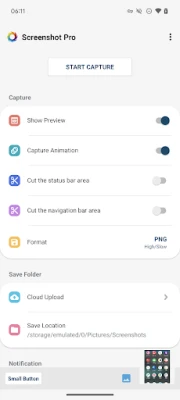
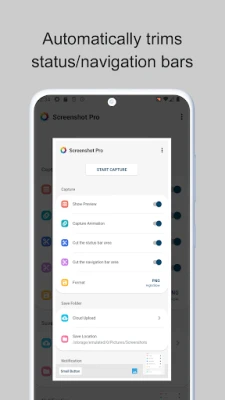
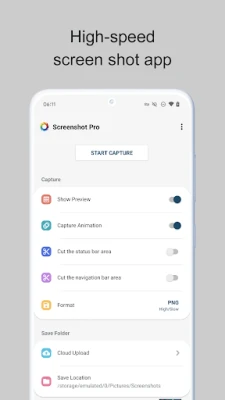
One of the standout features of this application is its ability to automatically cut the status bar and navigation bar areas from your screenshots. This functionality ensures that your captures are clean and focused solely on the content you wish to share, eliminating unnecessary distractions.
Capture Animation Control
Users can toggle the capture animation feature ON or OFF, allowing for a customizable screenshot experience. Whether you prefer a visual cue when taking a screenshot or a more discreet approach, this option caters to your preferences.
Convenient Overlay Shutter Button
The application includes a mobile overlay shutter button, providing easy access to screenshot functionality at any time. This feature is particularly useful for users who frequently take screenshots, as it eliminates the need to navigate through menus or settings.
Notification Icon for Quick Access
With the notification icon display function, users can quickly take screenshots and access them directly from the notification bar. This seamless integration enhances user experience, making it easier to manage and share your captures.
Preview Your Screenshots Instantly
After taking a screenshot, a miniaturized version appears on the screen, allowing users to preview their captures immediately. This feature ensures that you can quickly verify your screenshot before sharing or saving it.
Small Button for Instant Access
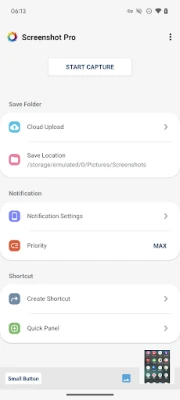
The application offers a small, inconspicuous button that can be displayed at all times. This button allows users to bring up the shutter function instantly, making it incredibly convenient for those who regularly take screenshots.
Create Shortcuts for Efficiency
Users can create shortcuts to access the shutter button with a single tap. This feature streamlines the screenshot process, allowing for quick captures without navigating through multiple screens.
Customizable Save Location
The app allows users to modify the save folder for their screenshots. This flexibility ensures that you can organize your captures in a way that suits your workflow, making it easier to find and manage your images.
Cloud Upload for Easy Backup
For those who want to ensure their screenshots are safely stored, the application offers an automatic cloud upload feature. This function uploads a copy of each new screenshot to the cloud, providing peace of mind and easy access from any device.
Access Your Latest Screenshots Quickly
The application includes a feature to open the most recent screenshot with just a tap. This functionality is perfect for users who need to reference their latest captures without delay.
Why Upgrade to the Pro Version?
While the free version provides a solid introduction to the app's capabilities, upgrading to the pro version unlocks additional features and removes the time limitation. Users who frequently rely on screenshots will find the pro version to be a worthwhile investment, enhancing their productivity and efficiency.
Conclusion
In summary, this screenshot application offers a range of features designed to simplify the screenshot process. From automatic cutting of status and navigation bars to convenient access options and cloud backup, it caters to the needs of both casual users and professionals alike. Consider trying the free version to experience its capabilities, and if you find it beneficial, upgrading to the pro version will undoubtedly enhance your screenshot management experience.
For more information and to download the pro version, visit the Google Play Store.
Rate the App
User Reviews















Popular Apps










Editor's Choice









